
截图
介绍
中文介绍正在准备中,下面暂时显示原文。

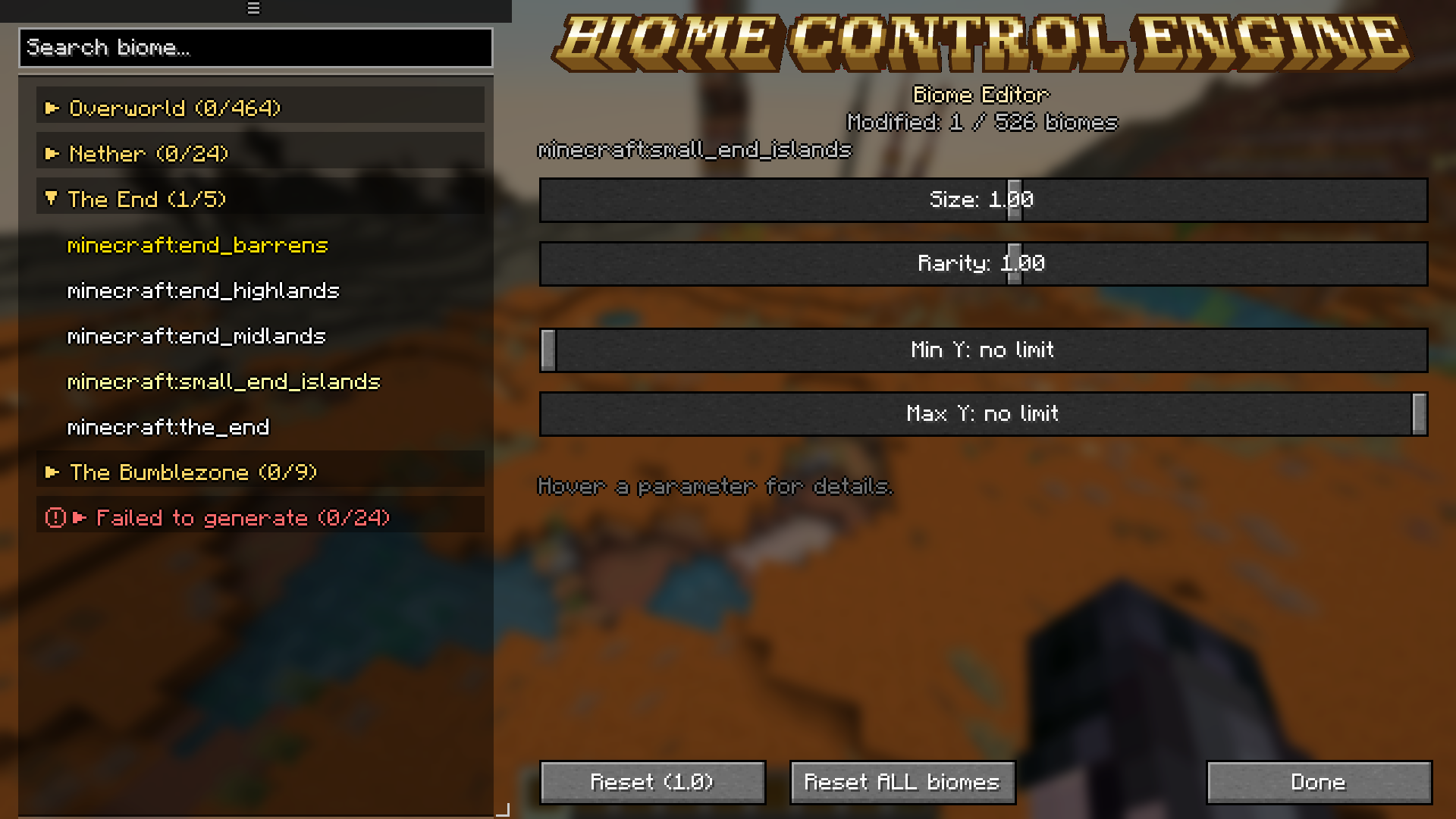
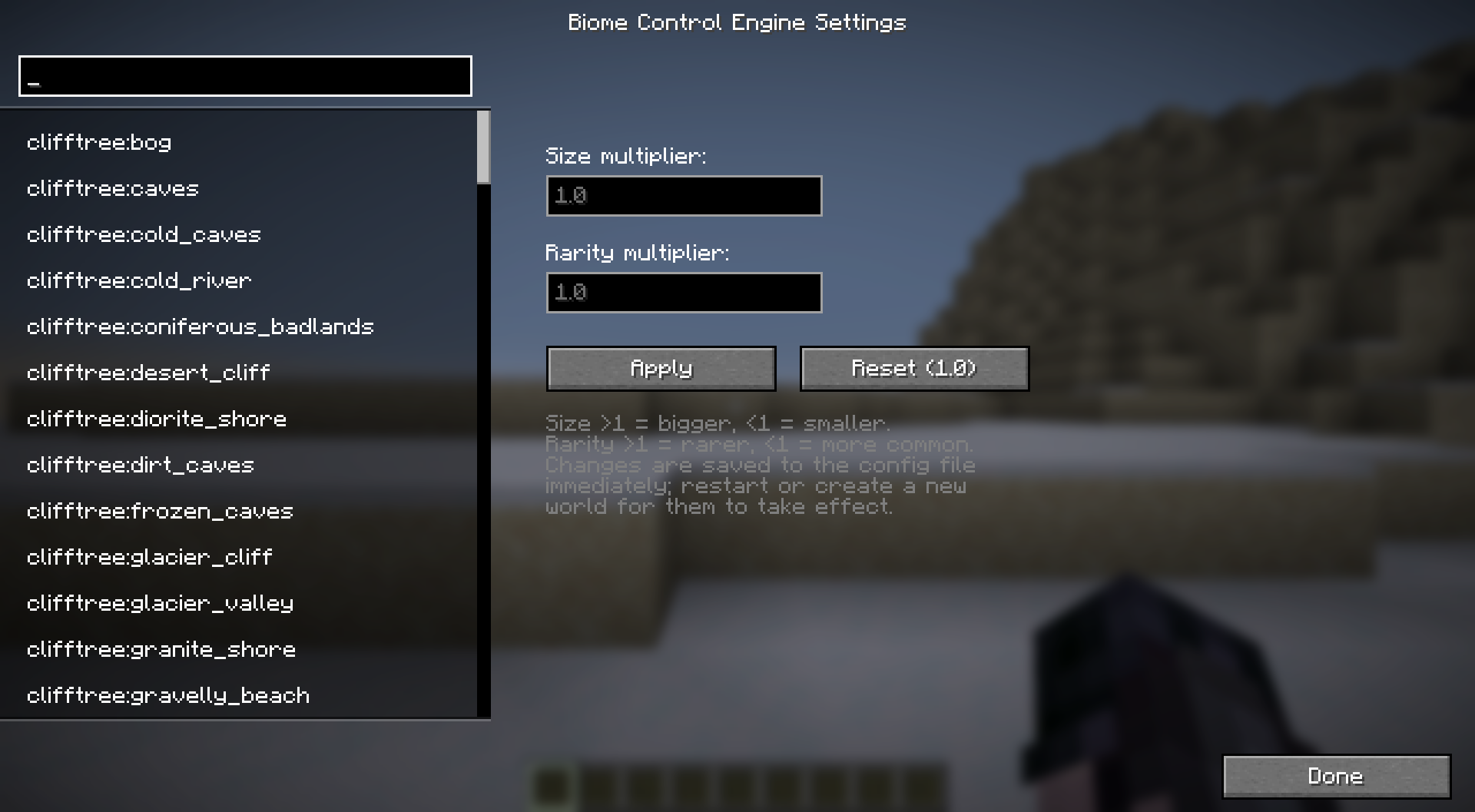
Biome Control Engine (BCE) is an utility mod that gives you a size multiplier, a rarity multiplier, and a Y-height range for every loaded biome, plus an in-game browser to find and edit them. Works with vanilla and modded biomes.
Features
- Size multiplier — values above 1.0 increase a biome’s climate footprint, below 1.0 decrease it
- Rarity multiplier — independently of size, controls how often a biome wins over competing biomes for the same spot
- Y-height range — set a minimum and/or maximum world height a biome is allowed to generate at
- Automatic priority — a customized biome is automatically guaranteed to generate within its configured range instead of losing out to climate comparison; turns off again once reset to default, nothing to toggle by hand
- Works with modded biomes — any biome registered by any other mod is automatically detected and configurable
- In-game settings screen — search, select, and edit biomes without leaving the game or hand-editing JSON
- Movable, resizable biome browser — drag it by its header, resize it from the corner, position and size are remembered
- Biomes sorted into per-dimension folders — Overworld, Nether, End, and one folder per mod that adds its own dimension
- Flags biomes that never generate — a dedicated folder lists any biome that’s registered but doesn’t appear in any dimension (usually a mod/datapack conflict); editing is disabled for these, with an explanation shown instead
- Three ways to open it — mod list, a button on the title screen/options menu/pause menu, or a rebindable hotkey (F4 by default)
- Plain JSON config — changes are autosaved to
config/biomecontrolengine/biomes.json
Extra info
- Modpack usage: You can use this mod in your modpack without asking, but must have a credit
- Biomes browser in the config screen will be populated after the first world load
常见问题
Biome Control Engine 支持哪些 Minecraft 版本?
Biome Control Engine 支持 Minecraft Java 版 1.21.1,可用的加载器:NeoForge。下载时注意选择和你游戏版本一致的文件。
Biome Control Engine 怎么安装?
先用 PCL2 或 HMCL 启动器安装对应版本的 NeoForge,再把下载的 .jar 文件放进游戏目录的 mods 文件夹,重新启动游戏即可。开启了版本隔离的,mods 文件夹在 versions/版本名 下面。运行环境:仅服务端。
noxwave 的其他作品
查看全部 →
TerraCliff
by noxwave
CliffTree + Terralith compatiblity.
5,004
1 个月前
Modrinth

✦ ReShined
by noxwave
Makes Shine mod textures better.
1,548
2 个月前
Modrinth

brio: shiny blades [discontinued]
by noxwave
Bring some brio to your world! With weapons redesign.
979
1 年前
Modrinth

brio: shiny tools [discontinued]
by noxwave
Bring some brio to your world! With tools redesign.
659
1 年前
Modrinth
评论
登录后评论和评分