
BBS AE Keyframe Addon
A simple bbs mod addon that exports Adobe After Effects keyframe.
介绍
BBS AE Keyframe Addon
A simple bbs mod addon that exports Adobe After Effects keyframe.
Usage
- Step 1: Export a video
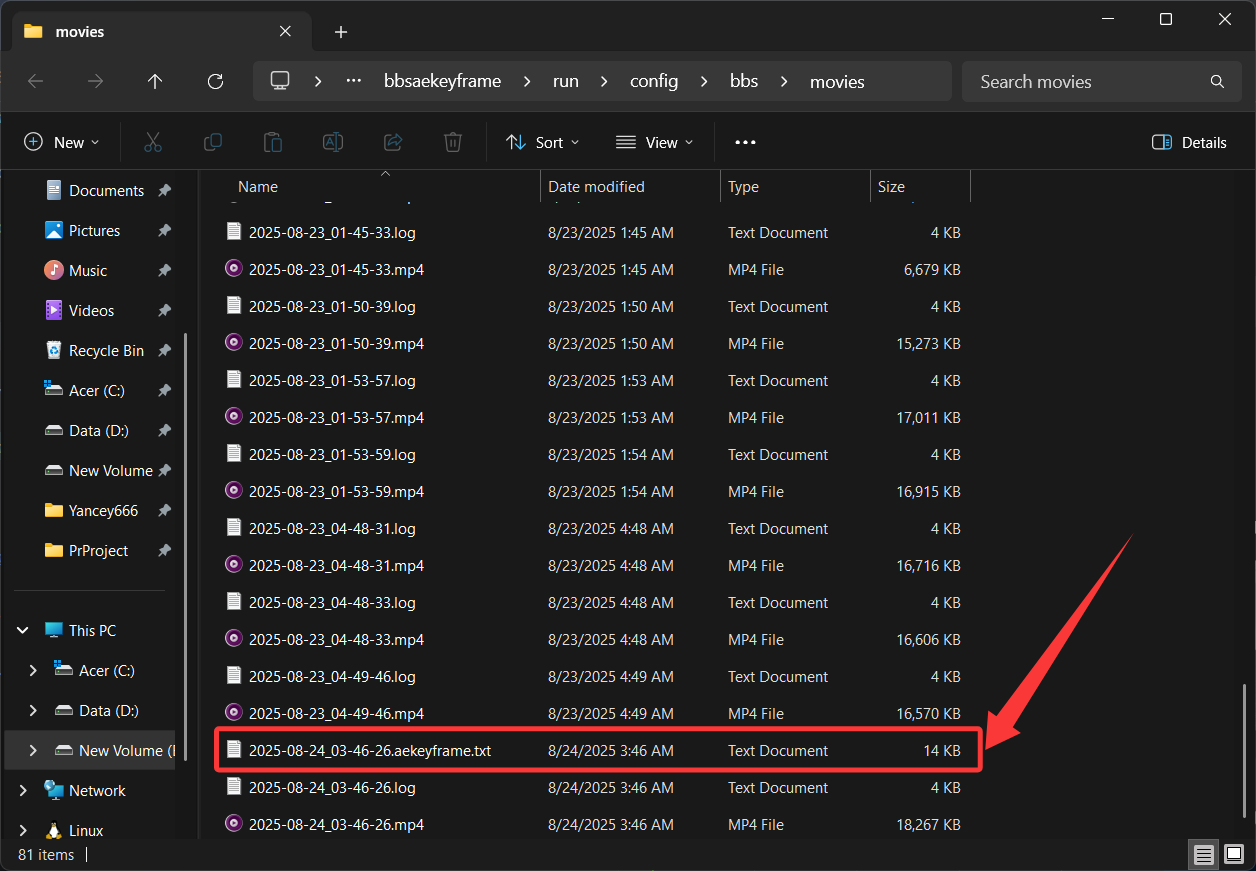
After exporting, you’ll find a .txt file containing the AE keyframe data in the same folder as your video:
- Step 2: Import the keyframes into After Effects
Simply copy the contents of the .txt file and paste them directly onto the camera object in AE.
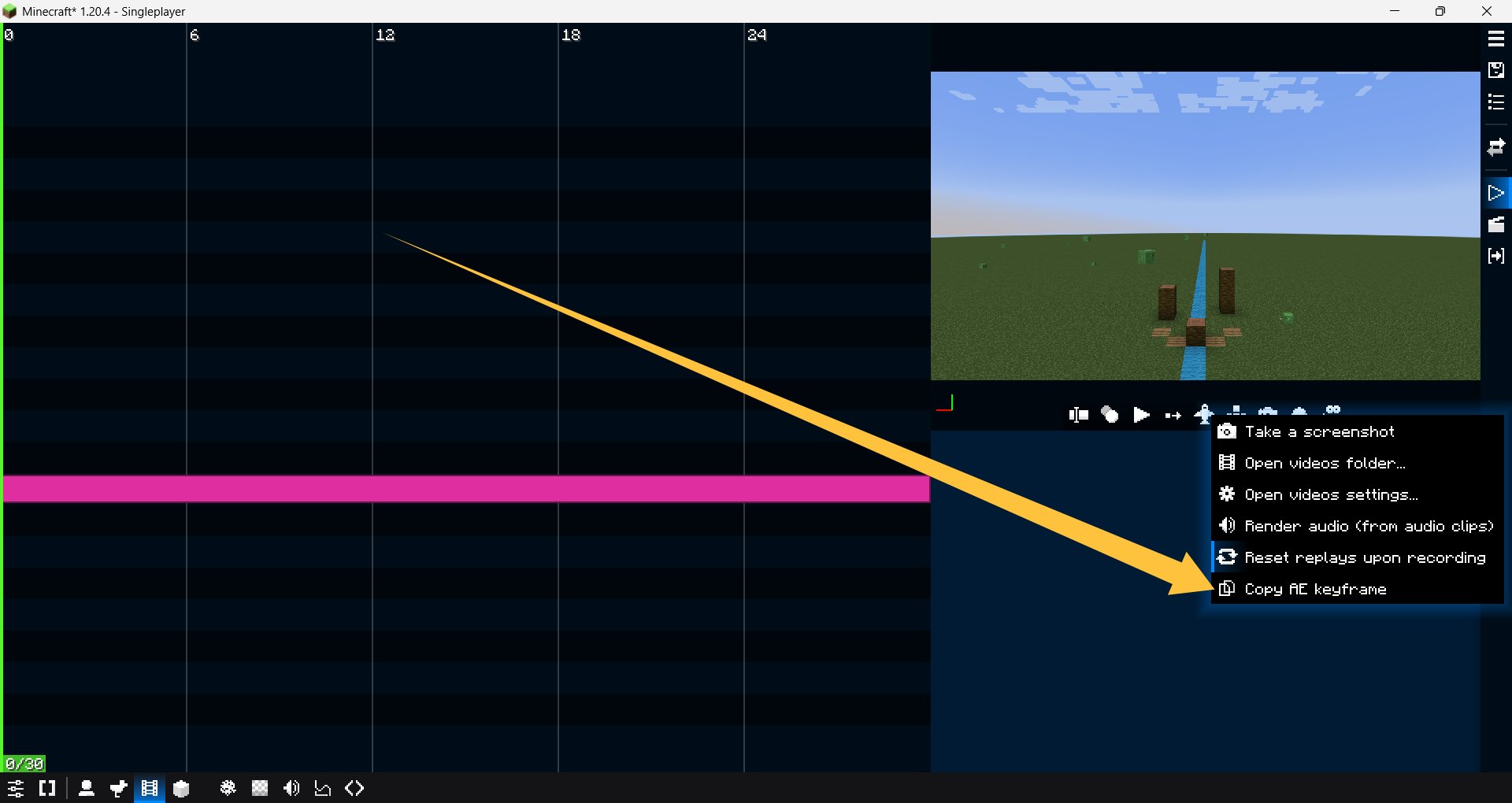
Alternatively, right-click the record video button in BBS and select Copy AE Keyframes to automatically copy the
keyframe data from your most recently exported video:
About
Author: Yancey
Email: [email protected]
Bilibili: Minecraft_Yancey
Special Thanks
This mod has been sponsored by the following supporters. Credits are given to these wonderful people:
- 卫巾纸薄 ¥110
- 丨qwe丨 ¥30
- Minecraft_DZ ¥11.14
- 红叶年轮不是鸽子_ ¥10
- Aura-永无止境 ¥5
常见问题
BBS AE Keyframe Addon 支持哪些 Minecraft 版本?
BBS AE Keyframe Addon 支持 Minecraft Java 版 1.20.1–1.21.11,共 4 个版本,可用的加载器:Fabric / Forge / NeoForge。下载时注意选择和你游戏版本一致的文件。
BBS AE Keyframe Addon 怎么安装?
先用 PCL2 或 HMCL 启动器安装对应版本的 Fabric / Forge / NeoForge,再把下载的 .jar 文件放进游戏目录的 mods 文件夹,重新启动游戏即可。开启了版本隔离的,mods 文件夹在 versions/版本名 下面。运行环境:客户端 / 服务端。

评论
登录后评论和评分