
截图

介绍
中文介绍正在准备中,下面暂时显示原文。
A server-side fabric mod that reconfigures bat spawns
This mod prevents new spawns instead of killing spawns that go beyond the custom limits.
_If installed on a server, individual players do not need to install it as well for this mod to work._
Features
- Limit bat spawns up to a certain number.
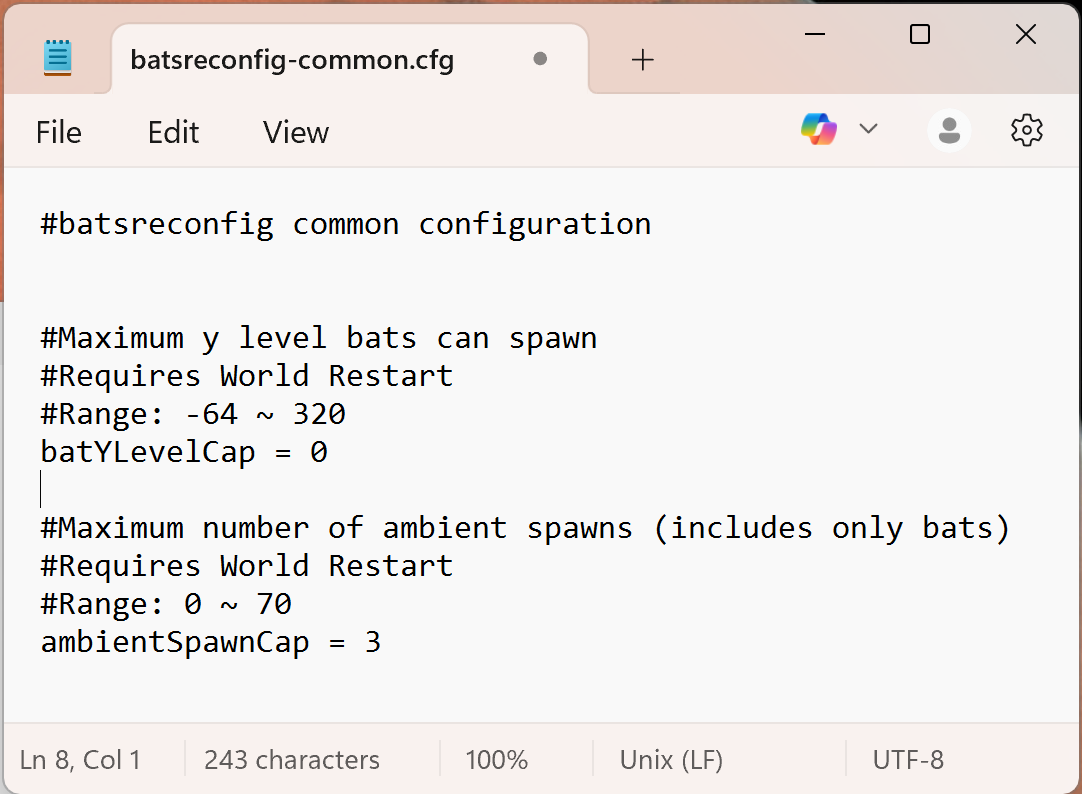
- Limit bat spawns up to a certain max y level.
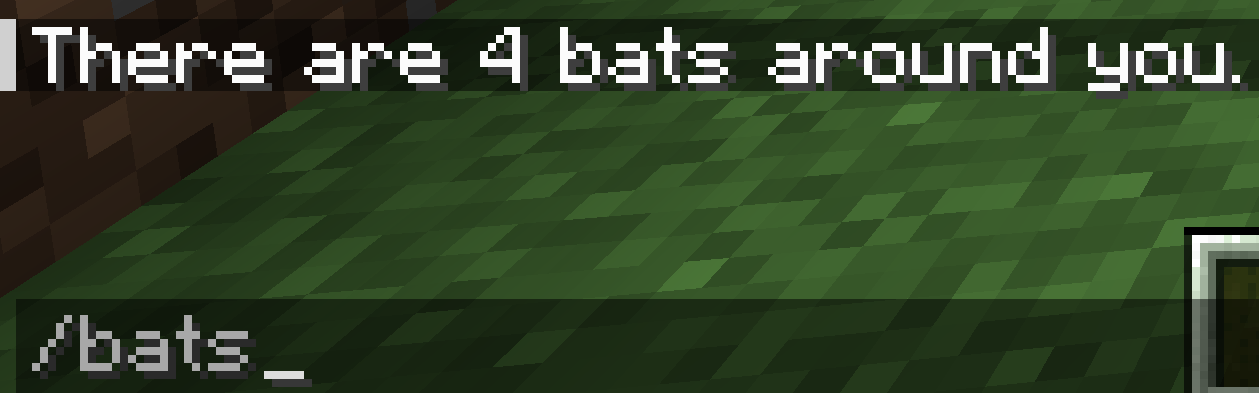
- Use command: /bats to check how many bats are around you in a non-immediate despawnable area (128x128x128). Accessible to everyone.
- If you have access to server logs, you can check that the mod outputs the position for each detected bat.
How to use
- Drop this mod into your minecraft mods folder.
- After starting up the game once, locate the batsreconfig-common.cfg in your minecraft config folder.
- In there, you are able to change each feature value. Default values are already set.
- Restart the game to see new changes.
Dependencies
_These need to be installed into your mods folder for the mod to work._
- Fabric API: https://modrinth.com/mod/fabric-api
- Config API: https://modrinth.com/mod/config-api
General Info
- Report any issues or suggestions for improvements in the Github: https://github.com/gittyaulia/bats-reconfig/issues.
常见问题
Bats Reconfig 支持哪些 Minecraft 版本?
Bats Reconfig 支持 Minecraft Java 版 1.21.4–1.21.5,共 2 个版本,可用的加载器:Fabric。下载时注意选择和你游戏版本一致的文件。
Bats Reconfig 怎么安装?
先用 PCL2 或 HMCL 启动器安装对应版本的 Fabric,再把下载的 .jar 文件放进游戏目录的 mods 文件夹,重新启动游戏即可。开启了版本隔离的,mods 文件夹在 versions/版本名 下面。运行环境:仅服务端。
评论
登录后评论和评分