
截图

介绍

Bad Horse Fix
![Modrinth Downloads][url-modrinth]
![CurseForge Downloads][url-curseforge]
![GitHub Issues][url-github]
NOTE: As of Minecraft 1.21.2 this bug appears to be fixed! The latest version of the mod (4.0.0) should be compatible with EVERY version of Iris/Oculus that includes the bug.
About
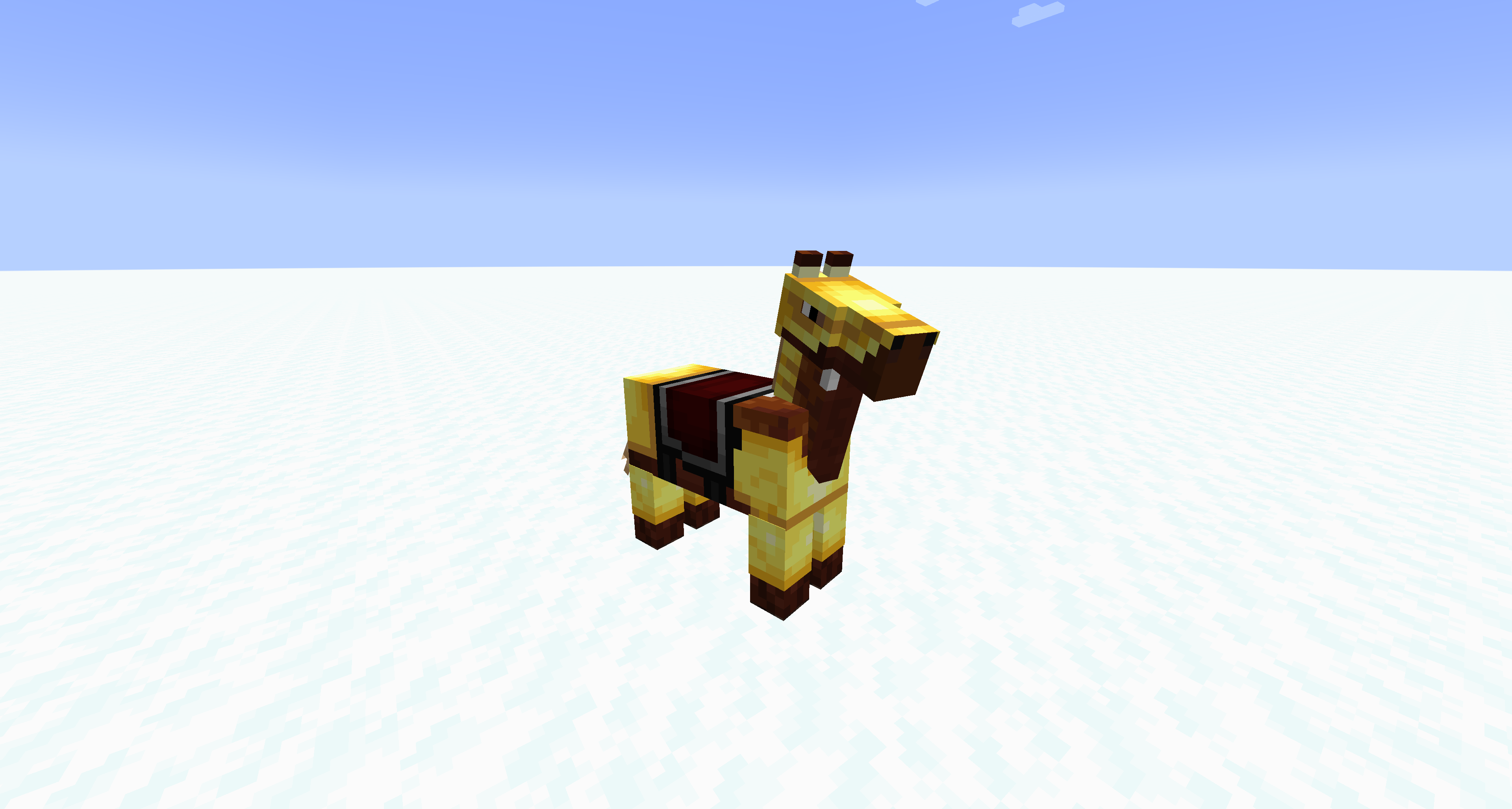
This mod fixes horse markings appearing above horse armor when using Iris or Oculus shaders mods.
Basically, this mod checks everything being rendered to see if it contains “horse”, “armor”, or “markings” and if it finds anything, it forces it to be rearranged. There doesn’t seem to be any noticeable performance hit.
The mod now (as of 4.0.0) looks for just vanilla horse armor and sends it to the end of the Iris rendering batch, so that it’s rendered last, above markings. This also means less conflicts, and better performance (though performance never seemed to be an issue)
Bugs
If you run into any glitches, bugs, or problems of any kind, please report them on the GitHub Issues page for this mod. If issues go unreported, they also go unfixed!
Modpacks
You can include this mod in modpacks that are hosted on Modrinth, CurseForge, or that respect this mod’s license (LGPL-3.0).
常见问题
Bad Horse Fix 支持哪些 Minecraft 版本?
Bad Horse Fix 支持 Minecraft Java 版 1.16.5–1.21.1,共 20 个版本,可用的加载器:Fabric / Forge / NeoForge / Quilt。下载时注意选择和你游戏版本一致的文件。
Bad Horse Fix 怎么安装?
先用 PCL2 或 HMCL 启动器安装对应版本的 Fabric / Forge / NeoForge / Quilt,再把下载的 .jar 文件放进游戏目录的 mods 文件夹,重新启动游戏即可。开启了版本隔离的,mods 文件夹在 versions/版本名 下面。运行环境:仅客户端。
评论
登录后评论和评分