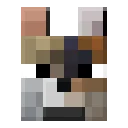
Backported Wolves
Backports the wolf variants from the latest version to older versions of the game.
截图

介绍
If you want to start a new server, Bisect Hosting is a good place to start! Use the code: Clutter to get 25% off!
Backported Wolves
Since Minecraft recently added more variants of the wolf that has been with us for so long, I figured we shouldn’t have to wait until the next update to play with them.
With that we have Backported Wolves, adding all 8 new variants introduced by Minecraft, for older versions.

They come in 8 new variants, plus 1 -which is the standard one.\
These are:
- Pale Wolf (Default) – Taiga
- Woods Wolf – Forest
- Ashen Wolf – Snowy Taiga
- Black Wolf – Old Growth Pine Taiga
- Chestnut Wolf – Old Growth Spruce Taiga
- Rusty Wolf – Sparse Jungle
- Spotted Wolf – Savanna Plateau
- Striped Wolf – Wooded Badlands
- Snowy Wolf – Grove
They are all tameable and when bred the baby will have the same variant as one of it’s parents.
As of 2.0.0, the sound variants are also added, which are:
- Angry
- Big
- Classic
- Cute
- Grumpy
- Puglin
- Sad
Biome Spawns
As of 1.1.0, all spawns are configurable by making a data pack with biome tags for their variants.
\
Example:
\
\
1.18.2> “data/backported_wolves/tags/worldgen/biome/spawns_ashen_wolf.json”
{
  "values": [
    "minecraft:snowy_taiga",
    "minecraft:desert",
    "othermod:other_biome"
  ]
}
1.18-1.18.1 “data/backported_wolves/tags/biomes/spawns_ashen_wolf.json”
{
  "values": [
    "minecraft:snowy_taiga",
    "minecraft:desert",
    "othermod:other_biome"
  ]
}
If multiple variants are added to the same biomes, they all have an equal chance of spawning.
常见问题
Backported Wolves 支持哪些 Minecraft 版本?
Backported Wolves 支持 Minecraft Java 版 1.18–1.20.4,共 13 个版本,可用的加载器:Fabric / Forge / NeoForge / Quilt。下载时注意选择和你游戏版本一致的文件。
Backported Wolves 怎么安装?
先用 PCL2 或 HMCL 启动器安装对应版本的 Fabric / Forge / NeoForge / Quilt,再把下载的 .jar 文件放进游戏目录的 mods 文件夹,重新启动游戏即可。开启了版本隔离的,mods 文件夹在 versions/版本名 下面。运行环境:客户端和服务端都要装。
EmilSG 的其他作品
查看全部 →
Clutter
旨在通过添加更多方块、物品、实体、生物群系等内容,为游戏增添更多“杂物”。

Clutter: Archeology Plus
A mod that aims to add more content to the Archeology feature introduced in 1.20.

Clutter: Bestiary
The entities from Clutter, plus more, updated, improved and split into a separate mod.

Molly the Warrior
Adds a variant for cats when named "Molly".
评论
登录后评论和评分