
Backpack Keybinds
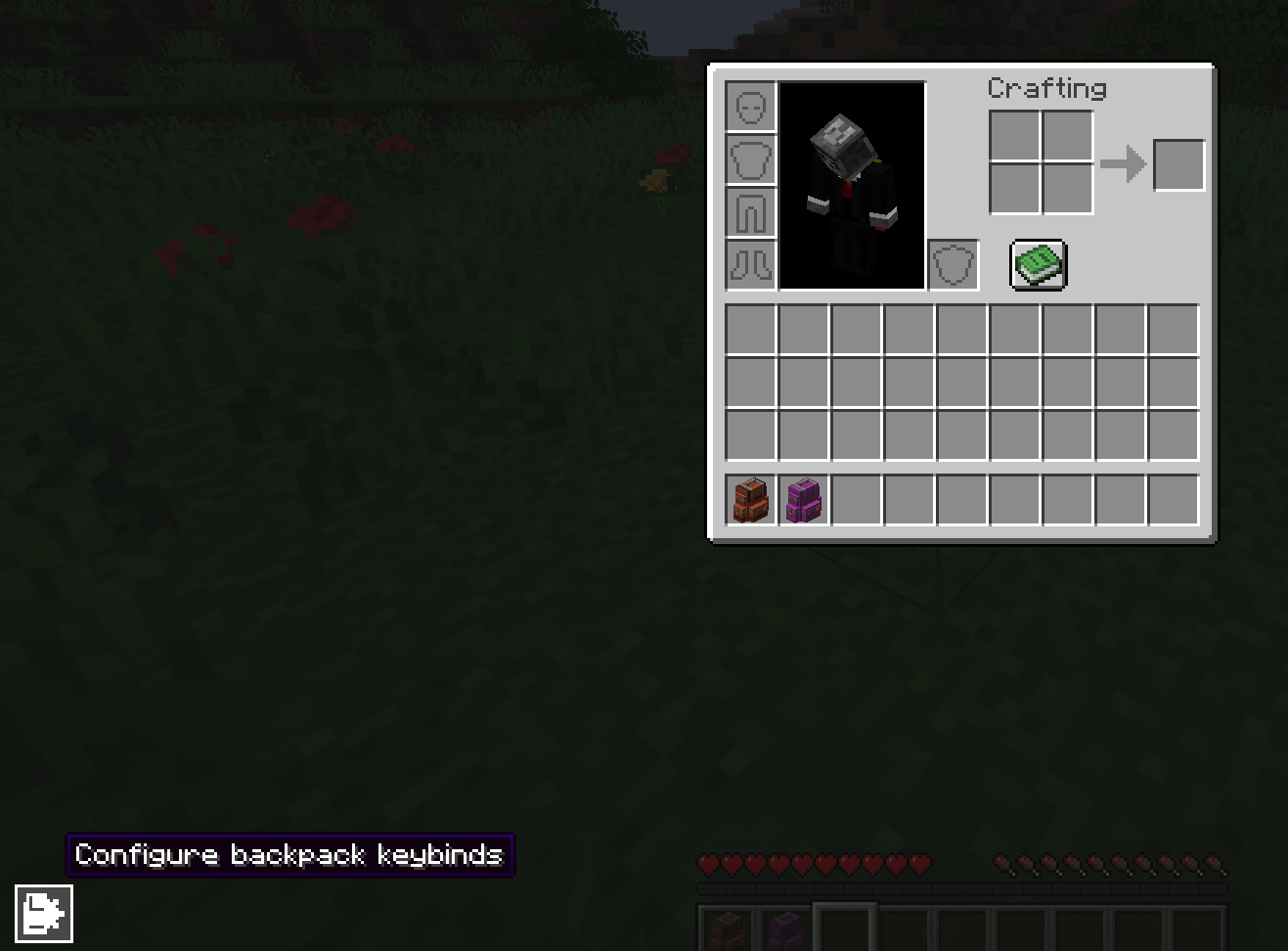
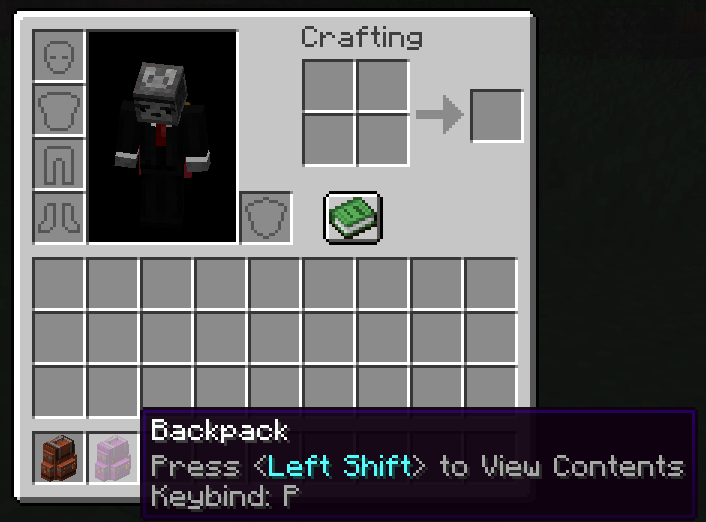
Instantly open individual Sophisticated Backpacks with custom keyboard or mouse keybinds. Even when nested inside another backpack or placed nearby in the world.
截图
介绍
🎒 Backpack Keybinds
Your backpacks. Your keys. Instant access.
Bind individual Sophisticated Backpacks to any keyboard key or mouse button and open exactly the backpack you want, without digging through your inventory.
Whether your backpack is in your inventory, nested inside another backpack, or placed on the ground nearby, its keybind gives you instant access.
✨ Features
- Bind individual backpacks – each backpack gets its own key or mouse button.
- Open from anywhere in your inventory – no need to keep backpacks in specific slots.
- Nested backpack support – access backpacks stored inside other backpacks.
- Placed backpack support – open bound backpacks placed in the world while you’re within range.
- Toggle Mode – press once to open, press again to close.
- Hold to View – hold the key to open and release it to close.
- Click-to-open – quickly access backpacks directly from the bindings menu.
- Bindings overview – see and manage all your backpack bindings in one place.
- Persistent bindings – your setup is remembered between sessions.
- Configurable behavior – customize how Backpack Keybinds works for you.
Client-side only.
Requires Sophisticated Backpacks and Sophisticated Core.
🔗 How to Bind a Backpack
- Open your inventory or a backpack.
- Click the configuration button in the bottom-left.
- Left-click the backpack you want to bind.
- Press the keyboard key or mouse button you want to assign.
- Optional: Right-click the backpack to switch between Toggle and Hold to View mode.
That’s it! Press your assigned key whenever you need that backpack. No searching, no rearranging, just instant access.
常见问题
Backpack Keybinds 支持哪些 Minecraft 版本?
Backpack Keybinds 支持 Minecraft Java 版 1.21.1,可用的加载器:NeoForge。下载时注意选择和你游戏版本一致的文件。
Backpack Keybinds 怎么安装?
先用 PCL2 或 HMCL 启动器安装对应版本的 NeoForge,再把下载的 .jar 文件放进游戏目录的 mods 文件夹,重新启动游戏即可。开启了版本隔离的,mods 文件夹在 versions/版本名 下面。运行环境:仅客户端。
评论
登录后评论和评分