截图
介绍
中文介绍正在准备中,下面暂时显示原文。
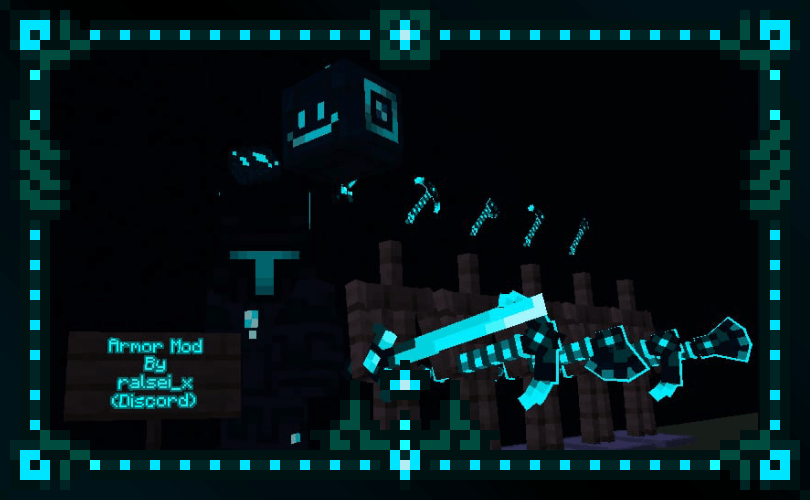
Adds Neon Aqua Glowing ingot to your game.
Aero – Has it’s own AI powered with Groq
Socials
Discord: @AzyrnLMAO // Updated from ralsei_x to AzyrnLMAO
MCreator: user 833648 ralseidreemurr
To Setup Groq API:
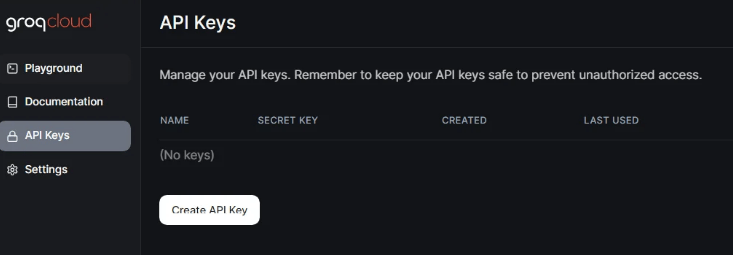
- Go To https://console.groq.com/keys (Sign in if you haven’t)
- Create a key name it whatever you want
- Copy the key it will only display once
- Open .minecraft/config/azuretech/groq.properties after running the game
- Paste the following key “api_key=GROQAPIKEY“
- Save it by CTRL + S or File -> Save
常见问题
AzureTech 支持哪些 Minecraft 版本?
AzureTech 支持 Minecraft Java 版 26.1.2,可用的加载器:NeoForge。下载时注意选择和你游戏版本一致的文件。
AzureTech 怎么安装?
先用 PCL2 或 HMCL 启动器安装对应版本的 NeoForge,再把下载的 .jar 文件放进游戏目录的 mods 文件夹,重新启动游戏即可。开启了版本隔离的,mods 文件夹在 versions/版本名 下面。
评论
登录后评论和评分