
AutoSwitch Enchant
作者:BaXy3
AutoSwitch Enchant — Smart tool switching with enchantment rules awareness
截图
介绍
中文介绍正在准备中,下面暂时显示原文。
AutoSwitch Enchant
Automatic tool switching based on enchantment rules for Minecraft 1.21.10 (Fabric).
Features
- Automatic Switching — the mod automatically selects the right tool when you start mining a block
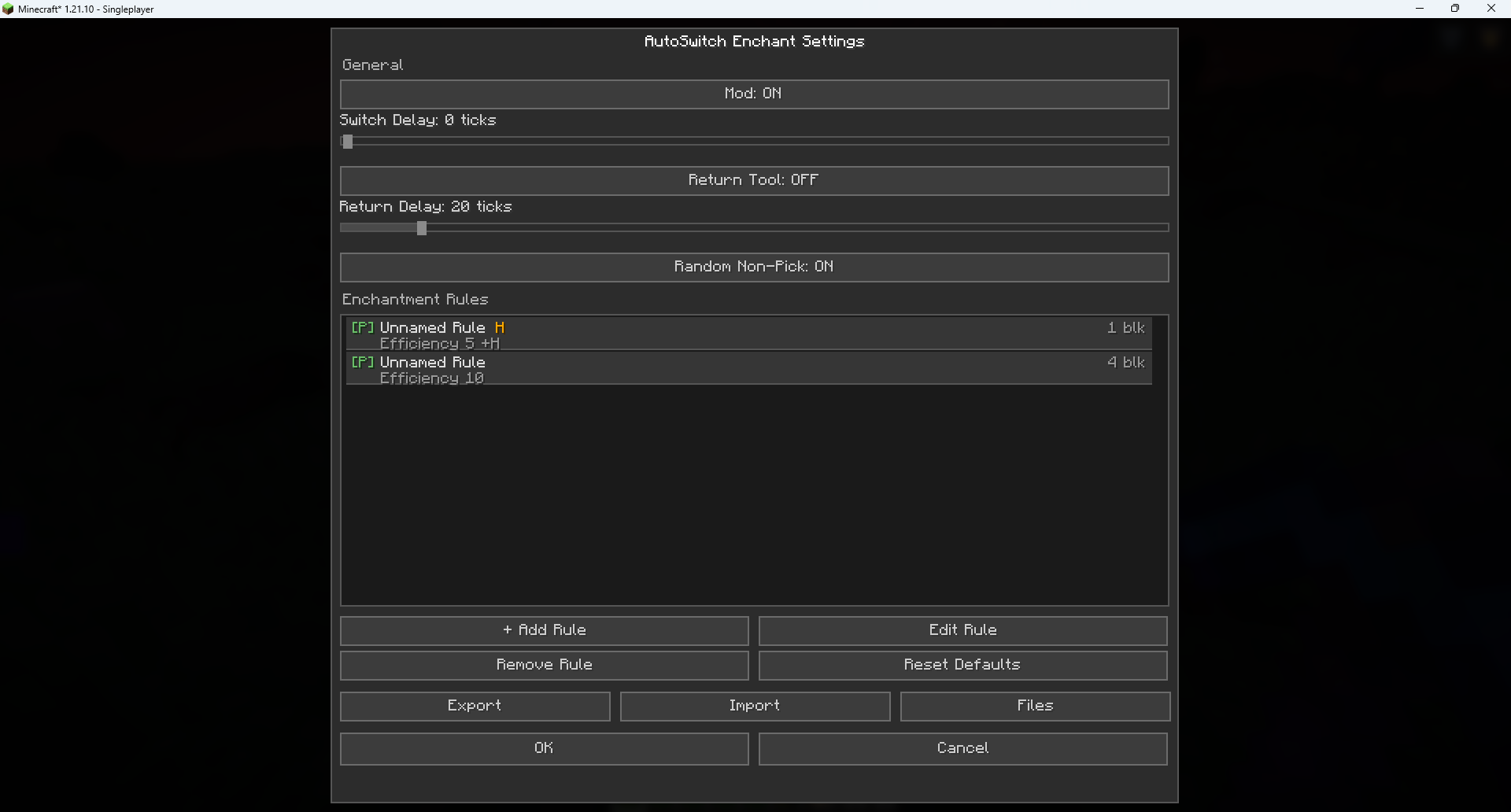
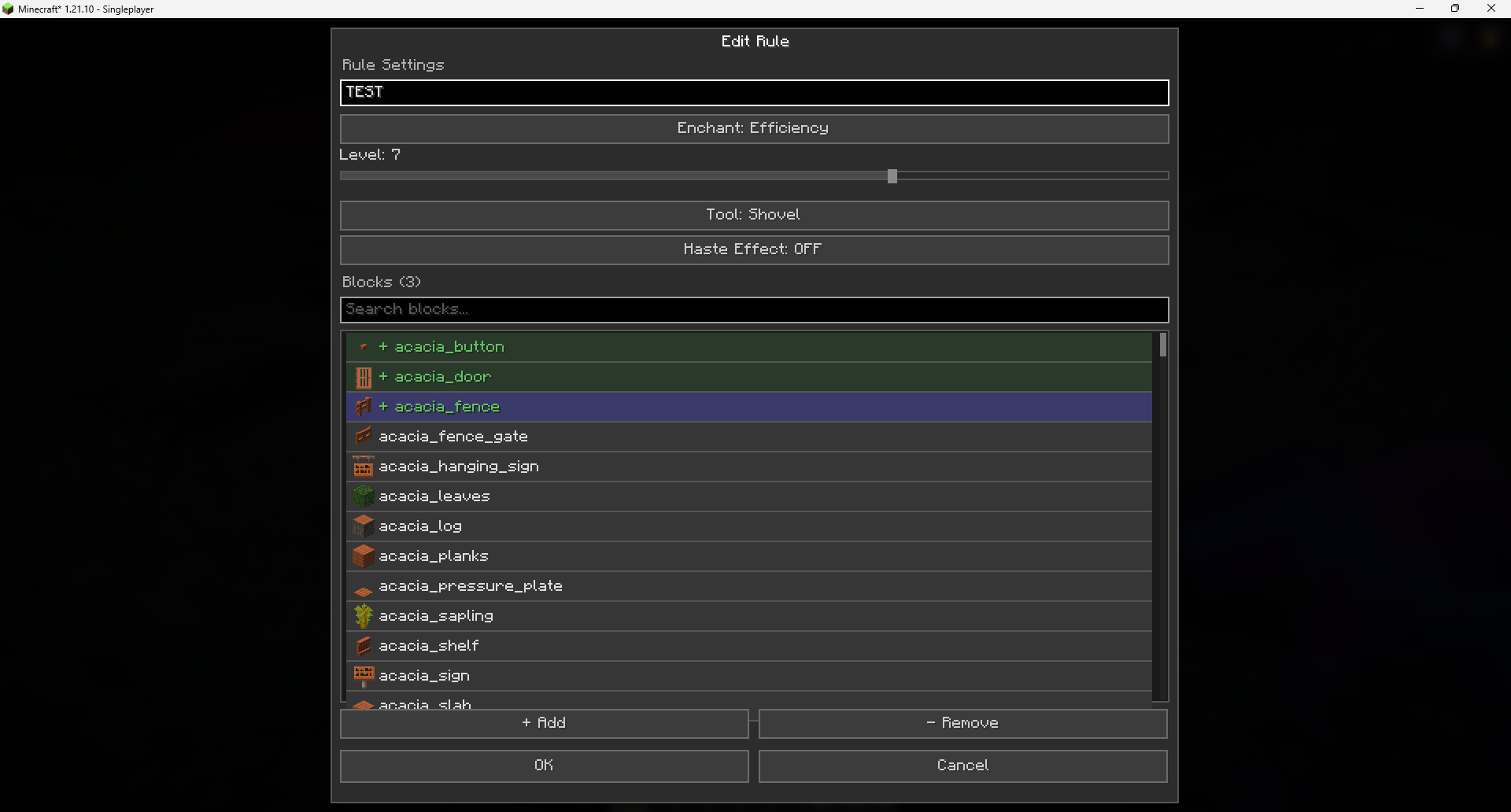
- Enchantment Rules — configure which enchanted tool to use for each block
- Efficiency 1–10 (supports mods with levels above the vanilla maximum)
- Silk Touch
- Fortune 1–3
- Smart Haste Awareness — rules with the
considerHasteflag only activate when the Haste effect is active, saving tool durability - Tool Type — choose which tool the rule applies to: pickaxe, shovel, axe, hoe, sword, shears, or any
- Instant-Mine — the mod calculates mining speed accounting for Efficiency, Haste, and Mining Fatigue, and picks the tool with the minimum level sufficient for instant mining
- Rule Priority — Silk Touch > Fortune > Efficiency
- Tool Return — optionally switch back to the previous hotbar slot after mining
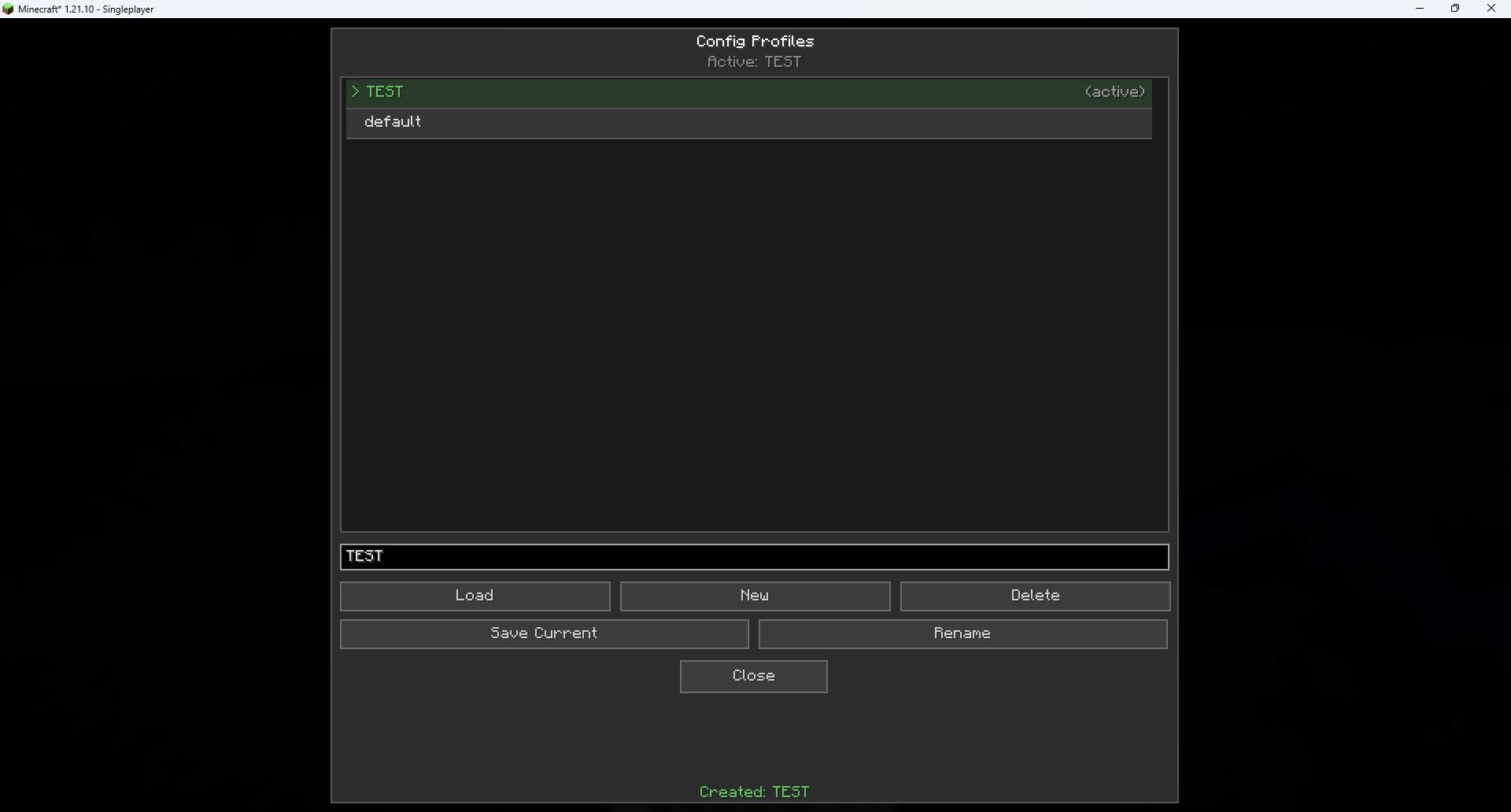
- Configuration Profiles — create and switch between multiple config profiles
- Base64 Import/Export — share your settings with other players via a Base64 string
- Minecraft Keybind Settings — two reassignable keys in the “AutoSwitch” category:
- B — open the config menu
- H — toggle the mod on/off
- ModMenu Integration — access settings through the ModMenu mod list
- 12 Languages — EN, RU, UK, DE, FR, ES, IT, PL, PT-BR, KO, JA, ZH-CN
How It Works
- You create rules like: “For Stone — Pickaxe with Efficiency 5 + Haste”
- When you start breaking a block, the mod checks:
- Do you have the Haste effect?
- Is the Efficiency level high enough for instant mining?
- Which tool in your inventory is the best match?
- The mod automatically switches your hotbar slot to the optimal tool
- If tool return is enabled — it switches back to the previous tool after mining
Example: Haste + Efficiency 5
Stone (hardness 1.5) requires a mining speed ≥ 45 for instant mining.
| Situation | Pickaxe | Speed | Instant? |
|———–|———|——-|———-|
| No Haste | Eff 5 Diamond | ~45 | Barely |
| Haste II | Eff 5 Diamond | ~63 | Yes |
| No Haste | Eff 10 Diamond | ~126 | Yes |
The mod will choose Eff 5 if you have Haste (saving durability!), and Eff 10 if you don’t have Haste.
Installation
- Install Fabric Loader for Minecraft 1.21.10
- Install Fabric API
- (Optional) Install ModMenu to access settings from the mod menu
Configuration
- In-game: press B (default) or open via ModMenu
- Toggle key: press H (default) — toggles the mod on/off with an action bar notification
- In Minecraft settings: Options → Controls → Key Bindings → “AutoSwitch” category
Requirements
- Minecraft 1.21.10
- Fabric Loader 0.19.2+
- Fabric API
- Java 21+
常见问题
AutoSwitch Enchant 支持哪些 Minecraft 版本?
AutoSwitch Enchant 支持 Minecraft Java 版 1.21.10,可用的加载器:Fabric。下载时注意选择和你游戏版本一致的文件。
AutoSwitch Enchant 怎么安装?
先用 PCL2 或 HMCL 启动器安装对应版本的 Fabric,再把下载的 .jar 文件放进游戏目录的 mods 文件夹,重新启动游戏即可。开启了版本隔离的,mods 文件夹在 versions/版本名 下面。运行环境:仅客户端。
评论
登录后评论和评分