AutoPresetMap
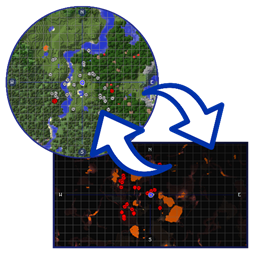
Allows you to automatically change the minimap preset of Journey Map when you change the dimension.
介绍
AutoPresetMap
This mod is an addon for JourneyMap that changes the minimap preset when you change dimension. It is for the client (Forge or Fabric), it is not needed on the server.
To configure it, use the button to the right on the JourneyMap fullscreen map.
For old versions (prior to 2.0.0):
Press the Change Action key (O by default) and you can change what happens when you enter the current dimension.
The options are:
- Nothing (what normally happens without the mod)
- Preset 1 (Automatically sets preset 1)
- Preset 2 (Automatically sets preset 2)
- Default Action (What happens in any dimension that you have not configured yet)
You can see this and my other projects in alejandrocoria.games.
If you want to say something you can leave a comment here or create an issue on GitHub.
Patreon
Thank you s10w10rr1s for being my patreon for so long!
If you like the mod, you can become a patron and vote on what you would like me to program next.
常见问题
AutoPresetMap 支持哪些 Minecraft 版本?
AutoPresetMap 支持 Minecraft Java 版 1.12.2–1.19,共 3 个版本,可用的加载器:Fabric / Forge。下载时注意选择和你游戏版本一致的文件。
AutoPresetMap 怎么安装?
先用 PCL2 或 HMCL 启动器安装对应版本的 Fabric / Forge,再把下载的 .jar 文件放进游戏目录的 mods 文件夹,重新启动游戏即可。开启了版本隔离的,mods 文件夹在 versions/版本名 下面。
meme_sapiens 的其他作品
查看全部 →
ImageTitles
Replace Minecraft titles with custom images. Create a resource pack with the images and you'll be able to display them to all players on your server.

Spelunker’s Torch
Go into a cave using these torches and you will always know where the exit is.
评论
登录后评论和评分