
AutoModFetcher
Stop hunting down missing mods—just join any server and let AutoModFetcher automatically download, verify, and sync everything for you.
介绍
| Modrinth | CurseForge | Discord |
Auto Mod Fetcher
Join modded servers instantly. No more hunting for files, guessing versions, or staring at “Disconnected” screens. Just connect, and let AutoModFetcher handle the rest.
✨ Features
- Automatic Sync: The server tells your game exactly which mods are missing and downloads them for you.
- Safe & Transparent: Before anything installs, a clear menu shows you exactly what is being downloaded. Files only come from trusted sources like Modrinth and CurseForge.
- Keeps Your Mods Safe: It only cleans up leftover server mods you no longer need. Your personal mods (like client-side performance boosters) are never deleted.
- Plug-and-Play for Servers: Server owners just drop the mod in. It automatically creates the mod list and syncs it with joining players without any complex setup.
- Custom Mods Welcome: Servers can easily bundle and share private, custom-made, or unlisted mods directly with players.
- “Trust this Server”: Check this box once, and future mod updates for that server will happen quietly in the background.
Snapshots
Confirm screen
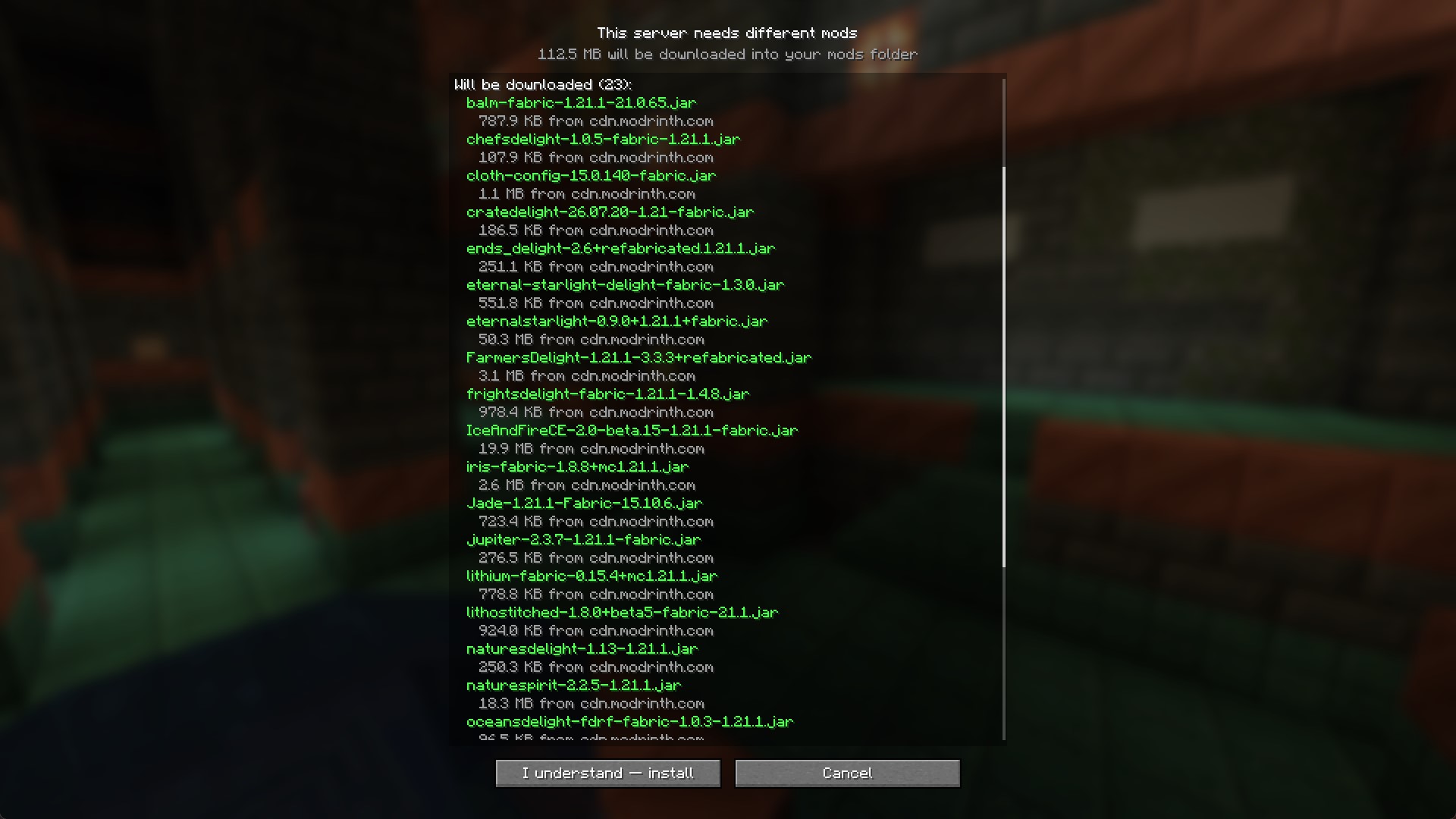
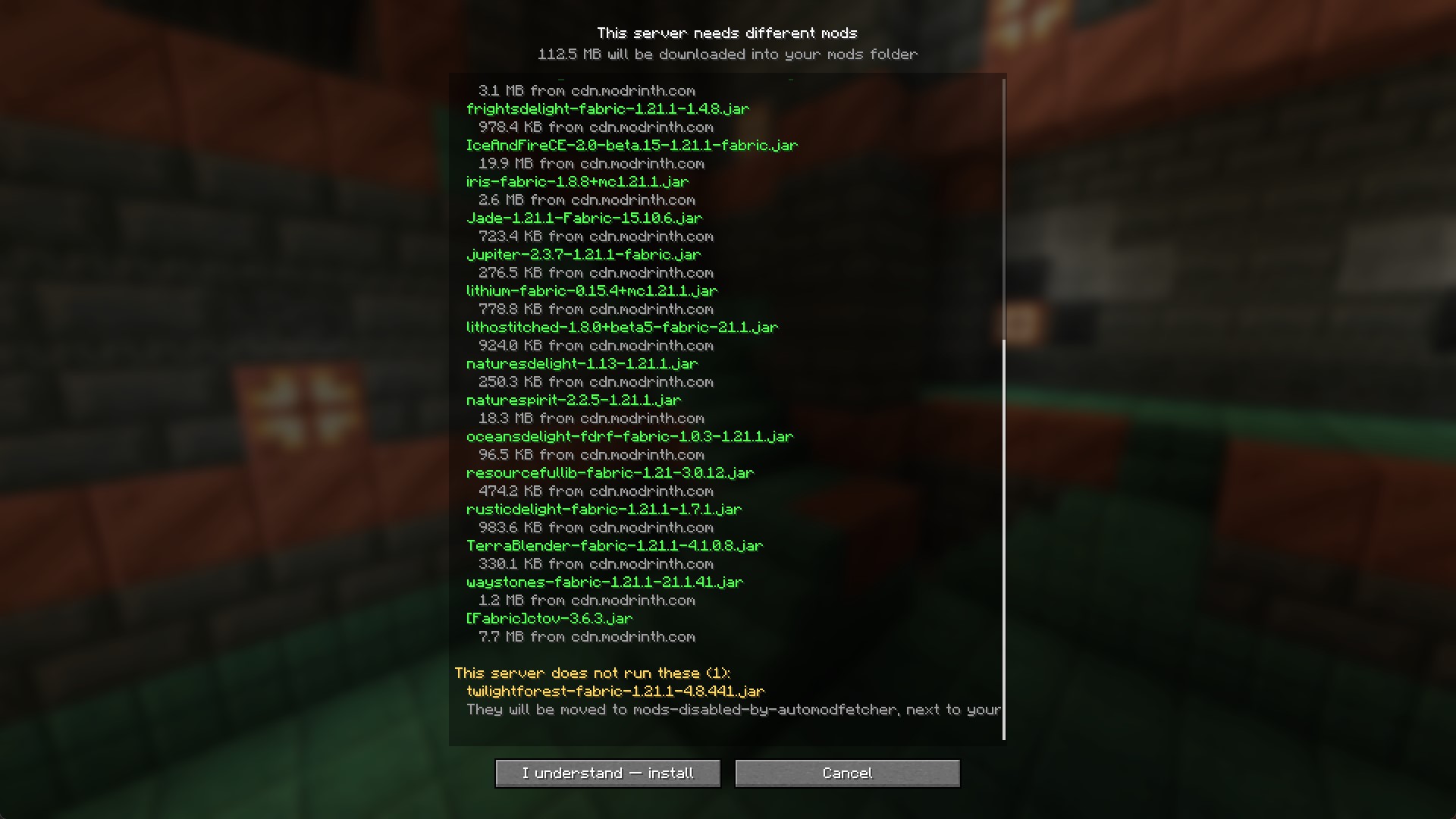
Nothing is written to your disk until you agree, and only the sections that apply are shown:
- Will be downloaded: shows each mod name, size, and the site it comes from.
- Came from server: small mods the server sent inline.
- Refused: anything rejected.
- Install these yourself: mods that aren’t allowed to distribute, each with a link to that exact version’s page rather than a project front page.
- Which mod that server does not run: leftovers from an old pack are moved aside rather than deleted.
- Will be removed: files this mod installed earlier that the server no longer wants.
Downloading
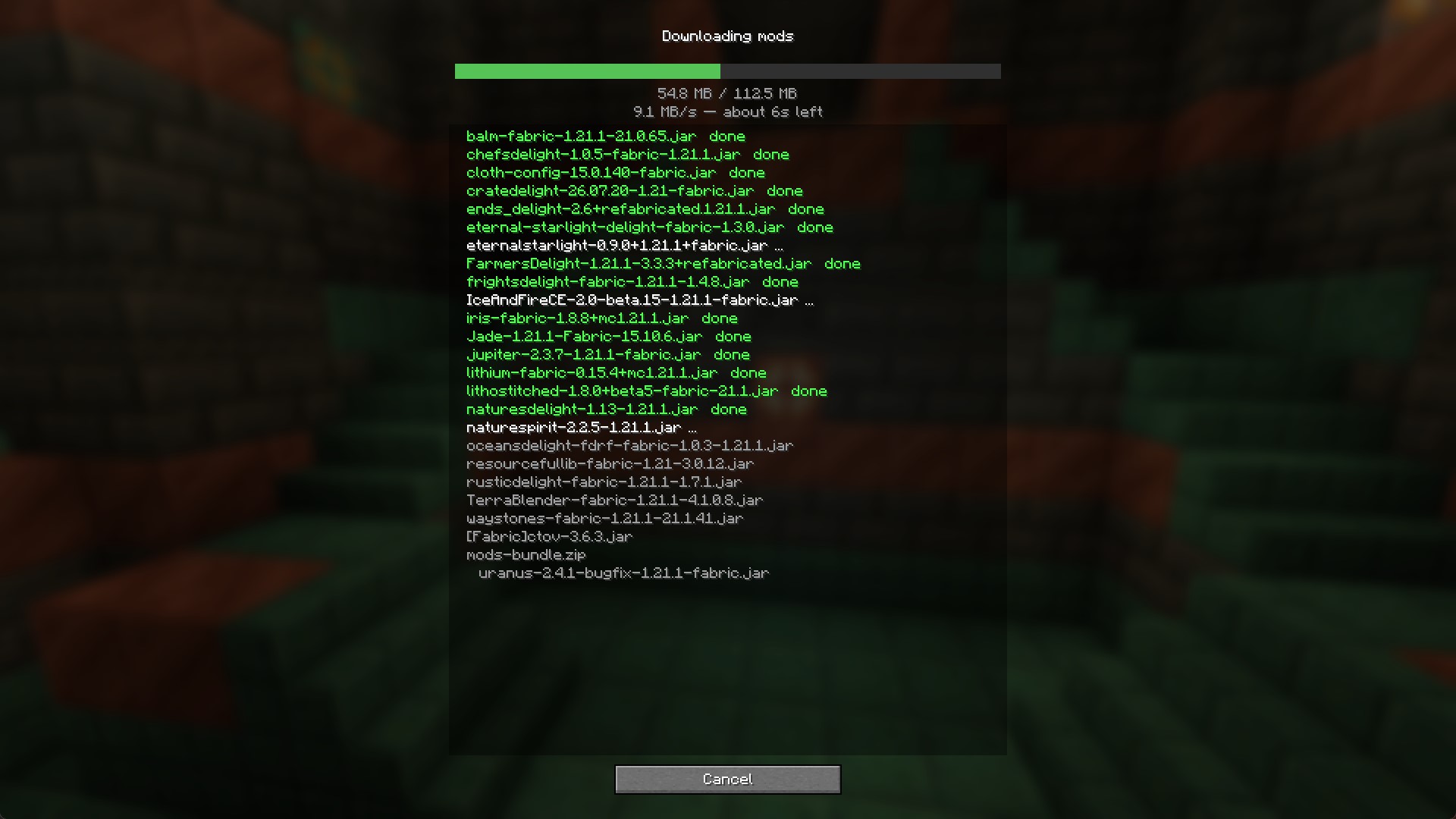
One line per file, marked for each mod’s download state.
Complete Download
Shows the result after completing the download. If something is missing, you can easily press the “Try again” button.
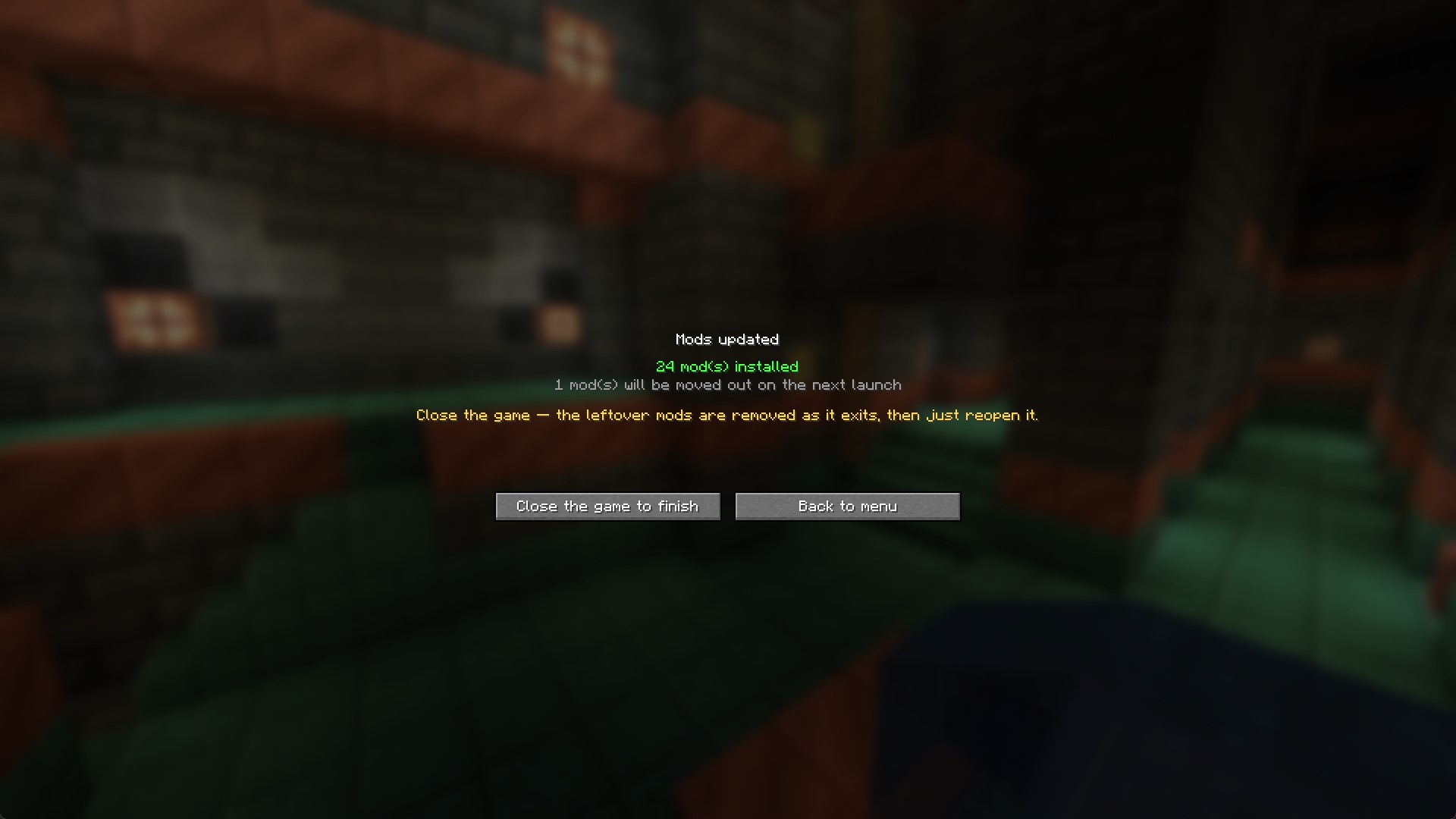
Your mods folder is already correct, but this session still has the old ones loaded. Rather than let you join into a failure you just fixed, it stops you and says why.
Extra
Get kicked a second after joining and vanilla just says “Disconnected”. This screen quotes what the server actually said, then adds “This may be why:” and lists the mods you were missing.
Configs
Both files are created on first run and work exactly as they are. You only open them to change something.
Client — config/automodfetcher/client.json
{
  "allowedDomains": ["cdn.modrinth.com", "edge.forgecdn.net", "mediafilez.forgecdn.net"],
  "allowInsecureHttp": false,
  "deleteRemovedMods": true,
  "maxConcurrentDownloads": 3
}
A site outside allowedDomains is not silently blocked. It is shown on the confirm screen with the site named, and agreeing applies to that one server.
Server — config/automodfetcher/server.json
curseforgeApiKey— optional. Only needed for mods that are on CurseForge but not on Modrinth.excludeFileNames— files never offered to players. Supports a trailing*.githubToken— optional. Fill this in and/automodfetcher bundleuploads your custom mods for you, then fills in the address itself.includeAuthorRestrictedMods— off by default. If you have the permission of the mod author, you can turn it on.includeServerOnlyMods— server-side mods are not offered to clients unless you ask for it.
Compatibility
|Mod Loader|Available Versions|Notes|
|:—|:—:|:—:|
|Fabric|1.20.1, 1.21.1|Fabric-API required|
|Forge|1.20.1||
|NeoForge|1.21.1||
⚠️ Requirements & Important Notes
- Install on Both: AutoModFetcher must be installed on both the server and the player’s client.
- One Restart Required: After the mods download, you just need to restart your game once to load them up and start playing.
- Respects Creators: If a mod author disables third-party downloads, AutoModFetcher respects their wishes and provides players with a direct, clickable link to the official page instead.
If you need to contact me further, you’re welcome to join my Discord group.
License: All Rights Reserved. Free to use on commercial servers and in modpacks/server packs with credit. Standalone redistribution is not permitted.
常见问题
AutoModFetcher 支持哪些 Minecraft 版本?
AutoModFetcher 支持 Minecraft Java 版 1.20.1–1.21.1,共 2 个版本,可用的加载器:Fabric / Forge / NeoForge。下载时注意选择和你游戏版本一致的文件。
AutoModFetcher 怎么安装?
先用 PCL2 或 HMCL 启动器安装对应版本的 Fabric / Forge / NeoForge,再把下载的 .jar 文件放进游戏目录的 mods 文件夹,重新启动游戏即可。开启了版本隔离的,mods 文件夹在 versions/版本名 下面。运行环境:客户端和服务端都要装。
评论
登录后评论和评分