
Automatic Chat Announcements
作者:ii_Matt
Lightweight server-side mod which adds chat announcements to neoforge
截图
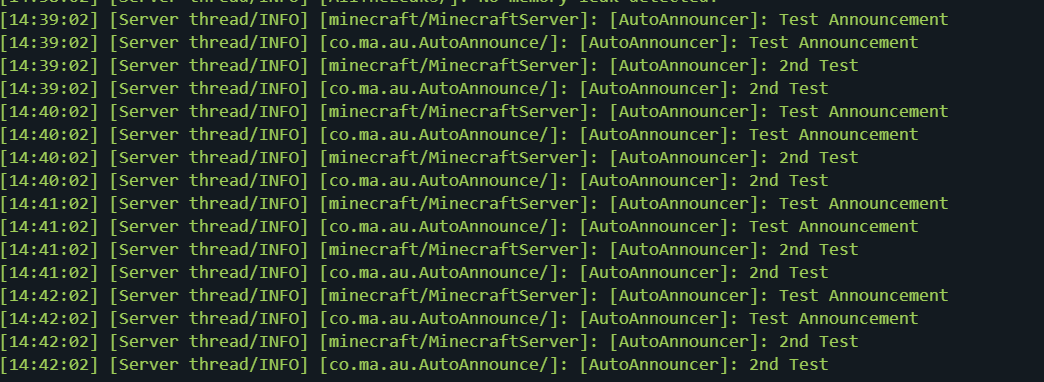
介绍
中文介绍正在准备中,下面暂时显示原文。
AutoAnnouncer
AutoAnnouncer is a server-side only mod which announces configured messages to players.
- Server-side only (no client install required)
- JSON config with live reload
Features
- Announcements: Broadcasts a configurable message every X seconds.
- Config reload: Reload the config without restarting the server.
Installation
- Install NeoForge for your Minecraft version.
- Download the
AutoAnnouncemod JAR. - Place the JAR into your server’s
mods/folder. - Start the server once to generate the config:
config/autoannounce.json
- Edit the config to your liking.
- Either restart the server or use the reload command:
/autoannounce reload
Configuration
The config file is created at:
config/autoannounce.json
常见问题
Automatic Chat Announcements 支持哪些 Minecraft 版本?
Automatic Chat Announcements 支持 Minecraft Java 版 1.21–1.21.11,共 12 个版本,可用的加载器:NeoForge。下载时注意选择和你游戏版本一致的文件。
Automatic Chat Announcements 怎么安装?
先用 PCL2 或 HMCL 启动器安装对应版本的 NeoForge,再把下载的 .jar 文件放进游戏目录的 mods 文件夹,重新启动游戏即可。开启了版本隔离的,mods 文件夹在 versions/版本名 下面。运行环境:仅服务端。

评论
登录后评论和评分