
截图
介绍
中文介绍正在准备中,下面暂时显示原文。
Auto-Lan
Info:
- This mod’s codes are inspired by Custom-LAN
*Requires Cloth Config Api
Functions:
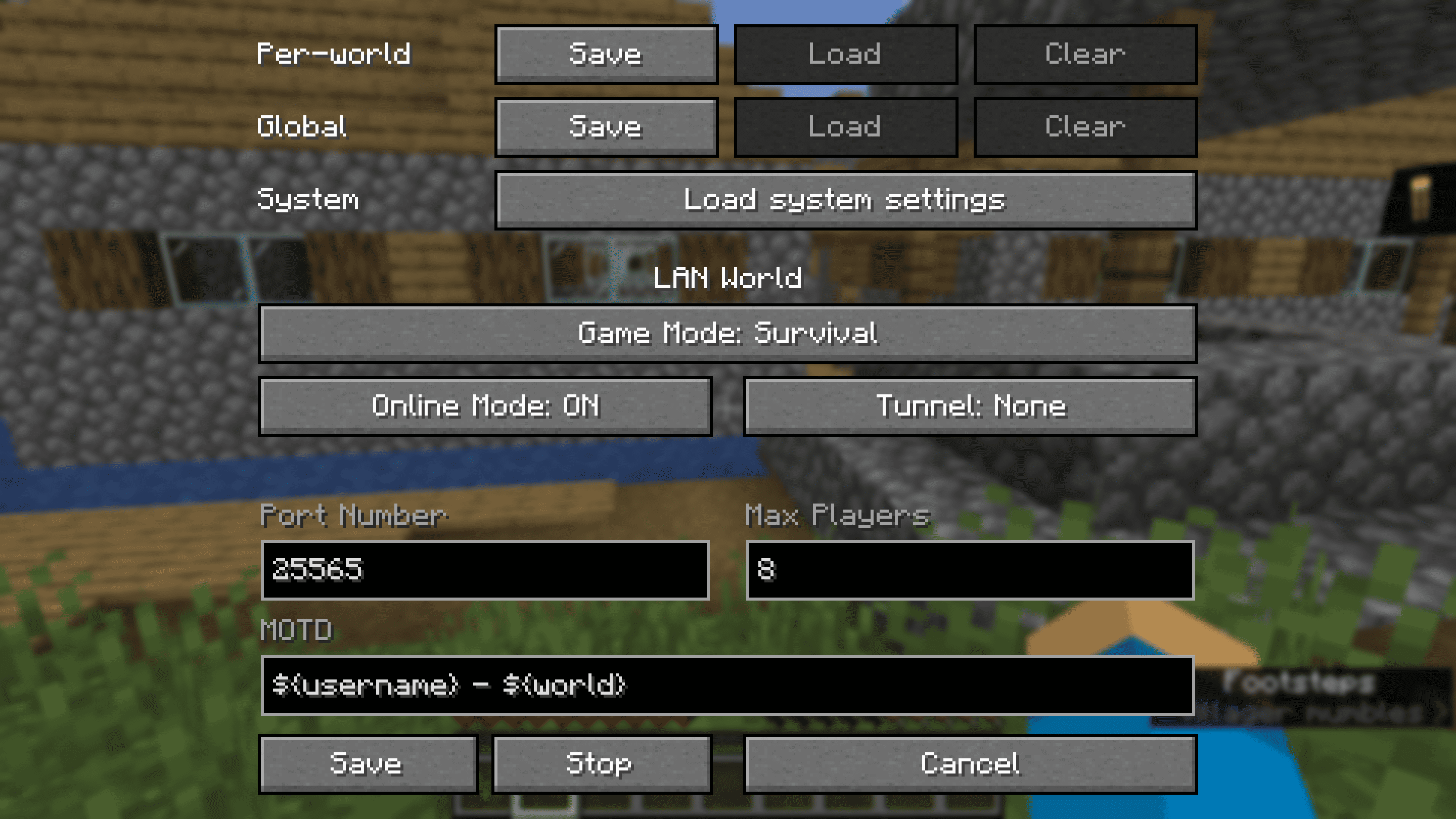
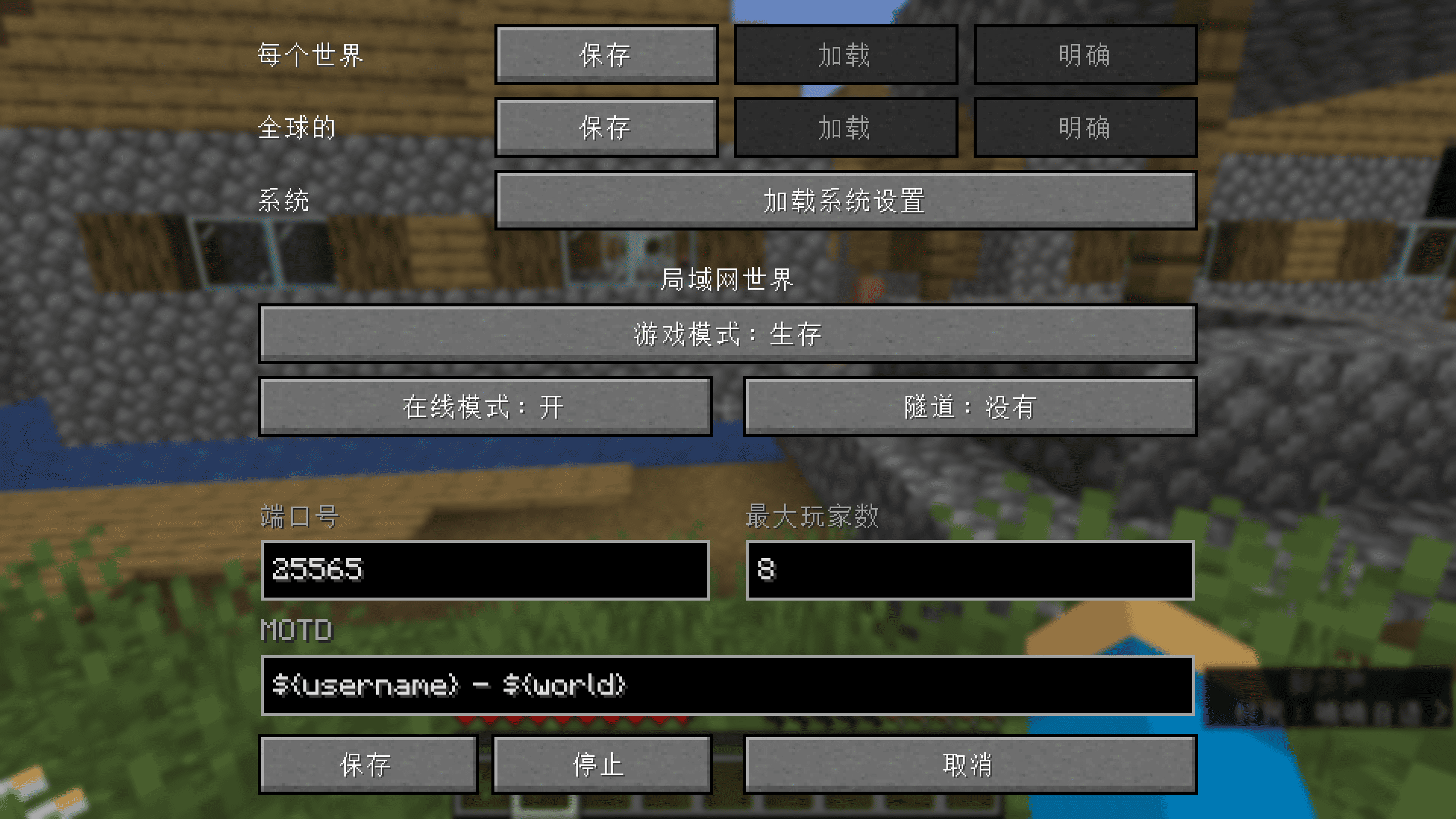
- Customize more of your integrated server (Online Mode, Max Players, MOTD)
- Use ampersands (
&) for formatting codes instead of section signs (§) and variables (e.g.${username},${world}) in the MOTD - Change the settings mid-game (including the port) and stop the server without quitting the world
- Save the settings globally or per-world (they are loaded automatically with per-world settings taking priority over the global ones, which take priority over the system defaults)
- Change who can use cheats individually using the
/opand/deopcommands and cheat in singleplayer without opening to LAN (replaces the Allow Cheats button) - Manage bans with
/ban,/ban-ip,/banlist,/pardonand/pardon-ip, and whitelist players with/whitelist(use/whitelist on/offto enable/disable) - Expose your server outside your LAN without port forwarding using tunnels (currently only ngrok is supported)
Commands:
/publish [port] [onlineMode] [maxPlayers] [defaultGameMode] [tunnel] [motd]
/publish [perworld|global|system] [port] [onlineMode] [maxPlayers] [defaultGameMode] [tunnel] [motd]
/publish stop
The global settings are stored in .minecraft/config/autolan.toml, while the per-world ones are stored in data/autolan.dat in the respective world’s directory.
The files used are also per-world and the same as on dedicated servers—banned-players.json, banned-ips.json, whitelist.json—though whether the whitelist is enabled is stored in data/autolan.dat.
常见问题
Auto-Lan 支持哪些 Minecraft 版本?
Auto-Lan 支持 Minecraft Java 版 1.21–1.21.8,共 9 个版本,可用的加载器:Fabric / Quilt。下载时注意选择和你游戏版本一致的文件。
Auto-Lan 怎么安装?
先用 PCL2 或 HMCL 启动器安装对应版本的 Fabric / Quilt,再把下载的 .jar 文件放进游戏目录的 mods 文件夹,重新启动游戏即可。开启了版本隔离的,mods 文件夹在 versions/版本名 下面。运行环境:客户端和服务端都要装。

评论
登录后评论和评分