AutoDisconnect-check
Automatically disconnect from servers upon detecting customizable keywords in chat messages, on-screen titles, or boss health bars
截图
介绍
AutoDisconnect – Smart Ejection Utility
AutoDisconnect is a must-have utility mod for players who need an extra layer of protection or automation. It monitors specific in-game events and automatically disconnects you from the server when triggers are met, helping you avoid unwanted situations or server-wide events.
🚀 Key Features
💬 Chat Monitoring: Scans incoming chat messages for your custom keywords.
📺 Title Detection: Automatically detects Large Titles displayed in the center of your screen.
🩺 Boss Bar Scrutiny: Monitors the names of active Boss Bars (like the Ender Dragon or custom server bosses).
🛡️ Trigger Cooldown: Built-in protection to prevent multiple rapid disconnections.
🌍 Localization: Full support for both English and Simplified Chinese.
⚙️ How to Configure
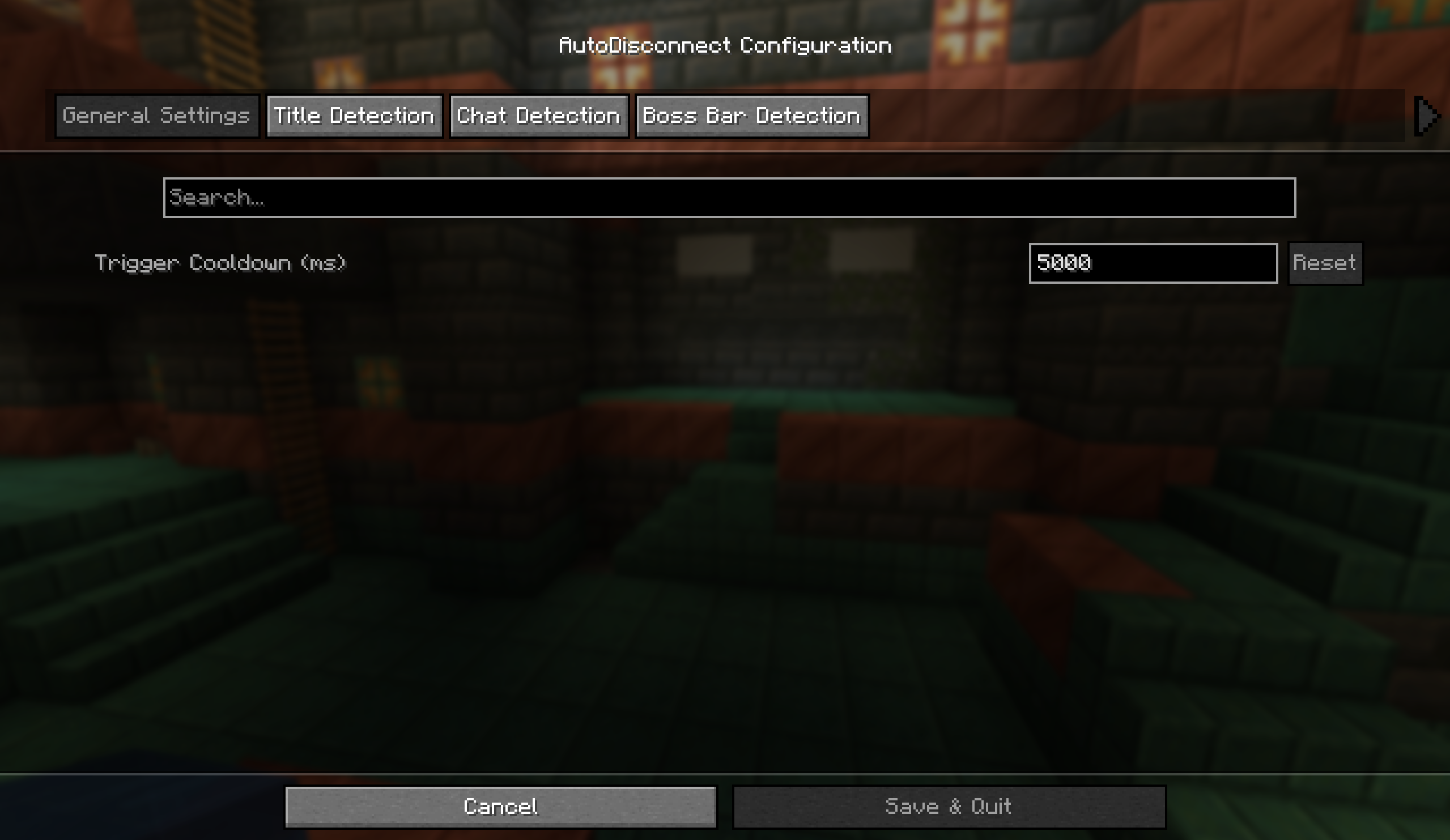
After installing, you can find the configuration menu via ModMenu.
Open the Mods list from the main menu.
Select AutoDisconnect and click the Settings icon.
Add your desired keywords under each category (Chat, Title, or Boss Bar).
Example keywords: [SYSTEM ALERT], Warning, You have been targeted, Server Restarting.
📦 Requirements
Fabric Loader (1.21.1)
Fabric API
Cloth Config API (Required for the settings menu)
ModMenu (Highly recommended to access settings)
⚖️ License
Licensed under the MIT License. Attribution to the original author (newbiewood) is required for redistribution.
Happy adventuring, and stay safe with AutoDisconnect!
常见问题
AutoDisconnect-check 支持哪些 Minecraft 版本?
AutoDisconnect-check 支持 Minecraft Java 版 1.21.1,可用的加载器:Fabric。下载时注意选择和你游戏版本一致的文件。
AutoDisconnect-check 怎么安装?
先用 PCL2 或 HMCL 启动器安装对应版本的 Fabric,再把下载的 .jar 文件放进游戏目录的 mods 文件夹,重新启动游戏即可。开启了版本隔离的,mods 文件夹在 versions/版本名 下面。运行环境:仅客户端。
评论
登录后评论和评分