
Auto Swap
Automatic tool, weapon, armor and totem swapping — equips the right item, auto-replaces broken gear, refills depleted stacks, and deploys your elytra on a double jump. Fully client-side.
截图
介绍


Client-side mod that automates inventory management and equipment swapping during gameplay. Detects durability loss, empty item stacks, and block-breaking actions to equip the correct items from your inventory automatically.
Client-side only (no server installation required). Fully compatible with singleplayer.
Dependencies: Fabric & NeoForge require Architectury API. Forge requires no additional dependencies.
Free to use in any modpack — public or private, no permission needed.
What it does
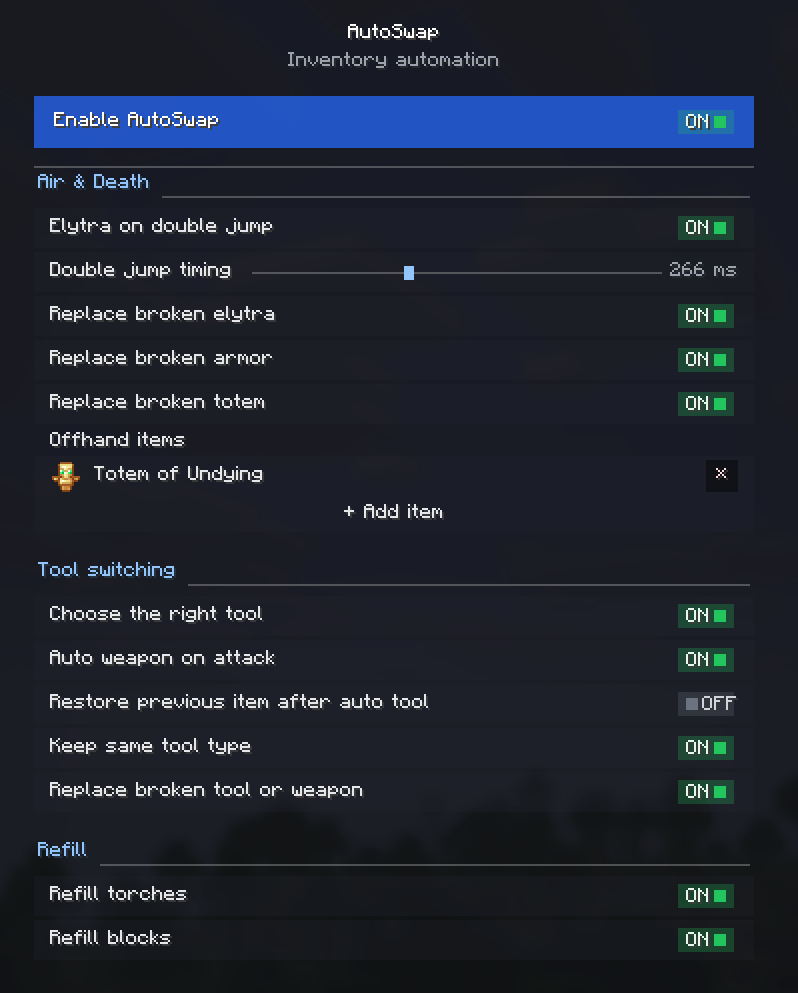
- Smart Tool Selection — continuously picks the best tool while you mine, even when moving between different block types without releasing the button.
- Tool-Switch Blacklist — choose items that automatic tool selection should never swap away from.
- Auto Weapon on Attack — optionally draws your best sword the instant you start hitting a mob. Disable it and AutoSwap will never swap off your weapon while a mob is in your crosshair.
- Gear Replacement — automatically equips a matching tool, weapon, or armor piece when the currently equipped one breaks.
- Offhand Replenishment — refills your off-hand when the held item runs out. Add a Totem of Undying, shield, or any item via the built-in item picker or by item ID.
- Stack Refills — refills the active hotbar slot with identical blocks or torches when the current stack is depleted.
- Double-Jump Elytra — equips an elytra from your inventory on double jump, and swaps your chestplate back on landing.
- Restore After Auto-Tool — restores the item you were originally holding after automatic tool selection is finished.
- Keep Tool While Sneaking — a toggle for controlling tool-switching behavior while sneaking.
Configuration
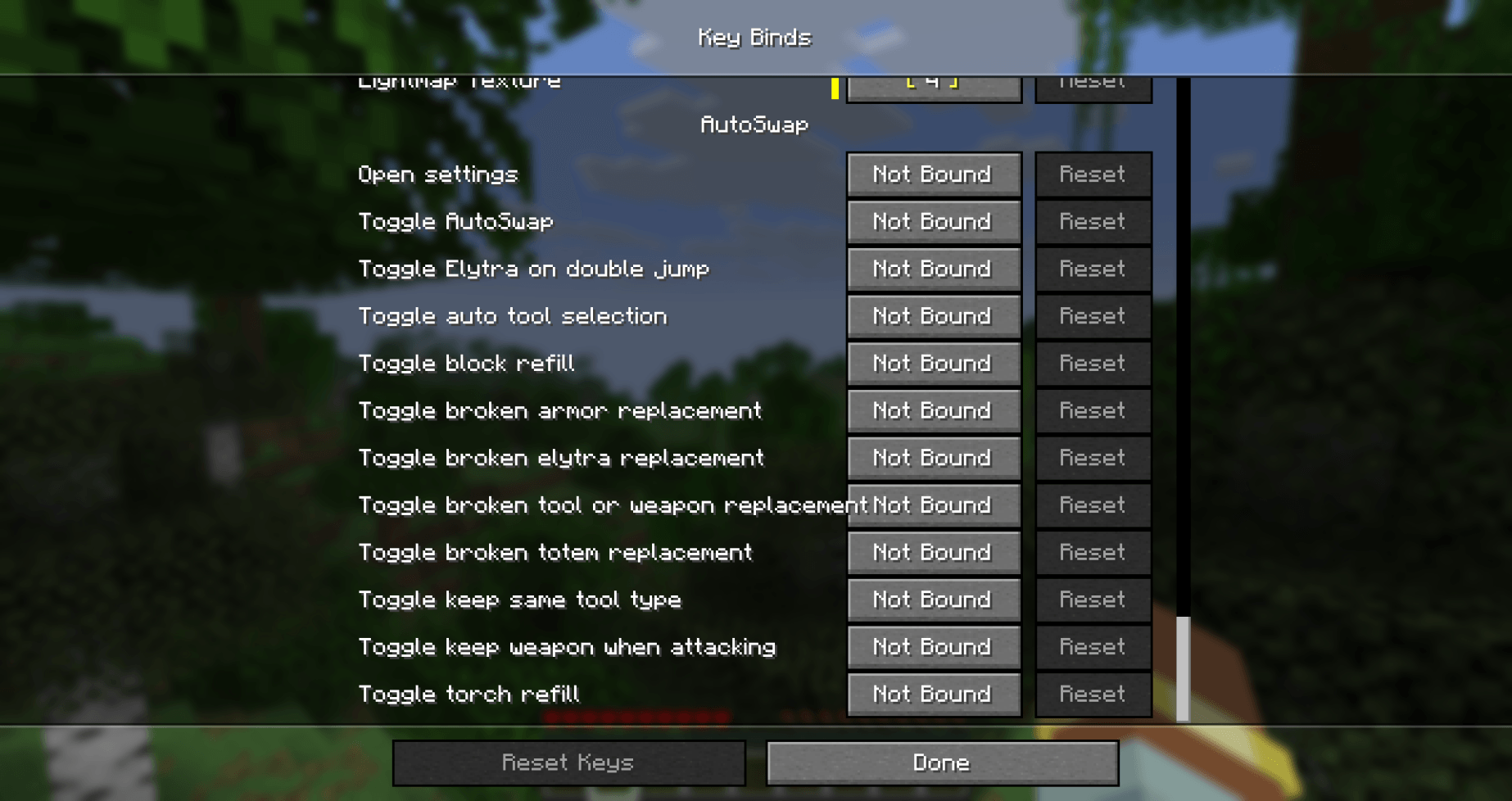
All features are fully modular and can be toggled individually through the in-game settings screen, the config file, or via keybinds under Controls → AutoSwap.
Details
- Client-side only.
- All settings are stored locally in your game config folder.
- Translated into 10 languages — English and Russian are complete; other locales are in progress.
Feedback
Please report any bugs, errors, or feature suggestions on Discord: https://discord.gg/HTkn94BXmA
More mods by Nikrecs: Auto Torch · Swing Through Grass
常见问题
Auto Swap 支持哪些 Minecraft 版本?
Auto Swap 支持 Minecraft Java 版 1.19.2–26.3,共 10 个版本,可用的加载器:Fabric / Forge / NeoForge。下载时注意选择和你游戏版本一致的文件。
Auto Swap 怎么安装?
先用 PCL2 或 HMCL 启动器安装对应版本的 Fabric / Forge / NeoForge,再把下载的 .jar 文件放进游戏目录的 mods 文件夹,重新启动游戏即可。开启了版本隔离的,mods 文件夹在 versions/版本名 下面。
Nikrecs 的其他作品
查看全部 →
DeathCompass
重生时自动获得一个指南针,精准指向你上次死亡的位置。

Terralith: River In Jungle
Terralith add-on that adds wide, winding jungle rivers with natural sloping banks — instead of tiny vanilla streams.
Swing Through Grass
Swing through grass to hit mobs: attacks no longer get eaten by tall grass, ferns and plants, so your sword reaches the target through foliage. Lightweight, server-side, no client needed

PerformanceHUD
Lightweight client-side HUD showing FPS, RAM, entities, chunks, ping, and CPU in one customizable corner overlay.
评论
登录后评论和评分