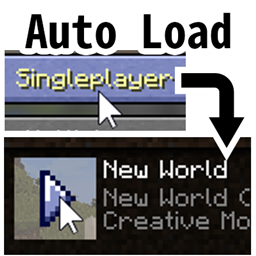
Auto Load Last World
Make Minecraft auto load last world without any touch. Hold one of shift/alt/ctrl key to prevent loading, when access the main menu (The GUI with MINECRAFT title, Singleplayer, Multiplayer, Quit Game buttons).
介绍
Make Minecraft automatically load last world without any touch. Hold one of shift/alt/ctrl key to prevent loading, when access the main menu (The GUI with MINECRAFT title, Singleplayer, Multiplayer, Quit Game buttons).
By default, it will only automatically load last world at the first time (just after launching the game). After quit to title, it won’t load last world anymore. You can change this behavior in config file.
The mechanic of this mod: Whenever the game is going to show the main menu (The GUI with MINECRAFT title, Singleplayer, Multiplayer, Quit Game buttons), load last world immediately if shift/alt/ctrl keys are not pressed.
e.g. You only need to hold one of shift/alt/ctrl key when clicking the “Save and Quit to Title” button. After you see the main menu, it’s okay to release the key.
This is originally for making another mod, when I found it’s annoy to run client and manually enter a world to debug my mod. With this mod, just hit run client and continue debugging in last world.
Might be helpful for the player who needs to re-launch the game or re-load one world frequently.
常见问题
Auto Load Last World 支持哪些 Minecraft 版本?
Auto Load Last World 支持 Minecraft Java 版 1.12.2,可用的加载器:Forge。下载时注意选择和你游戏版本一致的文件。
Auto Load Last World 怎么安装?
先用 PCL2 或 HMCL 启动器安装对应版本的 Forge,再把下载的 .jar 文件放进游戏目录的 mods 文件夹,重新启动游戏即可。开启了版本隔离的,mods 文件夹在 versions/版本名 下面。
EpixZhang 的其他作品
查看全部 →
Non Update
禁止模组检查版本更新
Omni Ocular
根据目标NBT数据在Waila上显示额外信息
Volumetric Flask
一个主要专注于流体自动合成的应用能源2附属模组。
Waila NBT
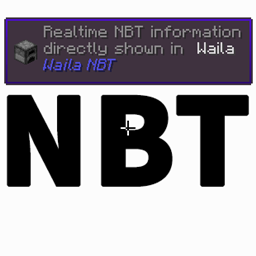
Waila NBT 是一款可在 Waila HUD 上显示玩家自定义特定 NBT 信息的模组。
评论
登录后评论和评分