
Auto Librarian
作者:Dawnile
Automatically rerolls a librarian's enchanted book trades until one of your selected enchantments is offered.
截图
介绍
中文介绍正在准备中,下面暂时显示原文。
AutoLibrarian is a lightweight automation mod that takes the tedium out of librarian villager trading. Instead of manually breaking and replacing lecterns for 20–40 minutes to reroll a single enchanted-book trade, AutoLibrarian handles the entire process for you — fast, reliably, and with no commands or config files.
Main Features
- Automatically rerolls a librarian’s enchanted-book trade until one of your selected enchantments appears.
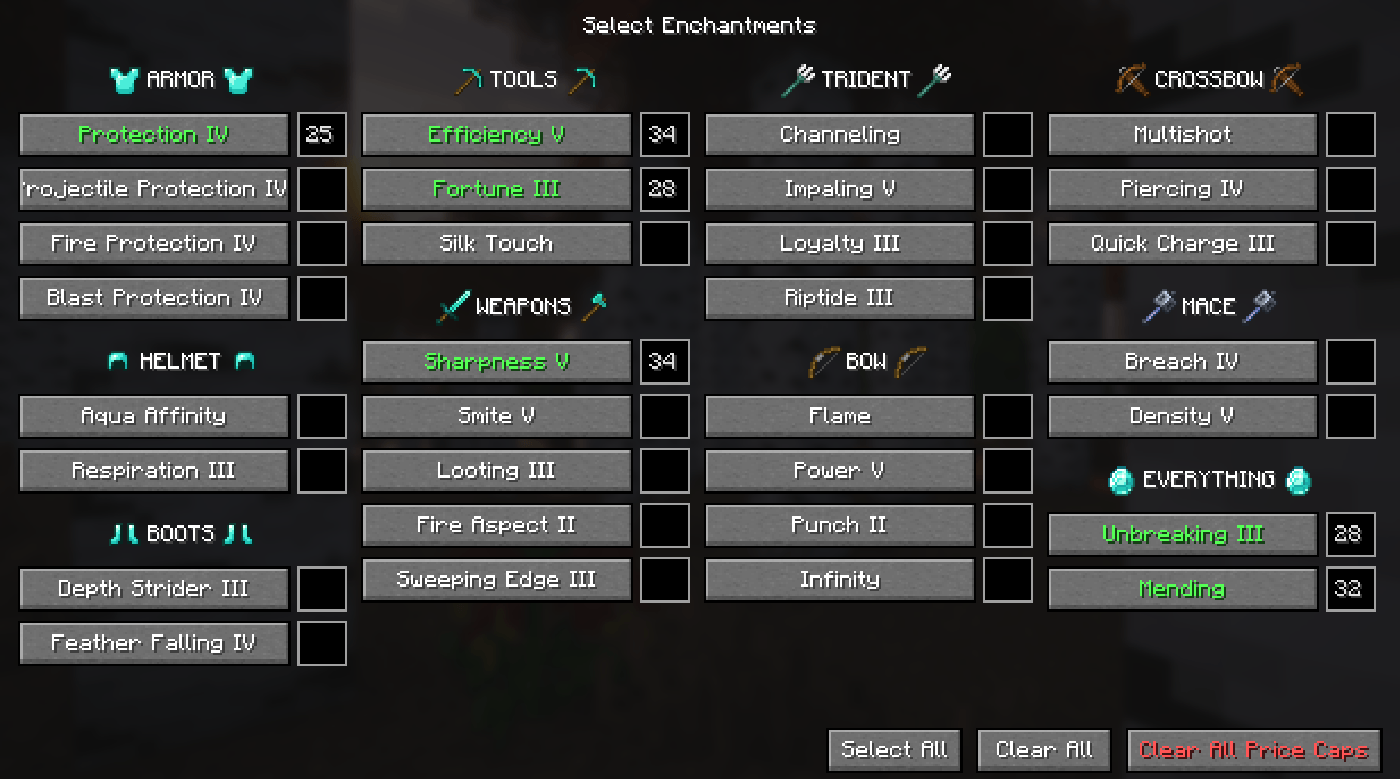
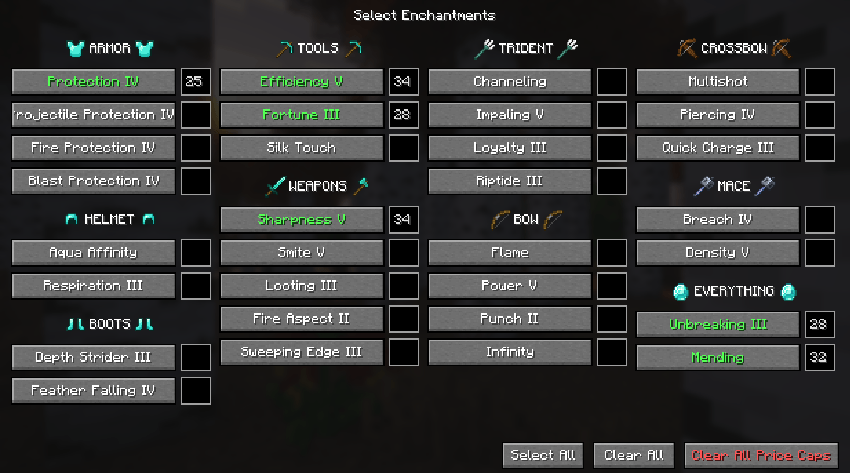
- Pick enchantments on a selection screen with a MAX. PRICE of your choice (K by default).
- Start and stop the loop with a single key (J by default) or by .al chat commands.
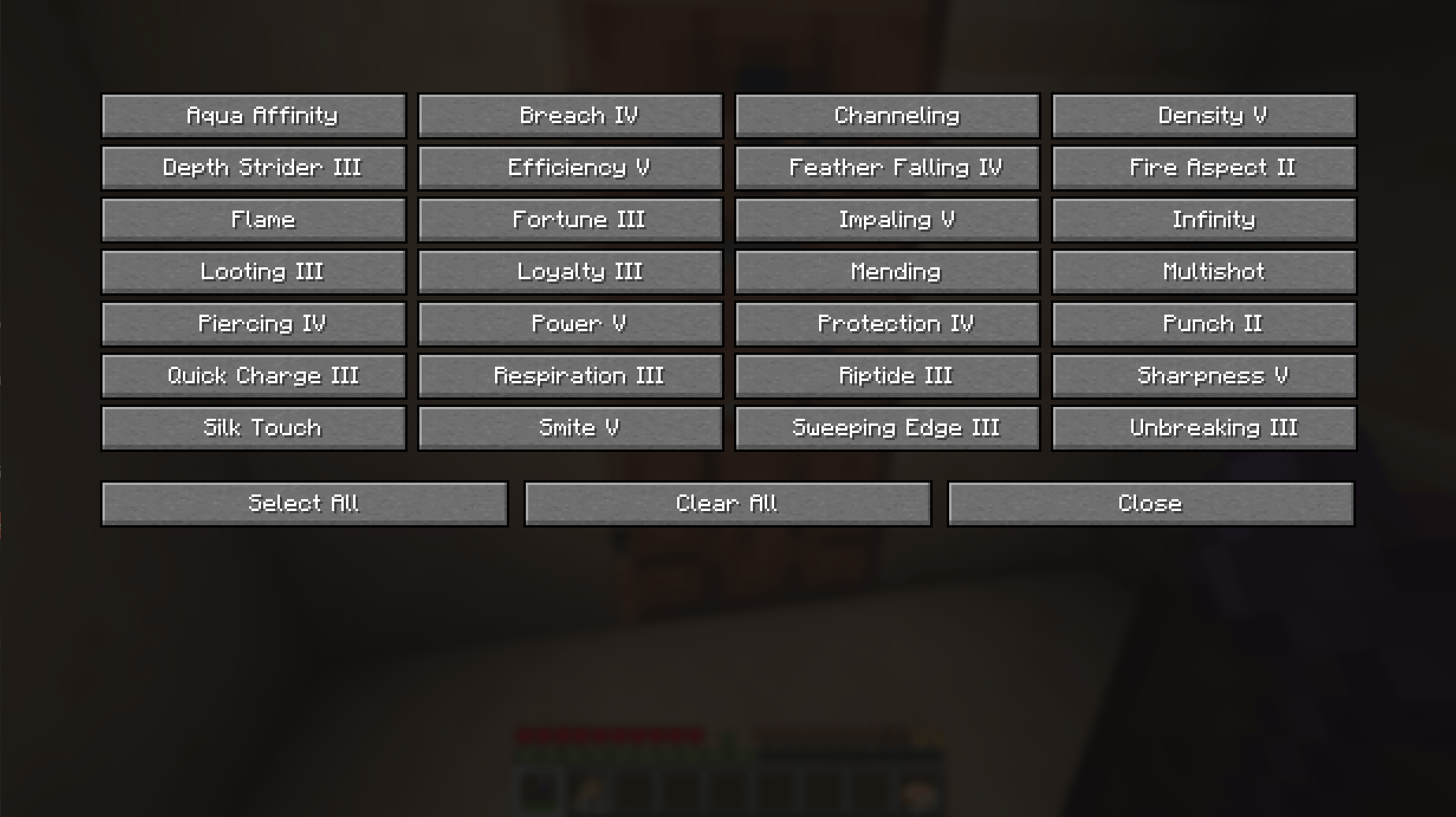
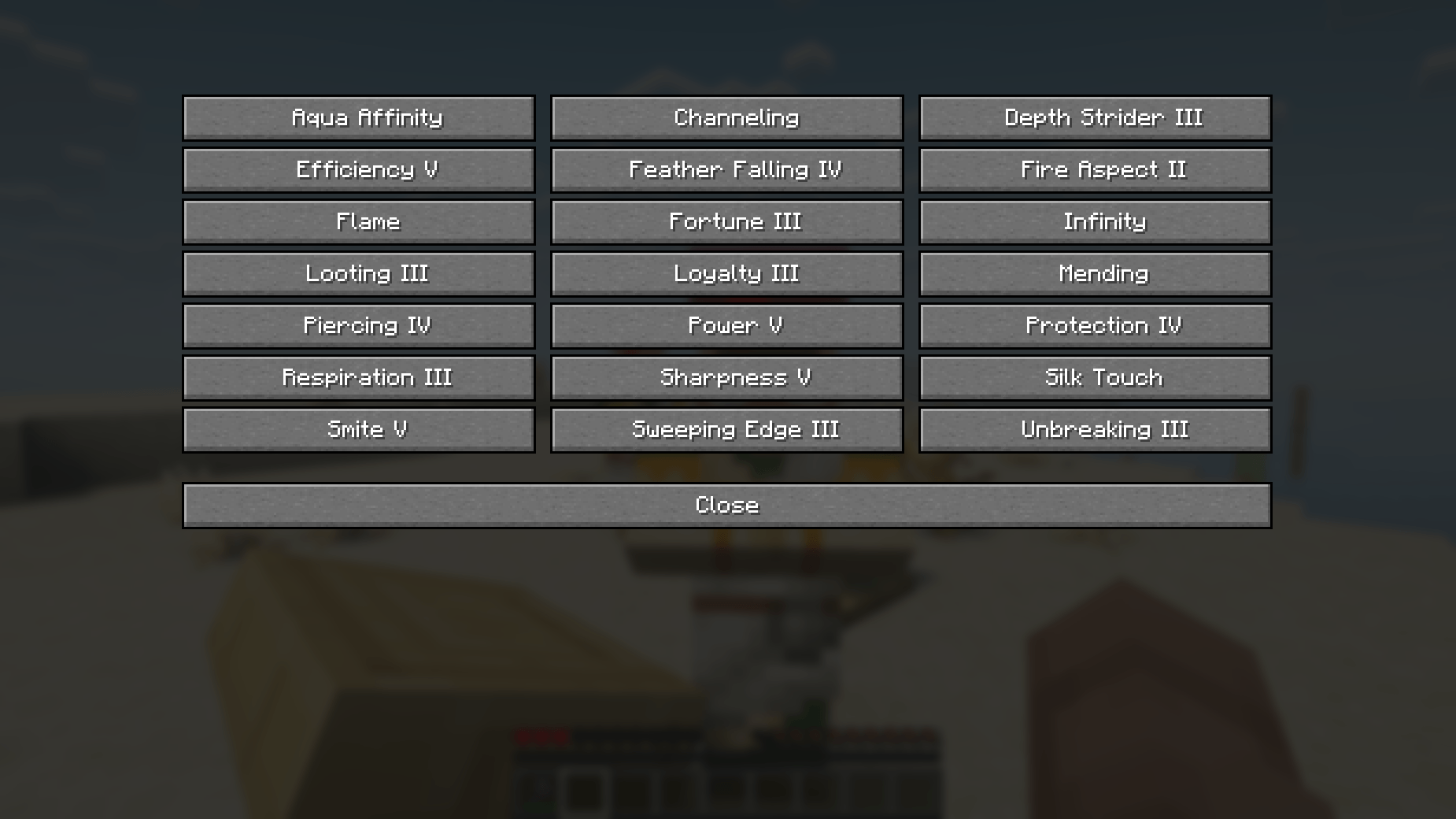
- 31 supported enchantments, including Mending, Unbreaking III, Efficiency V, and more. (SEE THE FULL LIST DOWN BELOW)
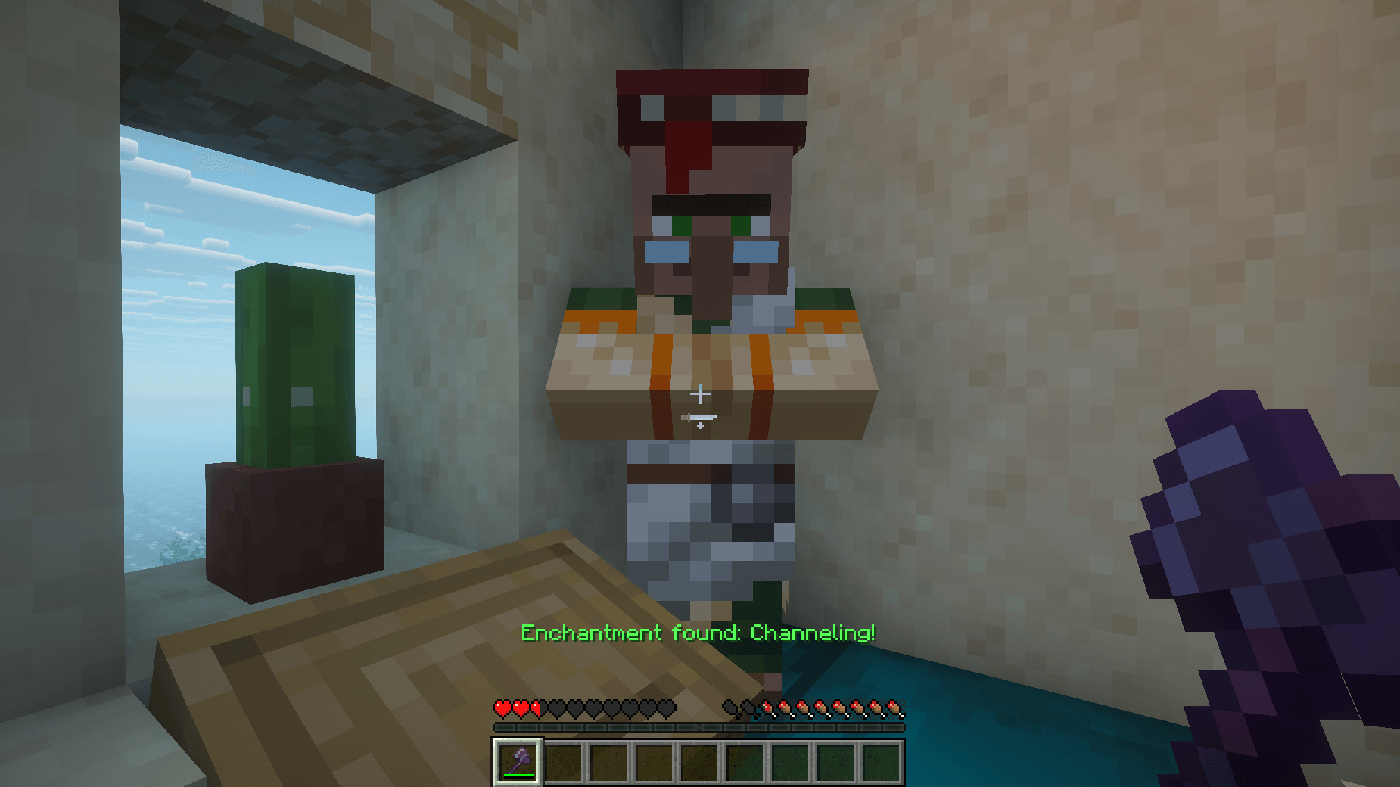
- Plays a soundeffect and announces the find on the action bar when a match is found, then stops automatically.
- Breaks the librarian’s own lectern, picks up the drop, and places it back. No spare lecterns required.
- Auto-swaps to an axe (if one is in your hotbar) while breaking, then swaps back to your previous slot.
- Client-side only — works on any server, no server-side install required.
See the full Enchantment list here:
How It Works
- Press K to open the selection screen. Toggle the enchantments you want — green ✓ means selected. Close the screen.
- Stand within ~3 blocks of a librarian villager and its lectern. An axe in your hotbar is recommended.
- Press J to start (or use
.al <enchantment><max price>in chat). The mod will- Find the nearest librarian within 5 blocks.
- Open its trade list and read the offered enchanted book.
- Compare the book’s enchantment against your selection.
- If it’s a match → stop, play the sound, and announce the find.
- If not → break the lectern, wait for the drop to be picked up, place the lectern back, check trades again.
- Repeat until a match is found or you press J again to stop.
常见问题
Auto Librarian 支持哪些 Minecraft 版本?
Auto Librarian 支持 Minecraft Java 版 26.2,可用的加载器:Fabric。下载时注意选择和你游戏版本一致的文件。
Auto Librarian 怎么安装?
先用 PCL2 或 HMCL 启动器安装对应版本的 Fabric,再把下载的 .jar 文件放进游戏目录的 mods 文件夹,重新启动游戏即可。开启了版本隔离的,mods 文件夹在 versions/版本名 下面。
评论
登录后评论和评分