
Auto Hide HUD
A simple yet highly configurable mod that auto hides the HUD after a period of inactivity
截图

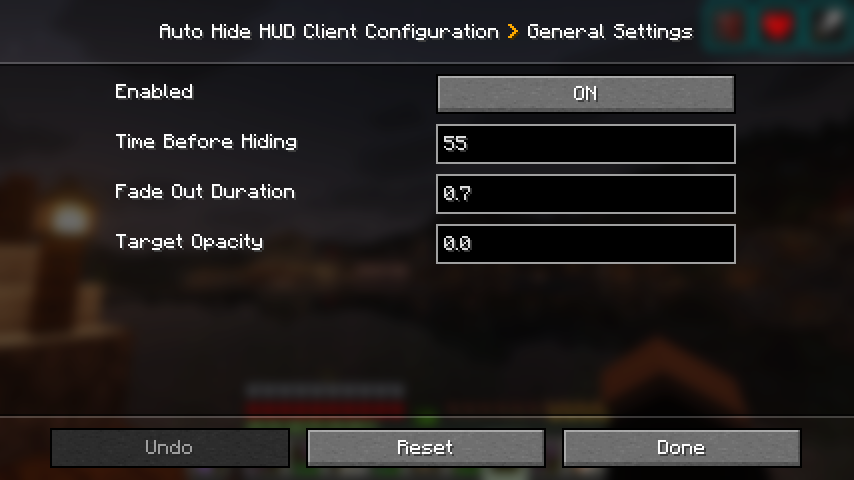

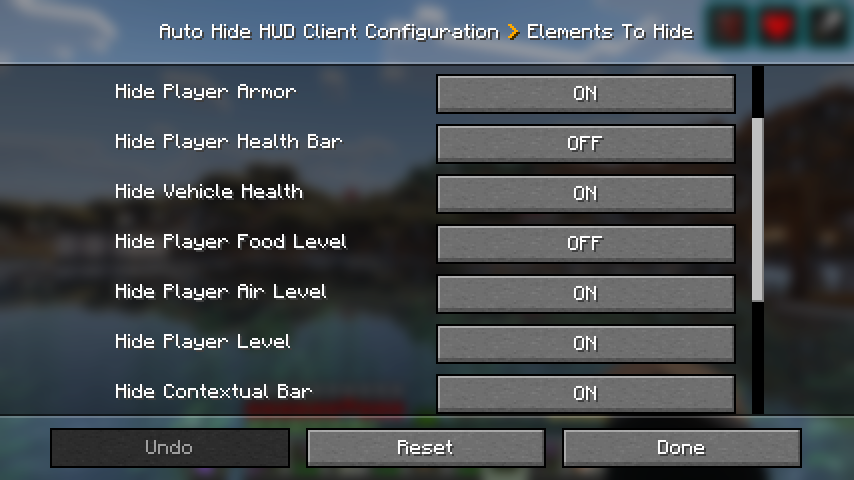
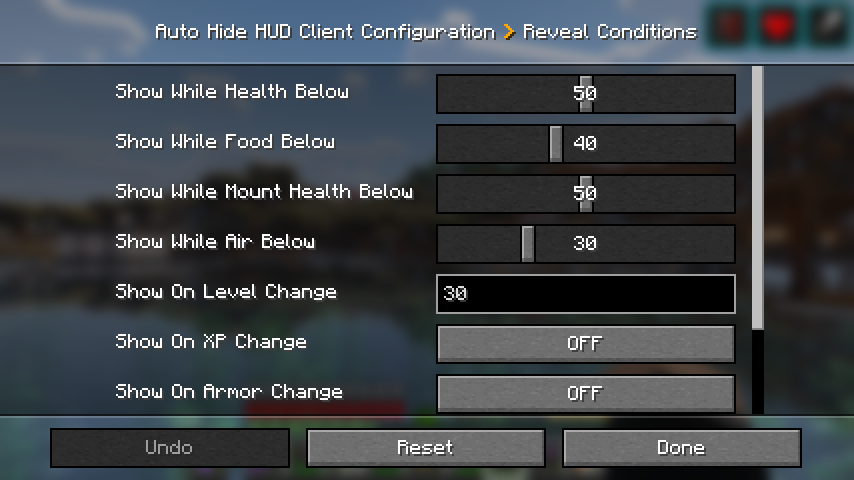
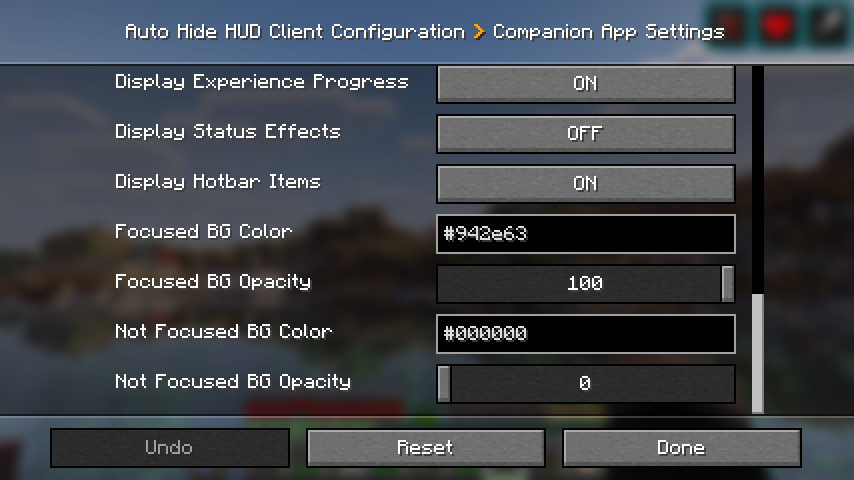
介绍
Have you even wanted the HUD elements to go away so you can enjoy the beauty of the world? I sure did. Welcome to Auto Hide HUD.
As the name implies, this mod will auto hide the HUD after a period of inactivity. DON’T panic. It’s not gone forever. It will return when your health changes. Or your hunger goes down. Don’t want it to do that? There are plenty of options to make this function exactly how you want. Want the HUD to disappear after 2.5 seconds and only comeback when your air levels are below 30%? There’s a setting for that!
Using this mod makes your Minecraft experience so much more immersive. It really feels like the first time I used shaders again. Just beautiful.
Let me know if you have any issues or feature suggestions.
Companion App
I’ve added a little player-info data server that broadcasts things like your position, health, food, air, status effects, and hotbar items to a companion app running on the same machine. Disabled by default — enable it in the in-game config, then launch the mod jar directly (java -jar path/to/mod.jar, or double-click if on Windows).
The companion is very configurable: pick which info to show, choose a background color, even make the window transparent when unfocused (great for Wallpaper Engine users). I built it because I have a small monitor under my main one and I wanted to glance at position and health while keeping the in-game HUD hidden for a clean look.
Note: the companion’s port must match the mod’s playerDataServerPort config (default 25922).
If you enjoy this mod, please check out our other games and apps at KrookedLilly.com
常见问题
Auto Hide HUD 支持哪些 Minecraft 版本?
Auto Hide HUD 支持 Minecraft Java 版 1.21–26.3,共 16 个版本,可用的加载器:Fabric / NeoForge。下载时注意选择和你游戏版本一致的文件。
Auto Hide HUD 怎么安装?
先用 PCL2 或 HMCL 启动器安装对应版本的 Fabric / NeoForge,再把下载的 .jar 文件放进游戏目录的 mods 文件夹,重新启动游戏即可。开启了版本隔离的,mods 文件夹在 versions/版本名 下面。运行环境:仅客户端。
krookedlilly 的其他作品
查看全部 →
ExfilCraft Core
Extraction survival for Minecraft: Deploy into hostile raid dimensions, fight for loot, and extract to bring it home — die and drop it all. This is the core mod for the ExfilCraft Modpack.

Hall Effect: Analog Keyboard Movement
Real analog WASD movement in Minecraft. Press your Hall Effect keys partway to walk slowly; press all the way for full speed.

Snail Mob
A snail named Jeffery is out to avenge his wife Jeffica. You brutally murdered her by stepping on her the moment you spawned in. He touches you, you die.
评论
登录后评论和评分