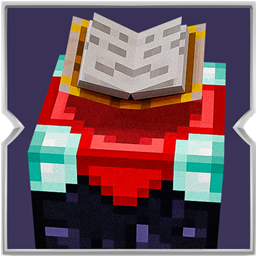
Auto Enchanting Table
Automatically places lapis and books into the enchanting table for you, then loads the next book after you take the finished one out.
介绍
Auto Enchanting Table takes the busywork out of enchanting. As soon as you open an enchanting table, the mod pulls lapis lazuli and a book from your inventory and places them into the table for you. You can focus on picking the enchantment instead of moving items around every time.

After you enchant a book and take it out, the next book is placed in automatically. As long as you still have lapis and books, the table stays ready for the next enchantment.
The mod is careful about your inventory. It will not place a book if you have no lapis, and it will not place a book if your inventory is full, so you do not lose an enchanted book with nowhere to put it. Lapis and books can come from your main inventory or your offhand.
There are no extra buttons and no settings to learn. Open the table with lapis and books on you, and it does the rest.
常见问题
Auto Enchanting Table 支持哪些 Minecraft 版本?
Auto Enchanting Table 支持 Minecraft Java 版 1.20.1–26.3,共 4 个版本,可用的加载器:Fabric / Forge / NeoForge。下载时注意选择和你游戏版本一致的文件。
Auto Enchanting Table 怎么安装?
先用 PCL2 或 HMCL 启动器安装对应版本的 Fabric / Forge / NeoForge,再把下载的 .jar 文件放进游戏目录的 mods 文件夹,重新启动游戏即可。开启了版本隔离的,mods 文件夹在 versions/版本名 下面。
Zerw 的其他作品
查看全部 →
No Totem Pop Animation & Particles
图腾触发时保持屏幕清爽。适合PvP、硬核模式和追求干净画面的创作者。

No Rain & Particles
此资源包会移除雨天画面效果,并彻底静音雨声。
Better Nether Portals
可以任意形状或方向建造下界传送门;无需封闭黑曜石框架,用打火石点燃后即可穿过。
The Sift: Backport
The Sift 是即将在后续版本中推出的新维度;此模组将其移植到了旧版本。
评论
登录后评论和评分