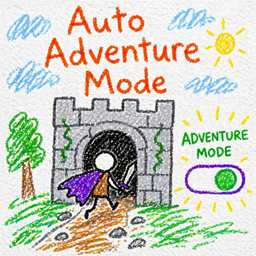
Auto Adventure Mode
Automatically switches players to Adventure Mode when entering structures (with HUD and immersive cues)
介绍
Auto Adventure Mode
brings structure-based gameplay control to Minecraft by automatically switching players into Adventure Mode when they enter structures.
This allows you to prevent players from breaking or modifying important builds, dungeons, or generated content—while still letting them explore and interact naturally.
🔧 Features
- Automatically switches Survival → Adventure Mode inside structures
- Returns players to Survival when they leave
- Smart detection with configurable buffer zones to reduce flickering
- Separate enter/exit check intervals for smoother transitions
- Fully configurable structure whitelist or blacklist
- Optional HUD icon displayed while in Adventure Mode
- Optional messages and sound effects on enter/exit
- Toggle to completely disable auto-switching (HUD-only mode)
⚙️ Configuration
Everything is customizable via config:
- Enable/disable automatic gamemode switching
- Control how often structure checks occur
- Adjust detection radius (horizontal + vertical buffers)
- Use whitelist or blacklist for specific structures
- Customize messages and sounds
- Adjust HUD icon position or disable it entirely
💡 Inspiration & Credits
This mod was inspired by:
- Epic RPG: In Combat
- In Combat
The HUD icon used in this mod was taken from In Combat and reused here.
常见问题
Auto Adventure Mode 支持哪些 Minecraft 版本?
Auto Adventure Mode 支持 Minecraft Java 版 1.20.1,可用的加载器:Forge。下载时注意选择和你游戏版本一致的文件。
Auto Adventure Mode 怎么安装?
先用 PCL2 或 HMCL 启动器安装对应版本的 Forge,再把下载的 .jar 文件放进游戏目录的 mods 文件夹,重新启动游戏即可。开启了版本隔离的,mods 文件夹在 versions/版本名 下面。
Yoda_Legion 的其他作品
查看全部 →
Draconic Codex (Quark Ancient Tome Expansion)
新增“典籍”,可将 Quark 的远古魔典附魔等级提升至最高 +2。

Ice and Fire: Dragonsteel
为冰与火之歌添加下界合金升级为龙钢的锻造升级,使其更现代化
Unstable Nether Portals
下界传送门使用后会崩塌,把玩家困在目的地维度

Overgeared Spartan
添加模块化武器部件和锻造配方,让 Overgeared 与 Spartan Weaponry 联动。
评论
登录后评论和评分