
Attribute Modify
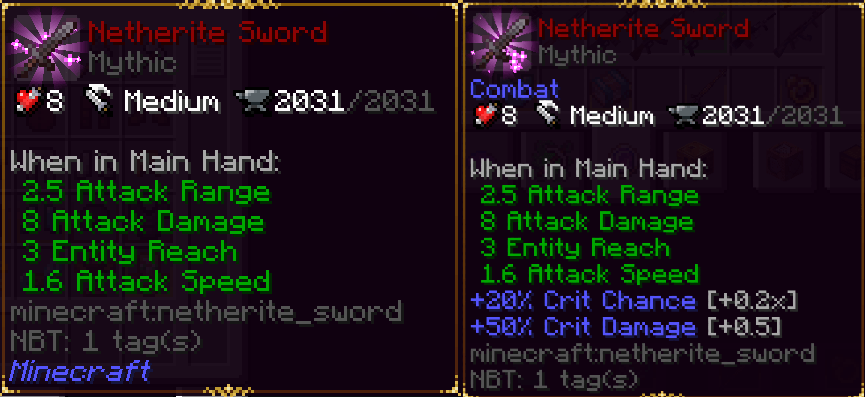
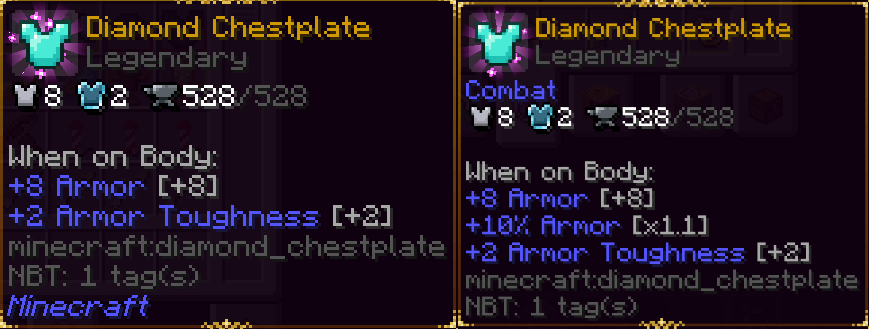
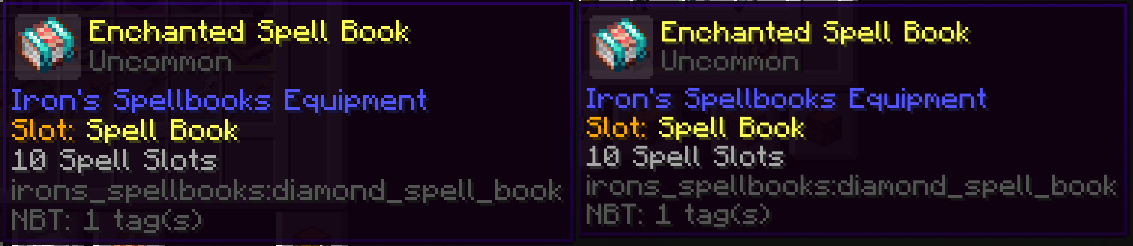
This mod allows the modification of item attributes, both vanilla and curios. Do you want to buff or nerf a weapon or curios? With this mod, you only need a datapack to do so.
截图
介绍
AttributeModify / NeoAttributeModify
Version 1.2.3 | Minecraft 1.20.1 Forge and Minecraft 1.21.1 NeoForge
Modify item attributes and related item behavior through datapacks. AttributeModify supports vanilla and modded attributes, mining overrides, durability changes, decorative item profiles, weighted quality data, and optional Curios or Accessories slots.
AttributeModify and NeoAttributeModify are distributed through the same CurseForge and Modrinth project pages. Install only the file that matches your Minecraft version and mod loader.
Available Versions
| Mod | Minecraft | Loader | Java |
|---|---|---|---|
| AttributeModify | 1.20.1 | Forge 47 | Java 17 |
| NeoAttributeModify | 1.21.1 | NeoForge 21.1 | Java 21 |
Forge and NeoForge files are not interchangeable.
Features
- Add, replace, set, or remove item attribute modifiers
- Remove a specific modifier operation without removing the others
- Override mining speed while preserving external speed multipliers
- Raise an item’s harvest capability to vanilla or modded mining tier requirements
- Override durability and define custom durability triggers
- Disable functional behavior for decorative items without deleting unrelated player effects
- Roll weighted quality data during crafting, loot generation, or villager trades
- Generate datapack rules through an in-game editor
- Apply rules conditionally using NBT paths
- Support vanilla and modded items
- Apply changes in multiplayer environments
- Reload datapack rules using
/reload - Keep Curios and Accessories rule storage isolated
Requirements
AttributeModify — Minecraft 1.20.1
- Minecraft
1.20.1 - Forge
47.4.0or a compatible Forge 47 release - Java
17
Optional integrations:
- Curios
5.14.1+ - Accessories
1.0.0-beta.47+ - Apotheosis
7.4.8and its required Placebo dependency
NeoAttributeModify — Minecraft 1.21.1
- Minecraft
1.21.1 - NeoForge
21.1.220or newer - Java
21
Optional integrations:
- Curios
9.5.1+ - Accessories
1.0.0-beta.47+
Both versions start normally when the optional integration mods are absent.
Datapack Layout
Place the datapack inside:
<world>/datapacks/Attribute rule files belong under:
data/<namespace>/item_attributes/Example structure:
MyAttributePack/
|-- pack.mcmeta
`-- data/
    `-- my_namespace/
        `-- item_attributes/
            `-- tools.json
Run /reload after changing datapack files.
Datapack Formats
The required pack_format depends on the Minecraft version.
Minecraft 1.20.1
Use datapack format 15:
{
  "pack": {
    "pack_format": 15,
    "description": "My AttributeModify rules"
  }
}
Minecraft 1.21.1
Use datapack format 48:
{
  "pack": {
    "pack_format": 48,
    "description": "My NeoAttributeModify rules"
  }
}
In-Game Editor
Each version provides its own client command.
| Mod | Editor command | Generated datapack |
|---|---|---|
| AttributeModify | /attributemodify_editor |
AttributeModify_Editor |
| NeoAttributeModify | /neoattributemodify_editor |
NeoAttributeModify_Editor |
The generated datapack is written into the current world’s datapack directory.
Saving requires either:
- Being the owner of the singleplayer world
- Having permission level
2or higher on a server
Support
Discord: https://discord.gg/NXVEtWqsnw
常见问题
Attribute Modify 支持哪些 Minecraft 版本?
Attribute Modify 支持 Minecraft Java 版 1.20.1–1.21.1,共 2 个版本,可用的加载器:Forge / NeoForge。下载时注意选择和你游戏版本一致的文件。
Attribute Modify 怎么安装?
先用 PCL2 或 HMCL 启动器安装对应版本的 Forge / NeoForge,再把下载的 .jar 文件放进游戏目录的 mods 文件夹,重新启动游戏即可。开启了版本隔离的,mods 文件夹在 versions/版本名 下面。
Etema 的其他作品
查看全部 →
Daily Boss – More Bosses
Add more bosses and config for Daily Boss

Daily Boss X Mowzie’s Mob
Compat Daily Boss with Mowzie Mob

Attribute Modify
This mod allows the modification of item attributes, both vanilla and curios. Do you want to buff or nerf a weapon or curios? With this mod, you only need a datapack to do so.

Daily Boss – More Bosses
Add more bosses and config for Daily Boss
评论
登录后评论和评分