Attribute Display Style
Attribute Display Style replaces Minecraft's default item attribute lines with a compact, configurable layout.
截图
介绍
Attribute Display Style
Make item attribute tooltips easier to scan—and style them your way.
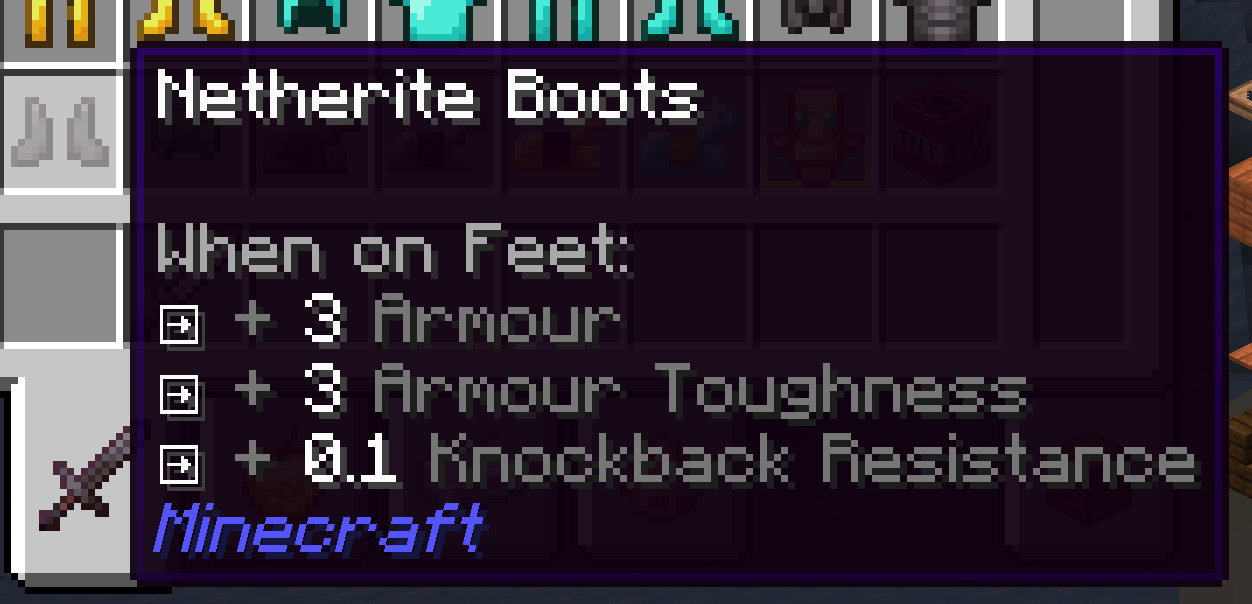
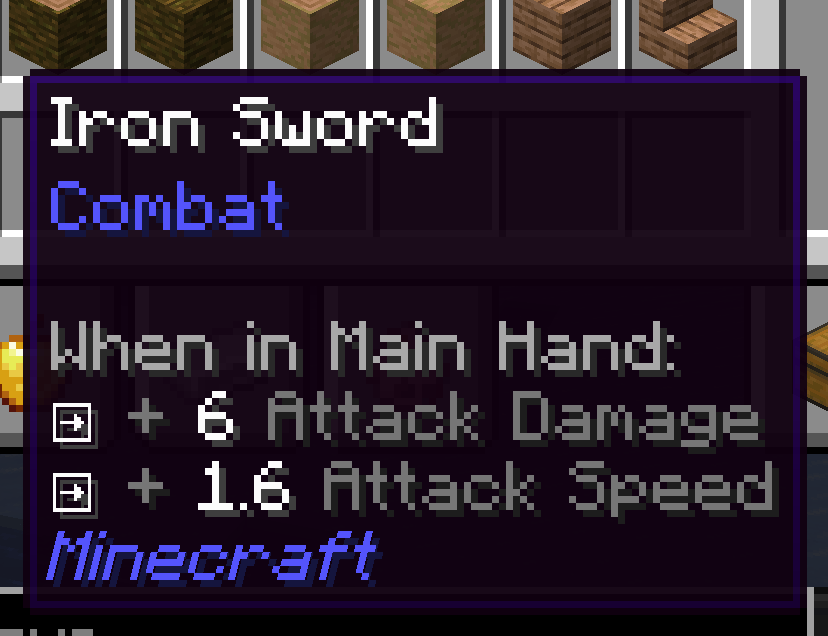
Attribute Display Style replaces Minecraft’s default item attribute lines with a compact, configurable layout. Modifiers for the same attribute and operation are combined into one line by default. Hold Shift to expand the line and see the contributing modifiers.
Features
- Clear grouped stats: Combine repeated modifiers while keeping their individual sources available with Shift.
- Style every line: Set separate prefixes, glyphs, and colors for positive or negative single, merged, and expanded lines.
- Use your own icons: Choose text or Unicode glyphs, or use private-use glyphs backed by bitmap icons from a resource-pack font.
- Show selected bonuses as percentages: Configure attribute IDs whose additive values should display as percentages (for example,
0.05as+5%). - Readable weapon totals: Attack damage and attack speed show the total with the player’s base value. Hold Shift to inspect the item’s contribution and enchantment damage bonus.
- Works with other attribute tooltips: Restyles and merges supported attribute lines from Curios slot lists and Confluence item prefixes. Neither mod is required, and unrelated tooltip lines are left alone.
Client-side configuration
The config file is config/attribute_display_style.json. Edit it while the game is running, then run /attribute_display_style reload to apply changes. You can also press F3+T to reload resources and the config.
This is a client-side mod. Install it on your client; no server installation or operator permission is needed. It works in single player and when joining a server.
Supported versions
| Loader | Minecraft |
|---|---|
| Forge | 1.20.1 |
| NeoForge | 1.20.4, 1.21.1, 26.1.2 |
Choose the download that matches your Minecraft version and loader.
常见问题
Attribute Display Style 支持哪些 Minecraft 版本?
Attribute Display Style 支持 Minecraft Java 版 1.20.1–26.1.2,共 4 个版本,可用的加载器:Forge / NeoForge。下载时注意选择和你游戏版本一致的文件。
Attribute Display Style 怎么安装?
先用 PCL2 或 HMCL 启动器安装对应版本的 Forge / NeoForge,再把下载的 .jar 文件放进游戏目录的 mods 文件夹,重新启动游戏即可。开启了版本隔离的,mods 文件夹在 versions/版本名 下面。
DxEVIL 的其他作品
查看全部 →
puffish apothic attributes fix
修复 Apothic Attributes 界面中 Pufferfish 的动态属性,并为 Pufferfish 的技能属性修正显示对应的技能图标。
Q Shop
适用于 Forge 1.20.1、NeoForge 1.21.1 和 NeoForge 26.1.2 的灵活服务器商店,支持买卖、以物易物和命令交易、自定义货币、交易限制、游戏内编辑,以及面向构建者的 KubeJS API。
Advanced Mob Leveling
非官方的 Auto Leveling 续作,支持基于公式的属性、通过 KubeJS 控制等级、兼容 LootJS,并改进了配置格式。

Q Backpack
一款独立的 Curios 背包模组,提供四个升级等级、集成式物品栏界面、自动拾取,以及受 Quark 启发的整理功能。
评论
登录后评论和评分