AstrentlyUI: Custom Inventory
作者:Astrently
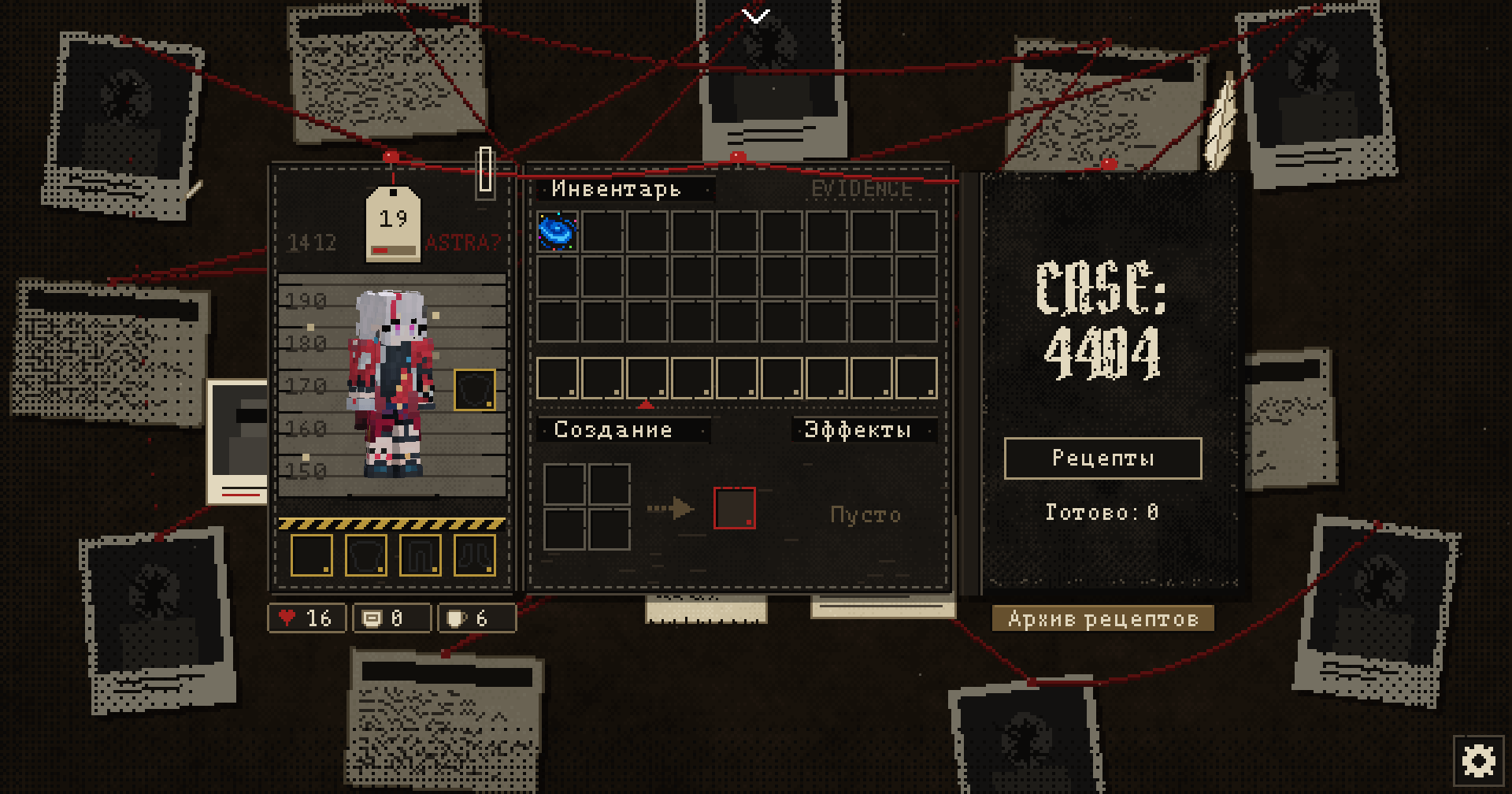
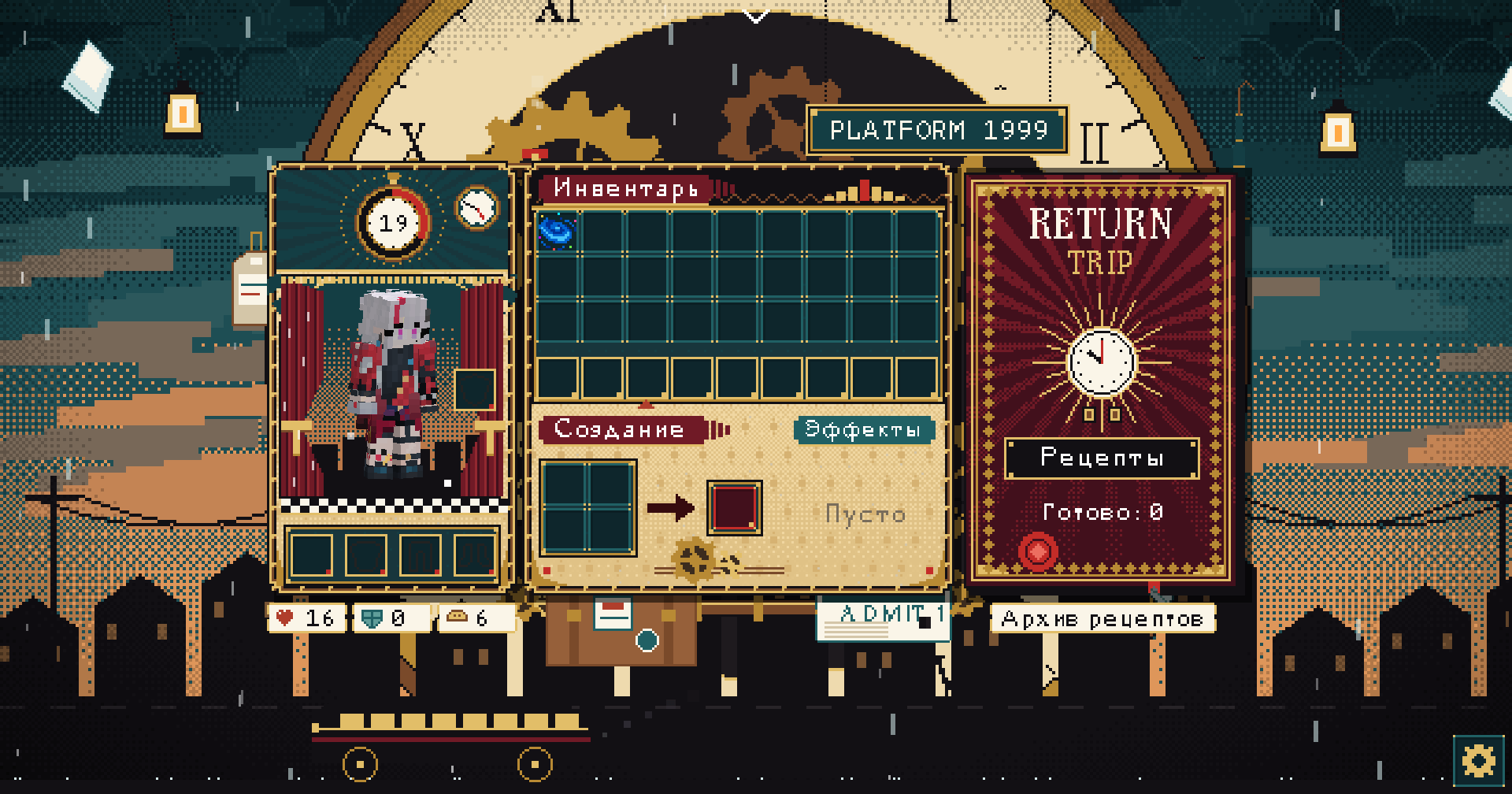
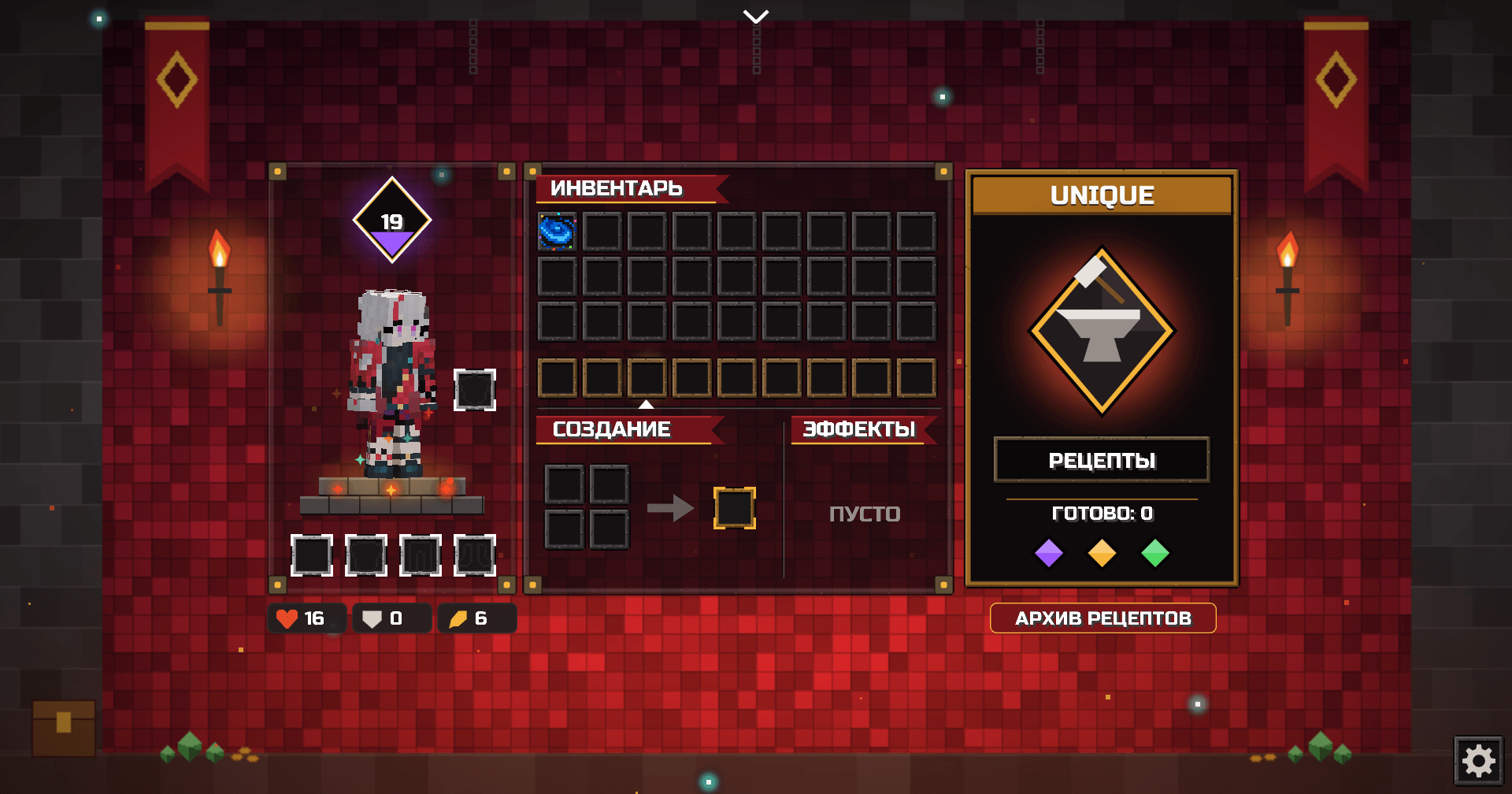
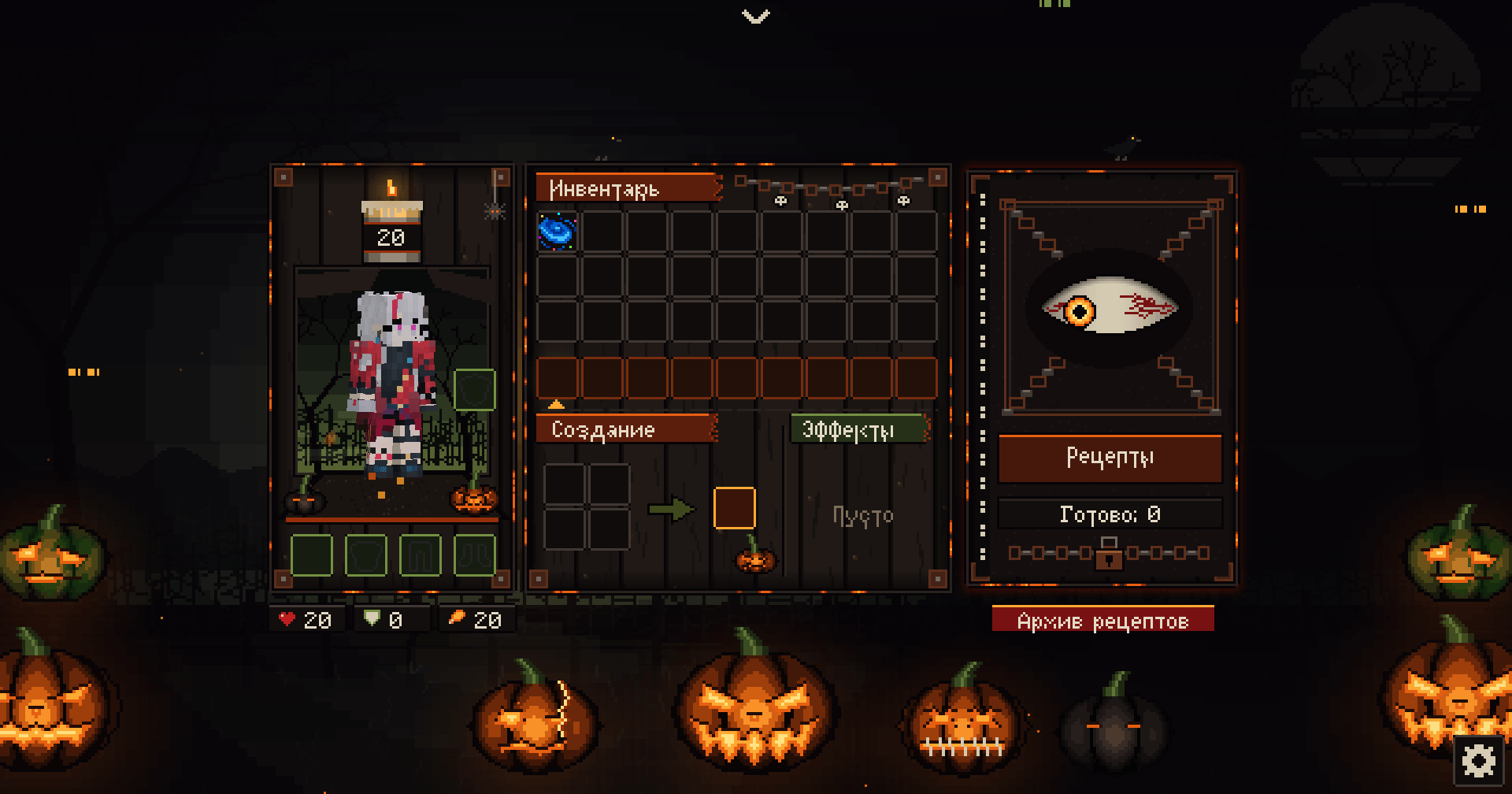
Replaces the vanilla survival and creative inventories with a redesigned RPG-style interface. Your character stands in the spotlight, your items sit in a clean layout, and everything can change its look with a single click.
截图
介绍
中文介绍正在准备中,下面暂时显示原文。
## 🇺🇸 EN:
✨ Features
🎒 New survival inventory
- Your character on their own panel, with armor slots, a shield slot and your level
- Health, armor and food at a glance
- Active effects with timers and progress bars
- A recipe book built into the screen
🧱 New creative inventory
- The same style in creative mode
- Item tabs in a scrolling side panel, with support for tabs added by other mods
📖 Recipe archive
- Browse every item and how to make it, right inside the game
- See both recipes and uses for any item
- Search by name, or by mod with
@modname - Shows crafting, smelting, stonecutting and smithing recipes
⚙️ Settings
Open them with the gear icon in the inventory or through Mod Menu. The settings screen takes on the look of your current theme.
- Change themes
- Turn the recipe archive on or off
- Set the inventory size separately from your GUI scale (x2 to x4)
📦 Requirements
- Required: Fabric Loader and Fabric API
- Optional: Mod Menu
💡 Good to know
- If the window is too small for the layout, the game falls back to the vanilla inventory. Lowering your GUI scale fixes this.
- The recipe archive does not show custom machine recipes from other mods.
🇷🇺 RU:
✨ Возможности
🎒 Новый инвентарь выживания
- Персонаж на отдельной панели со слотами брони, щитом и уровнем
- Здоровье, броня и сытость всегда на виду
- Активные эффекты с таймерами и полосками
- Встроенная книга рецептов
🧱 Новый творческий инвентарь
- Тот же стиль в креативе
- Вкладки на прокручиваемой боковой панели, включая вкладки других модов
📖 Архив рецептов
- Все предметы игры и способы их создания прямо в инвентаре
- Рецепты и применение любого предмета
- Поиск по названию, а по моду через
@название - Показывает крафт, плавку, камнерез и кузнечный стол
⚙️ Настройки
Открываются шестерёнкой в инвентаре или через Mod Menu и принимают вид текущей темы.
- Смена темы
- Включение и выключение архива рецептов
- Размер инвентаря отдельно от масштаба интерфейса (x2–x4)
📦 Требования
- Обязательно: Fabric Loader и Fabric API
- Необязательно: Mod Menu
💡 Полезно знать
- Если окно слишком маленькое для раскладки, игра покажет обычный инвентарь. Поможет меньший масштаб интерфейса.
- Архив не показывает особые рецепты машин из других модов.
常见问题
AstrentlyUI: Custom Inventory 支持哪些 Minecraft 版本?
AstrentlyUI: Custom Inventory 支持 Minecraft Java 版 1.21.11–26.3,共 6 个版本,可用的加载器:Fabric。下载时注意选择和你游戏版本一致的文件。
AstrentlyUI: Custom Inventory 怎么安装?
先用 PCL2 或 HMCL 启动器安装对应版本的 Fabric,再把下载的 .jar 文件放进游戏目录的 mods 文件夹,重新启动游戏即可。开启了版本隔离的,mods 文件夹在 versions/版本名 下面。

评论
登录后评论和评分