Astran Optimisation
An all-in-one Minecraft optimization mod that boosts performance through aggressive entity and particle culling while providing a native in-game configuration menu.
截图


介绍


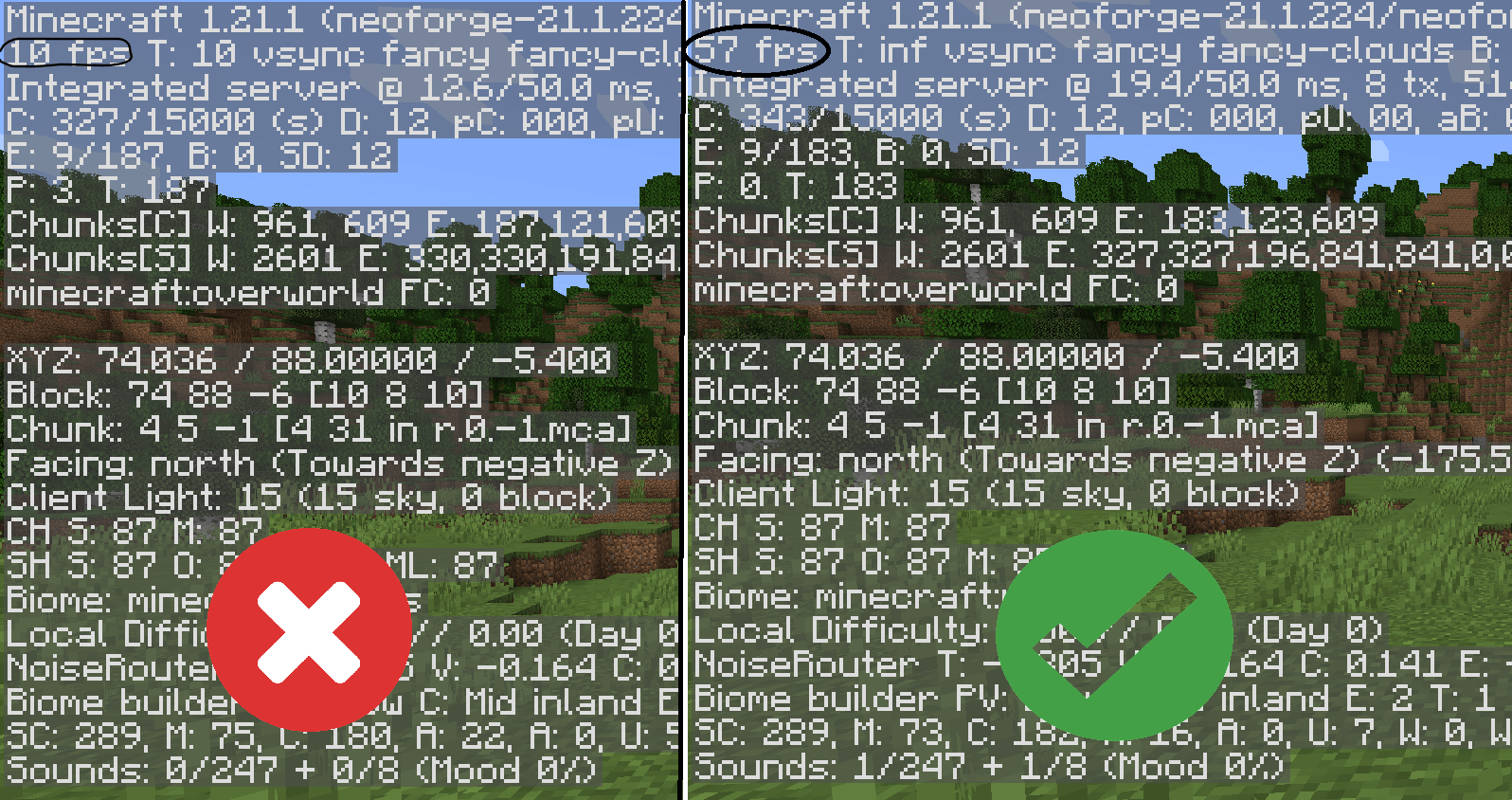
Astran Optimisation is a surgical-grade performance mod for NeoForge 1.21.1. While other mods simply lower settings, Astran rewrites the rendering pipeline to eliminate bottlenecks that cause frame stutters and low FPS.
Key Technical Features
Dynamic Particle Throttling
Unlike vanilla Minecraft which blindly renders thousands of particles, Astran implements an AI-driven throttling system. It monitors your real-time FPS and scales the particle budget dynamically:
-
Low FPS (<30): Aggressively caps particles to 50 to stabilize framerates.
-
High FPS (>60): Gradually allows up to 500 particles for visual fidelity.
-
Distance Culling: Automatically kills any particle generated outside your immediate vicinity.
Radical Entity Culling
Entities (mobs, players, and items) are the primary cause of CPU lag. Astran uses a multi-stage culling process:
-
Frustum Culling: If an entity is behind you or out of your FOV, it is completely ignored by the renderer.
-
Item-Level Culling: Items on the ground (from farms or mining) are culled at just 16 blocks, preventing “Item-Lag” from crashing your game.
-
PoseStack Optimization: Prevents the game from even calculating the 3D math for culled entities, saving massive CPU cycles.
Native In-Game Configuration
No more editing .json files and restarting. Access the Astran Menu directly through the “Mods” list to toggle features on the fly:
-
Aggressive Culling Toggle: Instant FPS boost for heavy modpacks.
-
NoRender Mode: High-speed rendering for low-end hardware.
Performance Comparison
| Feature | Vanilla 1.21.1 | Astran Optimisation |
| Particle Limit | ~4,000 (Static) | 50 – 500 (Dynamic) |
| Item Render Dist. | Up to 64 blocks | 16 blocks (Optimized) |
| Off-Screen Entities | Rendered & Calculated | Fully Culled |
| FPS Stability | Variable/Stuttery | Consistent & Locked |
常见问题
Astran Optimisation 支持哪些 Minecraft 版本?
Astran Optimisation 支持 Minecraft Java 版 1.21.1,可用的加载器:NeoForge。下载时注意选择和你游戏版本一致的文件。
Astran Optimisation 怎么安装?
先用 PCL2 或 HMCL 启动器安装对应版本的 NeoForge,再把下载的 .jar 文件放进游戏目录的 mods 文件夹,重新启动游戏即可。开启了版本隔离的,mods 文件夹在 versions/版本名 下面。
PixelAi75 的其他作品
查看全部 →
Astran [Cheat/Hack]
The Ultimate Minecraft [Cheat/Utility] Client Use at your own risk. I am not responsible for any bans.

Warrior Cats – Whispers of StarClan
Warrior Cats: Whispers Of StarClan is a Minecraft modpack inspired by the Warrior Cats universe, featuring immersive survival, exploration, roleplay, and the mystical guidance of StarClan.
评论
登录后评论和评分