
AstralBot
Minecraft Mod doubling as a Discord Bot, initially made for Create: Astral
截图


介绍
AstralBot


This is a Minecraft mod and Discord Bot in one package. It’s intended for the Create: Astral
Modpack’s official server, but it’s implemented cross-platform to be usable by others too.
The goal is to be easy-to-use and accessible for non-technical server admins,
while allowing true complexity for power users.
Features
These features are the core of what this bot will do. See the Status section
to see how much is already implemented.
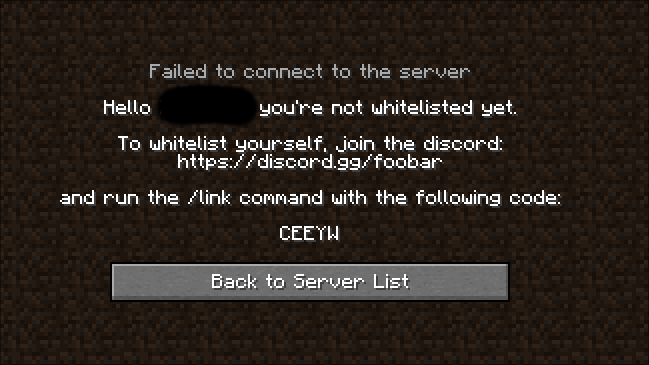
- Discord and Minecraft account linking, optionally requiring this to be whitelisted
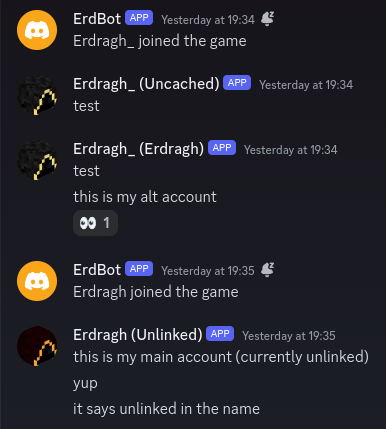
- Discord and Minecraft chat synchronization, optionally via webhook for improved readability
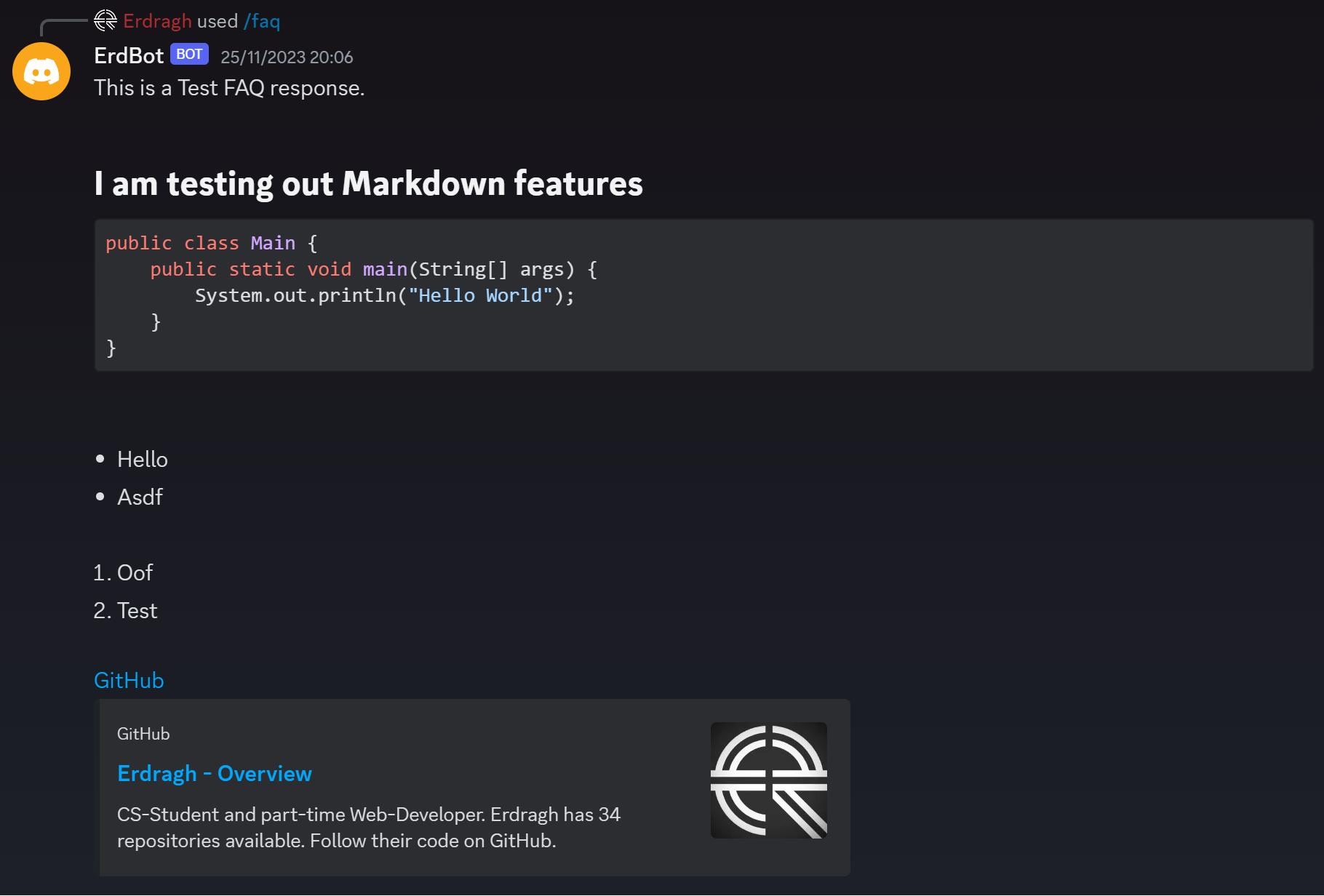
- FAQ commands using Markdown files without needing to restart the server
Dependencies
This mod has a few dependencies, some of which are not specified directly as they’re technically optional:
- The Kotlin Implementation for the platform you’re running. (e.g. Kotlin For Forge or Fabric Language Kotlin)
- The (Neo-)Forge Config API (Included in Neo/Forge, extra mod for Fabric)
Implementation
- JDA library to communicate with the Discord API.
- Kotlin for the improved development experience over Java
- JetBrains Exposed to communicate with the Database
Configuration
The following things will be configurable:
- Required linking to be whitelisted (default:
off) - Chat synchronization with imitated Discord Users:
- No user imitation (The bot will write the messages under its own name)
- (If possible) Minecraft user imitation (The Minecraft usernames and heads will be used for messages)
- (Only available if requiring linking for whitelist) Discord user imitation (The messages will be written under the linked Discord name)
Default: Minecraft user imitation (if webhook available is set, otherwise no imitation)
- Managing FAQs through a command interface (default:
off) - Database connection. Uses an SQLite database by default
Status
- [x] Whitelisting
- [ ] FAQ Commands
- [x] Reading Markdown files
- [x] Updating suggestions without restart
- [ ] Management/Creation via commands
- [x] Chat synchronization
- [x] Minecraft to Discord
- [x] Discord to Minecraft
- [x] User imitation on Discord. Either uses Minecraft avatars or Discord avatars
Running
There is no public instance of this bot/mod available. To use it, create a new Application
on the Discord Developer Portal and configure it
to have the three privileged gateway intents: PRESENCE, SERVER MEMBERS and MESSAGE CONTENT.
Copy the bot token and store it somewhere safe (like a Password Manager) and never show it to
anybody else. To make sure the token gets read by the bot, it has to be in either an Environment Variable
DISCORD_TOKEN where the running Minecraft server can access it or in the config file under the key token.
You could for example modify a start.sh script on a Unix-like system to export it or start the shell script with it set directly:
startmc.sh:
export DISCORD_TOKEN=<place token here>

java ... # java command that starts the server
or
DISCORD_TOKEN=<place token here> startmc.sh # Start the script with the env variable setAfter starting the server, you can go into the OAuth2 URL builder on the Discord
Developer Portal and generate a URL with the bot and applications.command permissions.
Use the generated URL to have the bot join your server.
To be able to use user imitation, which makes the chat synchronization more readable, the bot will try and create a webhook
in the configured chat synchronization channel. This means it will need to have the permission to manage webhooks. If you
don’t want that you can manually create a webhook in the channel where you want the messages synchronized and set it in the
webhook.url option in the config for the mod.
常见问题
AstralBot 支持哪些 Minecraft 版本?
AstralBot 支持 Minecraft Java 版 1.18.2–1.21.1,共 6 个版本,可用的加载器:Fabric / Forge / NeoForge。下载时注意选择和你游戏版本一致的文件。
AstralBot 怎么安装?
先用 PCL2 或 HMCL 启动器安装对应版本的 Fabric / Forge / NeoForge,再把下载的 .jar 文件放进游戏目录的 mods 文件夹,重新启动游戏即可。开启了版本隔离的,mods 文件夹在 versions/版本名 下面。运行环境:仅服务端。
null2264 的其他作品
查看全部 →
CobbleGen
An MC mod that allows you to customize cobblestone (stone and basalt) generators
CobbleGen
An MC mod that allows you to customize cobblestone (stone and basalt) generators

LibreExpFix (Fixes “0 Experience” Bug)
A small mod that fixed experience bug after teleporting across dimension

Skyblock Creator
A fabric mod that lets you add skyblock-like world type(s)
评论
登录后评论和评分