
CoordVeil
Protect coordinates in streams and screenshots with custom, offset, random, or frozen client-side HUD values.
截图
介绍
CoordVeil
Share the adventure, not the base.
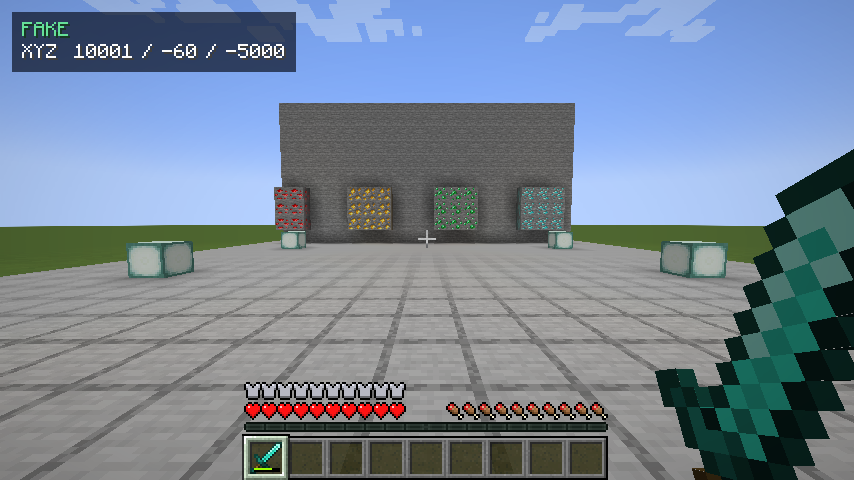
CoordVeil helps reduce accidental coordinate leaks while recording, streaming, or sharing screenshots. It can display a separate privacy HUD and mask selected coordinate lines without changing the player’s real position.
✨ Highlights
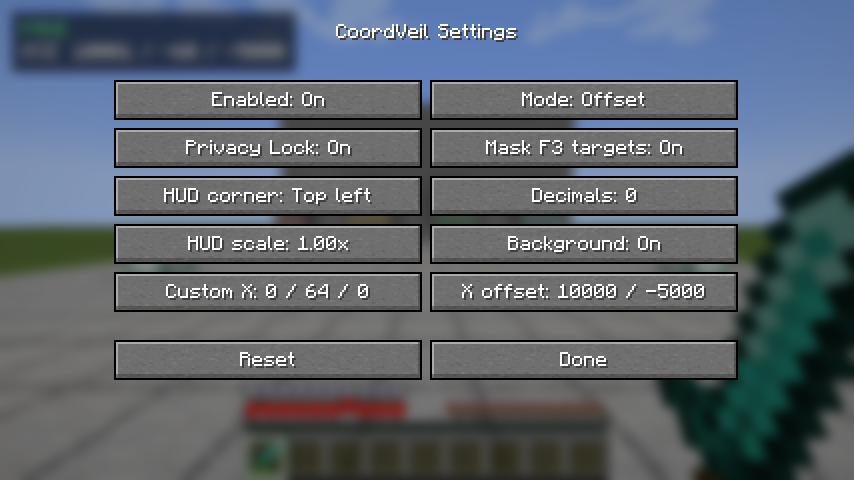
- Custom, offset, random, and frozen display modes
- Separate coordinate HUD with anchor, scale, and background controls
- Targeted masking for XYZ, block, and chunk debug lines
- Per-dimension offsets and a clearly visible FAKE state indicator
- Privacy Lock for recording and streaming sessions
- Local configuration only; no network or telemetry service
🎮 Quick start
- Download the file for your exact Minecraft version and loader.
- Install Fabric API as well when using a Fabric build.
- Put the JAR in your profile’s
modsfolder. - Start Minecraft and check Controls/settings for the available options.
Press F8 to switch between protected and real display modes. Privacy Lock can prevent an accidental return to real coordinates during a session.
🧩 Compatibility
- Client-side only; a vanilla server does not need to install it.
- Fabric builds require Fabric API. Forge and NeoForge builds use their matching loader.
- Use the file made for your exact Minecraft version and loader.
- Available from Minecraft 1.16.5 through 26.1.2 where that loader exists.
🔒 Privacy and safety
- No telemetry, analytics, ads, account system, or background network service.
- Configuration stays on your device.
- The mod is designed around conservative defaults and clean fallback behavior.
- Always check the rules of the server you play on; some servers restrict client utilities.
🚫 What it does not do
- Does not move the player or send fake coordinates to a server
- Does not modify command output or unrelated debug information
- Privacy features reduce accidental exposure but cannot protect text produced by every other mod
📦 Support
When reporting a problem, include the Minecraft version, loader, mod version, and the relevant client log. Do not upload a random loader/version combination: each published file is built for the exact version shown on its page.
常见问题
CoordVeil 支持哪些 Minecraft 版本?
CoordVeil 支持 Minecraft Java 版 1.16.5–26.1.2,共 33 个版本,可用的加载器:Fabric / Forge / NeoForge。下载时注意选择和你游戏版本一致的文件。
CoordVeil 怎么安装?
先用 PCL2 或 HMCL 启动器安装对应版本的 Fabric / Forge / NeoForge,再把下载的 .jar 文件放进游戏目录的 mods 文件夹,重新启动游戏即可。开启了版本隔离的,mods 文件夹在 versions/版本名 下面。
AstorUVZ 的其他作品
查看全部 →
Farloom
Dedicated Distant Horizons terrain and water shading with a clean LOD handoff for huge, readable landscapes.
Stormweave
Continuous storm skies, readable rain, wet surfaces and real lightning response in one weather-first shaderpack.
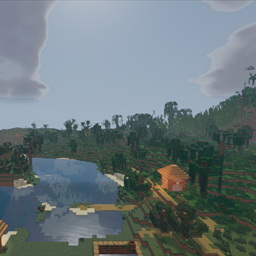
Storyloom
Geometry-aware ink, painted light bands and a warm storybook palette with stable motion and readable depth.
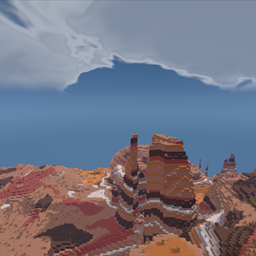
Lumenline
Clean natural lighting, stable real-time shadows, reflective water and a warm cinematic atmosphere for everyday play.
评论
登录后评论和评分