Asset Bridge
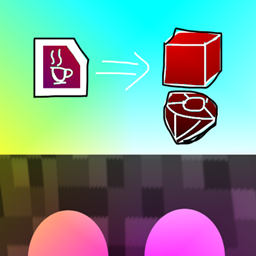
A Minecraft mod that loads assets such as blocks from other mods, allowing them to be used visually without their original functionality.
介绍
A mod that loads assets such as blocks from imported Minecraft mods and makes them available visually without their original functionality.
It can be used when you want to add the appearance of blocks or other assets even when the original mod targets a different Minecraft version or platform.
The code of imported mods is never executed; only their assets are used. Therefore, specific features and functionality provided by the original mods will not work.
Usage
Create an assetbridge/ directory inside the game’s mods/ directory, then place the JAR or ZIP files of the mods you want to load inside it.
Asset Bridge automatically creates the assetbridge/ directory on the first launch.
mods/
└─ assetbridge/
   ├─ aaa.jar
   ├─ bbb.jar
   └─ ccc.zip
Blocks with matching assets/<namespace>/blockstates/*.json files and items with matching assets/<namespace>/models/item/*.json files are registered using their original namespaces.
They can be obtained from the following Creative Tabs:
Asset Bridge: BlocksAsset Bridge: Items
常见问题
Asset Bridge 支持哪些 Minecraft 版本?
Asset Bridge 支持 Minecraft Java 版 1.12.2–26.2,共 21 个版本,可用的加载器:Fabric / Forge / NeoForge。下载时注意选择和你游戏版本一致的文件。
Asset Bridge 怎么安装?
先用 PCL2 或 HMCL 启动器安装对应版本的 Fabric / Forge / NeoForge,再把下载的 .jar 文件放进游戏目录的 mods 文件夹,重新启动游戏即可。开启了版本隔离的,mods 文件夹在 versions/版本名 下面。
pitan76 的其他作品
查看全部 →
MCPitanLib
Pitan 的 Minecraft 模组库
Improved Stations (Fabric)
为Minecraft添加不同种类的工作站,例如合成站

Memory Usage Title
在标题栏显示内存使用情况

Simple Uncrafting Table
为Fabric/Forge添加分解台。
评论
登录后评论和评分