
Asistant
A voice-controlled AI companion that follows you, talks back, builds, fights and does anything you ask — bring your own API key.
截图

介绍
Asistant — Your AI Companion in Minecraft
Talk to Minecraft. Literally.
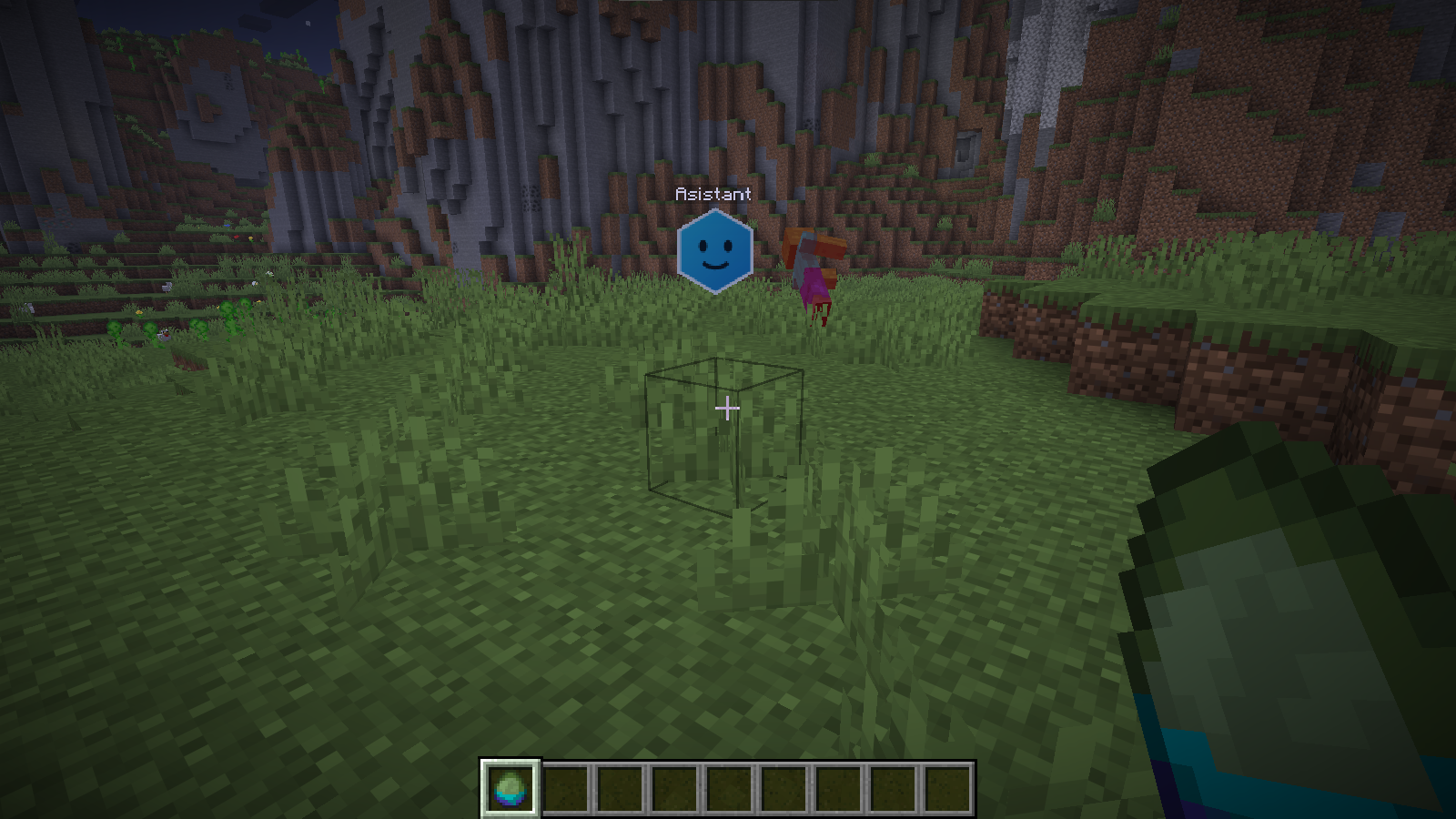
Asistant adds a floating hexagon AI companion that follows you around, listens to your voice, and does anything you ask — powered by a real LLM (Gemini, Groq, OpenAI, Anthropic, NVIDIA, or any OpenAI-compatible API).
Hold V, say “teleport me to the nearest village” — and you’re there.
Features
- Push-to-talk voice control — hold V, speak, release. Speech is transcribed via Whisper (Groq/OpenAI) and understood by the LLM of your choice
- Spoken replies — the assistant talks back (cloud TTS voices or your system’s built-in voice)
- Runs any command for you — give items, teleport, change weather, build structures… it has full command access
- Builds for you — instant mode, or realistic mode where the assistant physically flies block-to-block placing them
- Autonomous tasks — “collect 10 oak logs” → it flies off, mines them, and carries the loot in its 27-slot bag (Shift+right-click to open)
- Guard mode — it fights hostile mobs near you at night and reports its kills at dawn
- Rideable — right-click to hop on and fly it wherever you look
- Named waypoints — “remember this place as home” → “take me home”
- Death recovery — it remembers where you died;
/asistant deathbackreturns you to your loot - Vision —
/asistant look what do you see?sends a screenshot to the LLM - Persistent memory — it remembers important facts across sessions
- DJ mode, exploration reports, auto farms, spot marking, named team members, emotion-driven faces, 4 color themes
- Conversation mode — after each reply the mic re-opens so you can keep talking
Bring your own API key
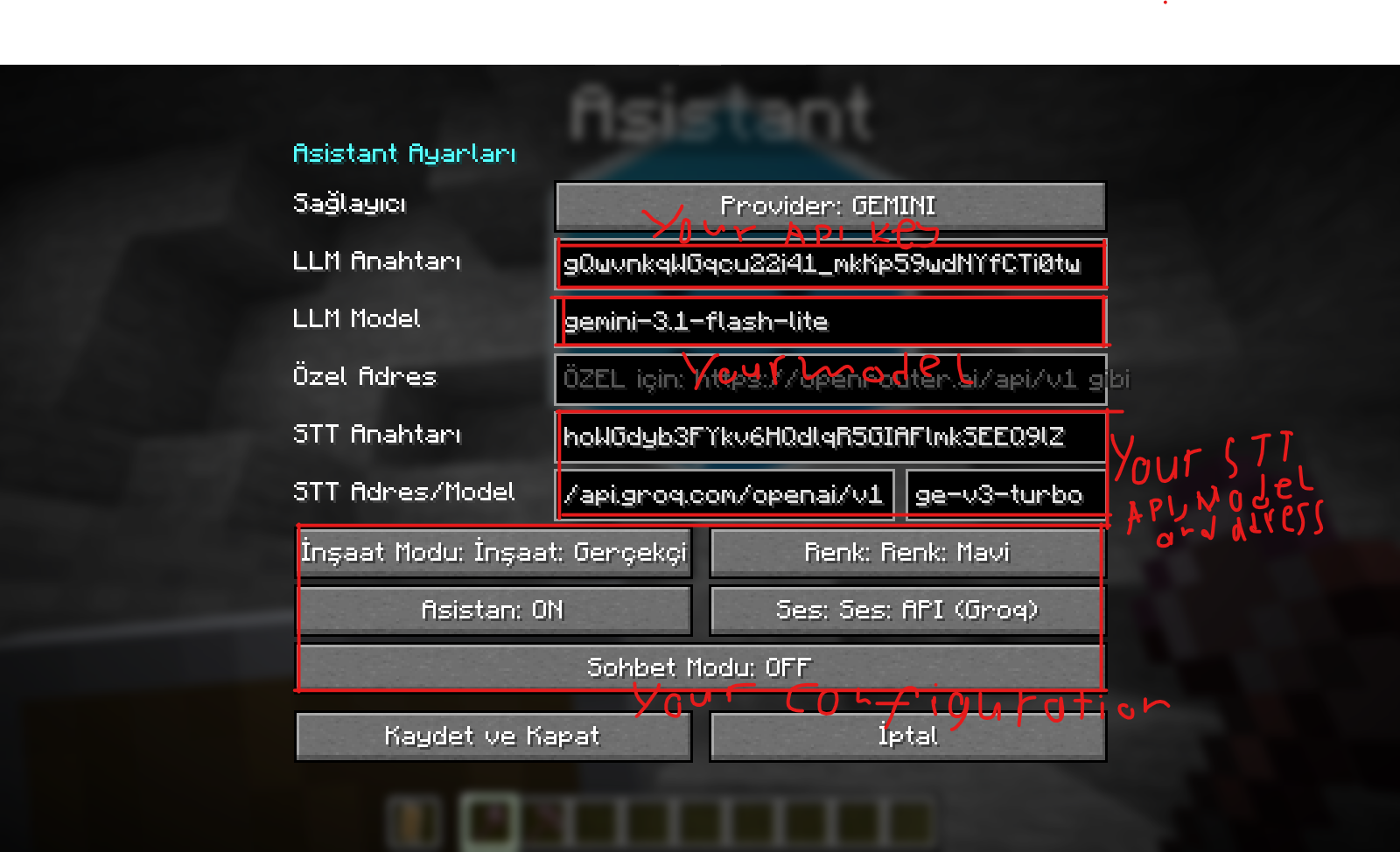
Every player enters their own API keys in the in-game settings (press K). Free-tier friendly:
| What | Recommended free provider |
|——|—————————|
| LLM (the brain) | Groq (llama-3.3-70b-versatile) or Google Gemini (gemini-3.1-flash-lite) |
| Speech-to-text | Groq Whisper (free) |
| Voice replies | Groq TTS (free) or your OS voice (offline) |
Also supports OpenAI, Anthropic Claude, NVIDIA NIM, and any OpenAI-compatible endpoint (OpenRouter, DeepSeek, Together, Cerebras, xAI, local Ollama / LM Studio…) via the custom provider.
This mod requires internet access and third-party AI API keys for voice/AI features. No keys are bundled; usage of your keys is your responsibility.
Requirements
- Minecraft 26.2
- Fabric Loader + Fabric API
- A microphone (for voice control; typing via
/asistant text <message>works without one)
Quick start
- Install the mod + Fabric API, launch the game
- Press K → enter your API key(s), pick a provider and model
/asistant summon→ your hexagon buddy appears- Hold V and talk!
Commands
/asistant summon [name] · /asistant dismiss · /asistant text <msg> · /asistant look <question> · /asistant warp set|go|list · /asistant collect <block> <count> · /asistant guard on|off · /asistant come · /asistant goto <player> · /asistant deathback · /asistant dj [disc|stop] · /asistant buildfarm · /asistant buildschem <file> · /asistant explore · /asistant mark · /asistant quest · /asistant stopbuild · /asistant reset · /asistant config
🇹🇷 Türkçe
Minecraft ile konuşun. Gerçekten.
Asistant, sizi takip eden, sesinizi dinleyen ve istediğiniz her şeyi yapan altıgen bir yapay zeka yoldaşı ekler. Gerçek bir LLM’e bağlanır (Gemini, Groq, OpenAI, Claude, NVIDIA veya OpenAI uyumlu herhangi bir API).
V‘ye basılı tutun, “beni en yakın köye ışınla” deyin — oradasınız.
Öne çıkanlar: Sesli komut (bas-konuş) · Sesli cevap (Türkçe dahil) · Tüm komutlara erişim · Blok blok gerçekçi inşaat · Otonom kaynak toplama (çantasında taşır!) · Koruma modu ve sabah devriye raporu · Binilip uçulabilir · İsimli konumlar (“evime götür”) · Ölüm noktası kurtarma · Ekran görüntüsüyle görme · Kalıcı hafıza · DJ modu · Keşif raporu · Otomatik çiftlik · Duyguya göre değişen yüz · 4 renk teması · Kesintisiz sohbet modu
Kurulum: Fabric Loader + Fabric API kurun, jar’ı mods klasörüne atın. Oyunda K‘ya basıp kendi API anahtarınızı girin (Groq ve Gemini’nin ücretsiz katmanları yeterli). /asistant summon deyin ve V ile konuşmaya başlayın.
Yapay zeka özellikleri internet ve üçüncü taraf API anahtarı gerektirir. Modla birlikte anahtar gelmez; herkes kendi anahtarını kullanır.
Made by AlinDSoft 🇹🇷
常见问题
Asistant 支持哪些 Minecraft 版本?
Asistant 支持 Minecraft Java 版 26.2,可用的加载器:Fabric。下载时注意选择和你游戏版本一致的文件。
Asistant 怎么安装?
先用 PCL2 或 HMCL 启动器安装对应版本的 Fabric,再把下载的 .jar 文件放进游戏目录的 mods 文件夹,重新启动游戏即可。开启了版本隔离的,mods 文件夹在 versions/版本名 下面。运行环境:客户端和服务端都要装。
评论
登录后评论和评分