asdfghjklDublclickfix
In minecraft there is a hardcoded limit of 20 item uses a second, but theres a few instances where this doesn't apply: this fixes that issue and removes the bugs that let you bypass the 20 item use limits. E.G. Filling anchor with 2 glowstone in a tick.
介绍
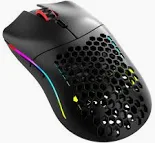
In minecraft, the game limits your left and right clicks to 20 a second. This is intentional and mandatory, and if you double click with right click, the game will space them out across two ticks, so that it takes 2 ticks to place 2 blocks. However, if you double click on a grass block, snow block, or fire block, it will use up both of those clicks in 1 tick, because the game thinks you are simply replacing a block instead of placing it. There are also other times that the game can call a right click (item use) multiple times in a tick, which is quite annoying. If you have a double clicking mouse, and try to put your elytra on, it can just put on and take it off in the same tick, same for taking it off. This is also very annoying. Plus, there are several methods in pvp that require you to double click, and let the game limit your item uses in a tick, spacing the second click in a double click out until the next tick, letting you place two different items. This is a key part of the game. However, when the game calls an item use twice in a tick, it does NOT save/store your click until the next tick, and will break these methods. For example, using a double click combined with fast hotbar swaps to place and fill an anchor does not work if you right click on fire/snow/grass, because it will replace the block and place two anchors simultaneously in a tick using up both clicks at once, rather than storing the click and respecting the games limit of 20 block placements a second. This mod fixes the problem described.
常见问题
asdfghjklDublclickfix 支持哪些 Minecraft 版本?
asdfghjklDublclickfix 支持 Minecraft Java 版 1.21–1.21.11,共 12 个版本,可用的加载器:Fabric。下载时注意选择和你游戏版本一致的文件。
asdfghjklDublclickfix 怎么安装?
先用 PCL2 或 HMCL 启动器安装对应版本的 Fabric,再把下载的 .jar 文件放进游戏目录的 mods 文件夹,重新启动游戏即可。开启了版本隔离的,mods 文件夹在 versions/版本名 下面。运行环境:仅客户端。
评论
登录后评论和评分