
Artemis (Lunar Client Compat)
Allows Forge clients to interact with Lunar Client's Apollo plugin as if they were Lunar Clients.
截图
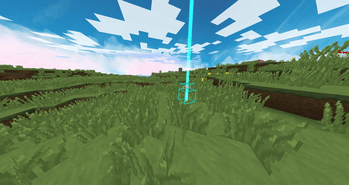
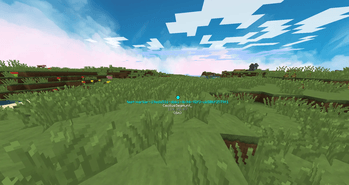
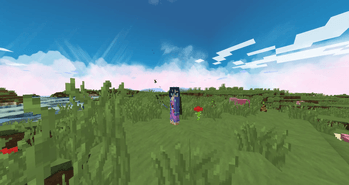
介绍
Description
If you are looking for the Artemis (Apollo fork) plugin, see here
Artemis is a Forge mod that allows Forge clients to interact with Lunar Client‘s Apollo plugin, through their open protobuf channel.
The point of Artemis is to create a compatibility between Forge and Lunar for servers that relies on Lunar’s Glowing, Waypoint, TeamView, Marker or other modules. This mod is "barebones", meaning there is no way to manually create a Lunar waypoint or marker. Its only purpose is to port some of Lunar’s functionalities to Forge.
Artemis registers Lunar Client’s channels when connecting to a server, so the official Apollo plugin can fully interact with the client.
Important Note
While Artemis is not a cheat of any kind, it acts like a Lunar Client instance to the server. Some aggressive Anti-Cheats may flag Artemis as a Spoofed client, and treat it as such. Use at your own risks.
For Anti-Cheat developpers, Artemis has a specific channel when connecting to a server to identify.
Features
Here is a list of currently supported modules :
| Module Name | Usage | Support |
|---|---|---|
| Chat | Chat supports live messages | 100%✅ |
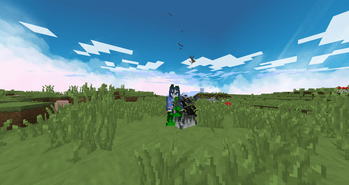
| Glowing | Supports RGB Glowing for specific players / entities | 100%✅ |
| TeamView | Supports RGB TeamView targets | 100%✅ |
| Waypoint | Supports the creation, deletion or edition of Waypoints | 100%✅ |
| Markers | Servers the creation, deletion or edition of Markers | 100%✅ |
| Colored Fire | Supports RGB colors for fire display | 100%✅ |
| Cooldown | Supports custom Cooldown displays | 100%✅ |
| Glint | Supports RGB colors for enchantments via NBT | 100%✅ |
| Inventory | Supports specific item displays in inventories | 100%✅ |
| Limb | Supports partial limb rendering | 100%✅ |
| NameTag | Supports custom NameTag options | 100%✅ |
| Vignette | Supports custom Vignettes | 100%✅ |
| Beam | Supports RGB Beam placement | Planned |
| Border | Supports multiple RGB Borders | Planned |
| Combat | Supports 1.7 blocking & breaking animations | Planned |
| Hologram | Supports for Lunar’s Hologram | Planned |
| Notifications | Supports Lunar’s Notifications | Planned |
| Packet Enrichment | Add Lunar’s custom packets | Planned |
| Custom Model Data | Add Lunar’s custom model data backport | Planned |
QOL / Fixes
Artemis fixes the "Fast Render" bug that makes the screen black when the Fast Render option is enabled in Optifine.
Artemis allows the repositionning of the Cooldown module via the /artemis command.
Artemis-Specific features
On top of porting Apollo’s modules, Artemis adds a few features of its own that go beyond what Lunar Client itself exposes on 1.8.9 :
-
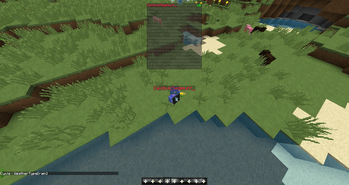
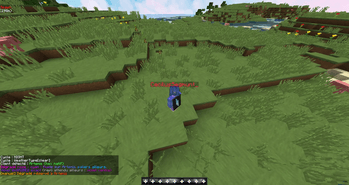
Full RGB / Hex text rendering -> Artemis renders true 24-bit hex colors (the §x§r§r§g§g§b§b format) natively in the font renderer, so they show up everywhere text is drawn: chat, tab list, scoreboard sidebar, team prefixes, floating nametags, and /title / /subtitle. On 1.8.9 both vanilla and Lunar fall back to the 16 legacy colors in most of these spots. Artemis lifts that limitation.
-
Hex colors in the scoreboard & tab list -> the vanilla 16-character limit on team prefixes/suffixes is removed client-side, so servers can send fully hex-colored player names and have them display correctly in the tab list and the sidebar.
-
Rendering compatibility -> the hex renderer hooks the single point every draw call goes through, so it keeps working under OptiFine and alongside mods that re-render the HUD themselves (such as OldAnimations, which rolls the tab list back to its 1.7.10 version).
These features are driven entirely by what the server sends: Artemis only needs the color to be encoded in the §x format inside the relevant string (team prefix, title, chat component, …). -
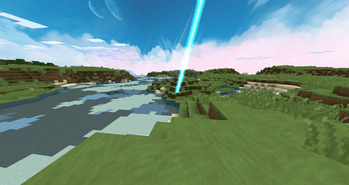
RGB Colored Lightning Bolts -> the server can send fully RGB colored lightning bolts to the client. This is a feature is suggested many times to the Lunar Client discord, without any answer.
常见问题
Artemis (Lunar Client Compat) 支持哪些 Minecraft 版本?
Artemis (Lunar Client Compat) 支持 Minecraft Java 版 1.8.9,可用的加载器:Forge。下载时注意选择和你游戏版本一致的文件。
Artemis (Lunar Client Compat) 怎么安装?
先用 PCL2 或 HMCL 启动器安装对应版本的 Forge,再把下载的 .jar 文件放进游戏目录的 mods 文件夹,重新启动游戏即可。开启了版本隔离的,mods 文件夹在 versions/版本名 下面。
Nqtsu91 的其他作品
查看全部 →
Elixirs (Cristallite)
Adds 26 new Potion effects (6 buffs, 20 debuffs), and brings brewing recipes for uncraftable vanilla potions.

Creaking Trial Backport
Backports updates from 26.2 to 1.20 to eBackport most features from newer versions to 1.18.2+. Features creatures like the Breeze, Creaking, Nautilus, items like Mace and Spears, and structures like the Trial Chambers.

SALM
Sorry, Another Library Mod

Warrior’s Pride
Brings back the 1.8 PvP system by porting the 1.8.9 sources 1 to 1 ! Brings the Fishing Rod's physics, damage calculation, attack timers, knockbacks, and even animations !
评论
登录后评论和评分