Armor Studio
Draw, paint, and fully customize your Armor and Shields in real-time with an interactive in-game 3D Studio
截图
介绍
# 🎨 paint armor — Custom Armor & Shield Studio
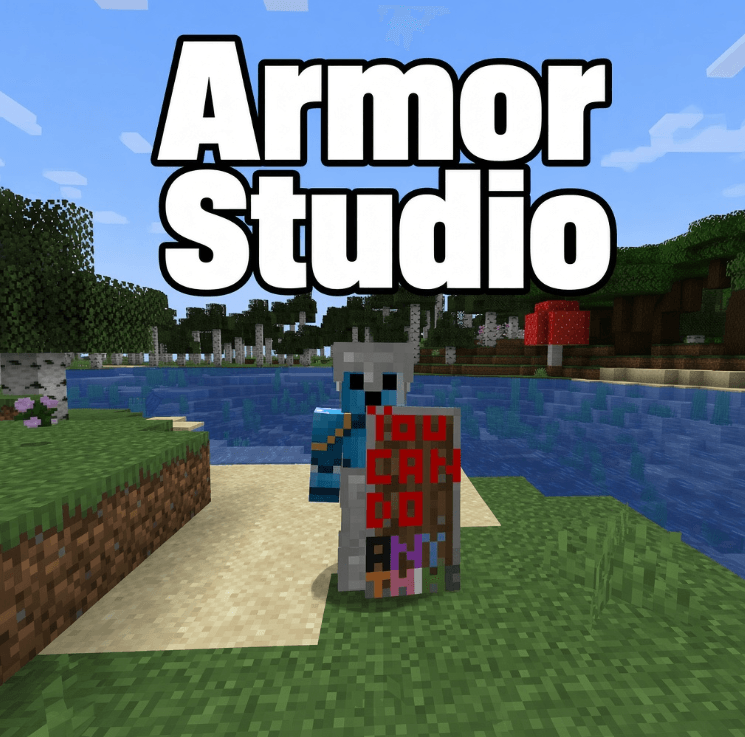
**Paint Armor** allows you to draw, paint, and fully customize your Armor (Helmets, Chestplates, Leggings, Boots) and Shields directly in Minecraft with a powerful built-in **3D Painting Studio**!
Show off your unique designs to your friends on multiplayer servers! ⚔️✨
—
## 🌟 Key Features
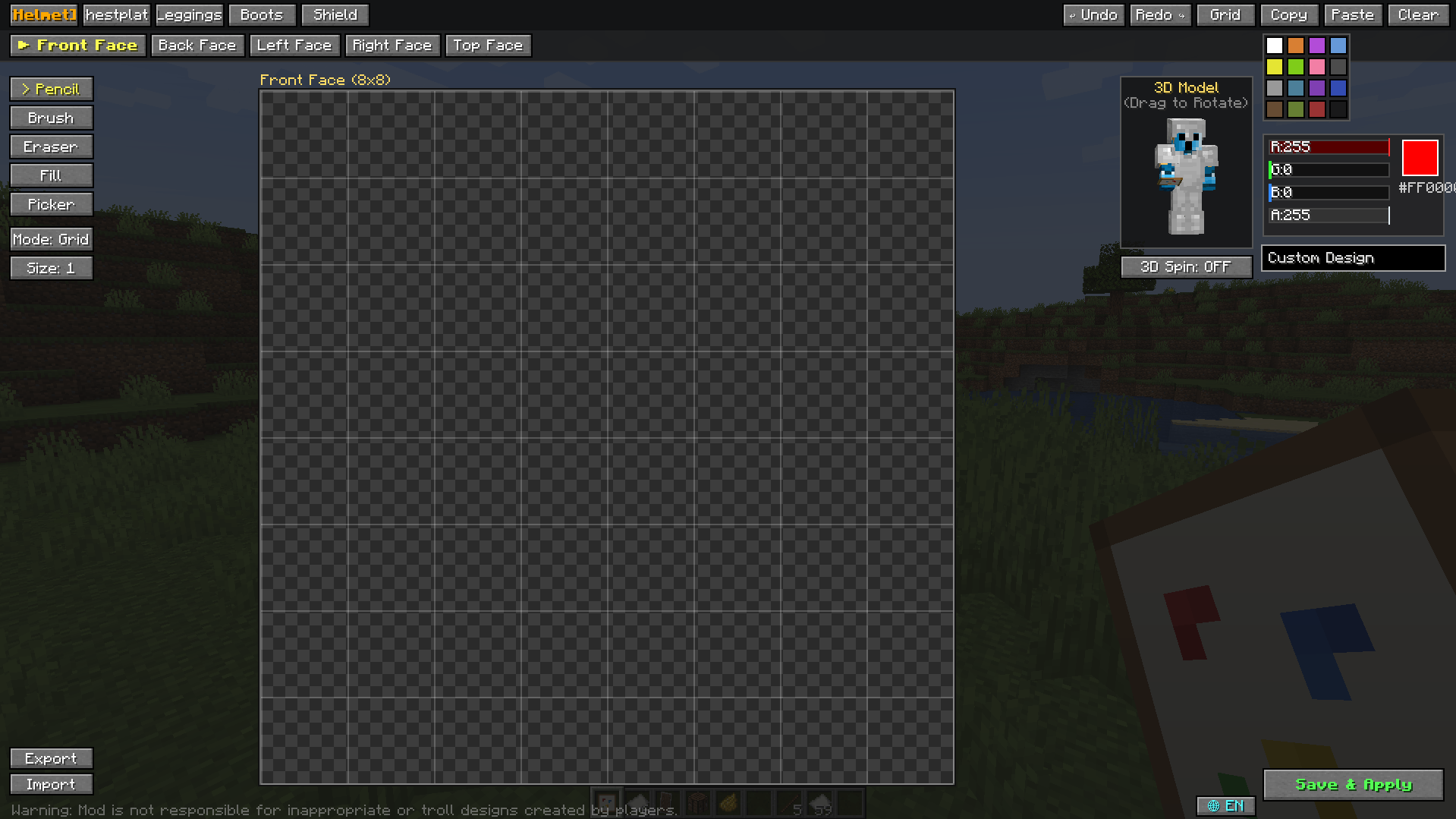
– 🖌️ **In-Game Painting Studio:** Open the studio anytime by using the **Empty Canvas** item on your armor or shield.
– 🔄 **Real-Time 3D Rotating Preview:** Watch your armor update live on a rotatable 3D character model as you place pixels.
– 📐 **Face-by-Face Precision:** Easily select specific faces (*Front, Back, Sides, Top, Waist, Legs, Boots*) for pixel-perfect artwork.
– 🎨 **Unlimited Colors:**
– 16 Standard Minecraft Dye colors
– Full **RGB & Alpha sliders** with Hex (`#RRGGBB`) code support.
– 🛠️ **Full Toolset:** Pencil, Brush (Size 1–3), Eraser, Paint Bucket (Flood Fill), and Color Picker (Eyedropper).
– ↩️ **Undo & Redo:** Full history tracking (`Ctrl+Z` / `Ctrl+Y`).
– 📋 **Copy & Paste:** Copy designs across parts effortlessly.
– 💾 **Import & Export (.paint):** Save your favorite designs to `.paint` files and share them with the community!
– 🌐 **Multiplayer Compatible:** Custom painted gear is automatically synchronized and visible to all players on servers!
– 🌍 **Bilingual UI:** Instant one-click switch between **English** and **Turkish**.
—
## 📦 How to Use
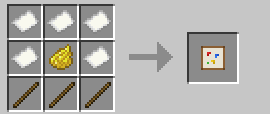
1. Craft an **Empty Canvas** using:
– 4x Paper
– 1x Dye (Any color)
– 3x Sticks
2. **Right-click** with the Empty Canvas to open the Painting Studio.
3. Select your gear piece and face, draw your masterpiece, and click **Save & Apply**!
—
—
## ⚠️ Disclaimer
*This mod provides creative freedom. Players are responsible for their own custom designs created in multiplayer.*
—
*Built with ❤️ for Minecraft Forge 1.20.1*
## Admin / Moderation commands
/paint clear <player>/paint clear <player> <helmet|chestplate|leggings|boots|shield>/paint ban <player>/paint unban <player>/paint listbanned/paint reload
常见问题
Armor Studio 支持哪些 Minecraft 版本?
Armor Studio 支持 Minecraft Java 版 1.20.1–1.21.1,共 2 个版本,可用的加载器:Fabric / Forge。下载时注意选择和你游戏版本一致的文件。
Armor Studio 怎么安装?
先用 PCL2 或 HMCL 启动器安装对应版本的 Fabric / Forge,再把下载的 .jar 文件放进游戏目录的 mods 文件夹,重新启动游戏即可。开启了版本隔离的,mods 文件夹在 versions/版本名 下面。
Kezz00 的其他作品
查看全部 →
Kabus – Psychological Horror
A psychological horror mod that shatters your sanity and stalks you from the shadows. Face custom DFS labyrinths, armor-piercing entities, and dark rituals in Minecraft 1.20.1
Random Chaos Events
A chaotic Minecraft survival mod that unleashes 250+ random disasters, absurd events, physics changes, and overpowered rewards on your world.
the deleted – Psychological Horror
An analog horror survival mod where erased code watches you from the void. Explore the Fractured Meadow and the infinite Rooftops, uncover forgotten photographs, survive gazing entities, and shatter the Glitch Core to restore reality.
评论
登录后评论和评分