Armor Stand’s Custom Poses
Change Properties and Pose of your Armor Stands. Even in survival!
截图

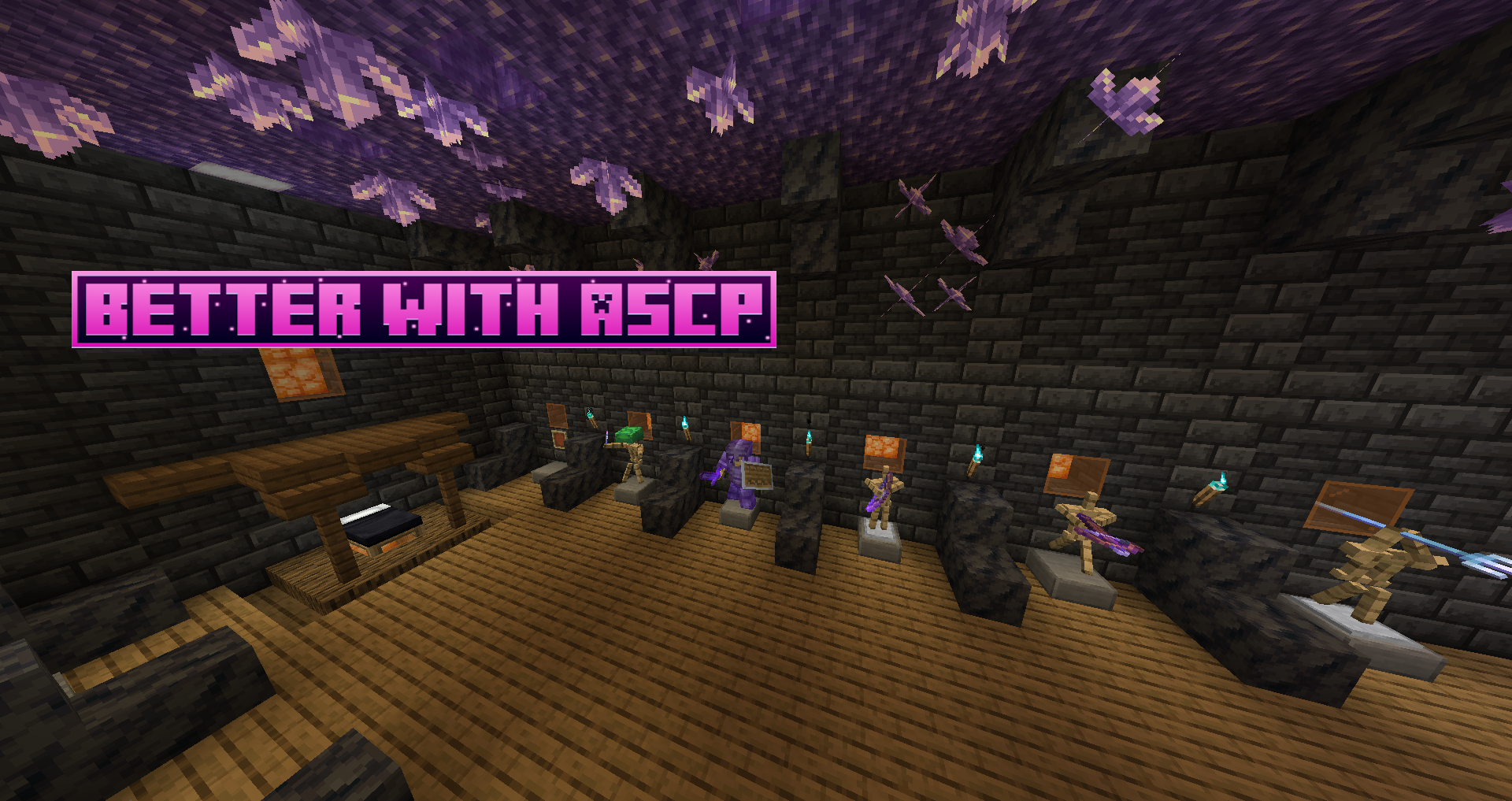
介绍
Tired of vanilla java armor stands?
Jealous of bedrock edition armor stands?
Me too, so I fixed them.
THIS MOD WORKS IN SURVIVAL AND CREATIVE MODE.
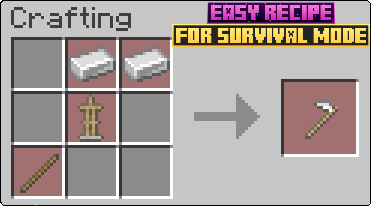
To get started with this mod, you will first need to craft the Armor Stand Modifier.

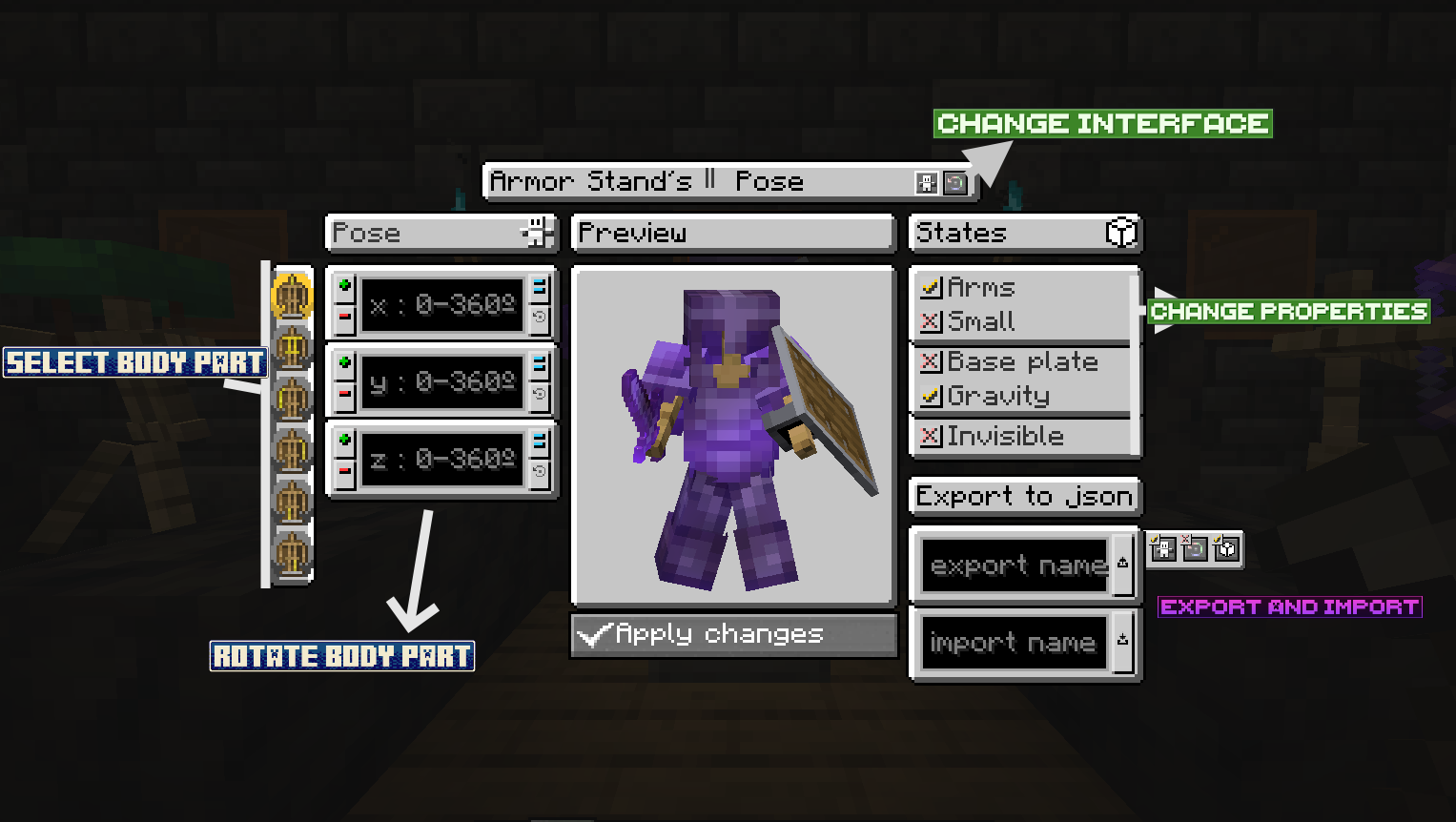
Once you have it, just right click an armor stand. This will open an interface to modify its properties and pose.

Body part Rotation Buttons:
–Plus (+) = Adds the rotation to the
–Minus (-) = Rests the rotation to the
–Set (=) = Sets the rotation to the . If is negative it will be mirror that number (-90 will result in (360 – 90 = 270))
–Get default (↩️) = Sets in the textfield the current rotation value of the armor stand (IMPORTANT: NOT THE PREVIEW ARMOR STAND, THE REAL ARMOR STAND IN WORLD)
IMPORT AND EXPORT BUTTONS
Exporting: 1º Put a name to file (can´t contain “.”, “/”, “\” or strange characters). 2º Press export button.
Importing: 1º Put the name of the file you want to import. 2º Press import button. 3º Press confirm button.
The files are .json stored in “.minecraft/ASCP_Saved”. They are only saved in client, so you can export/import in different servers/worlds without problems.
Extra info:
-The buttons at right of the export button are for chosing if exporting Pose and/or Armor Stand Rotation and/or States
-When importing, you will have to confirm operation with a confirm buttons that appears at right of the import button. It will also apply changes.
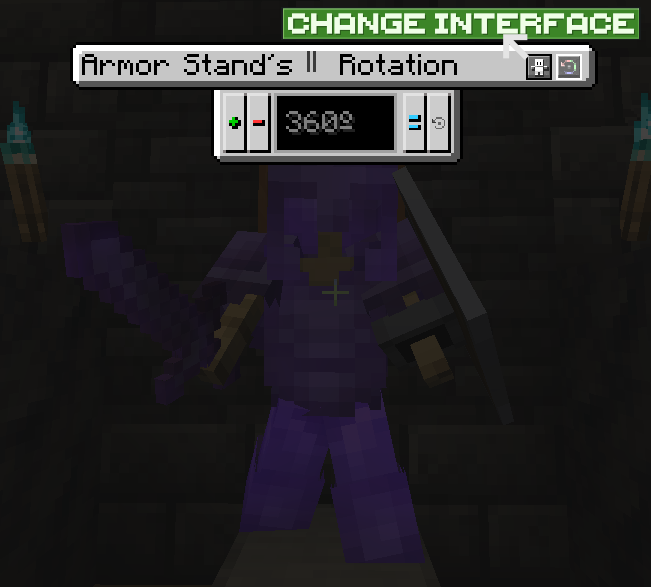
SECOND INTERFACE
To enter in this interface, you have to press the Change Interface Button (indicated in First Interface image).

Plus (+) button = Add rotation to the entire armor stand.
Minus (-) button = Rests rotation to the entire armor stand.
Set (=) button = Sets rotation to the entire armor stand.
Get (↩️) button = Sets in the textfield the old rotation of the real armor stand, for obtain new rotation, you have to apply changes in the First Interface.
IMPORTANT: In this Interface the changes are directly applied to the real armor stand.
VERSIONS:
This mod is currently for:
_Forge: 1.14.4, 1.16.5, 1.18.2, 1.19.2, 1.19.4, 1.20.1_
_NeoForge: 1.20.4_
Im intended to update to next´s Forge and NeoForge versions when they release. And future updates with new features like player heads and animations (Im going to take a break so it will take long).
常见问题
Armor Stand’s Custom Poses 支持哪些 Minecraft 版本?
Armor Stand’s Custom Poses 支持 Minecraft Java 版 1.14.4–1.20.4,共 7 个版本,可用的加载器:Forge / NeoForge。下载时注意选择和你游戏版本一致的文件。
Armor Stand’s Custom Poses 怎么安装?
先用 PCL2 或 HMCL 启动器安装对应版本的 Forge / NeoForge,再把下载的 .jar 文件放进游戏目录的 mods 文件夹,重新启动游戏即可。开启了版本隔离的,mods 文件夹在 versions/版本名 下面。运行环境:客户端和服务端都要装。
Wachipayoxx 的其他作品
查看全部 →
Create Stuff ‘N Additions x Sable & Aeronautics Compat
Makes Create: Stuff and additions fully compatible with sable/simulated/aeronautics. Also patches some bugs.

Ship Trails for Sable
Compatibility bridge between Wakes mod and Sable or Aeronautics ships
Ship Trails for Sable
Compatibility bridge between Wakes mod and Sable or Aeronautics ships

Just Enough Freaky Additions (JEFA)
Adding 7 new categories to JEI!
评论
登录后评论和评分