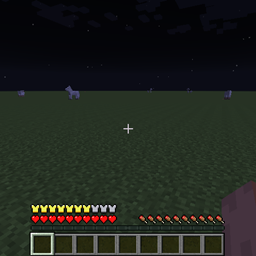
截图
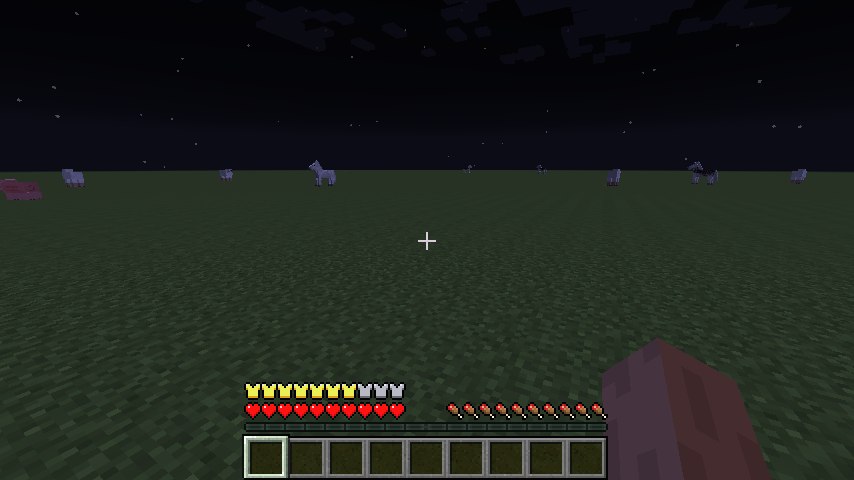
介绍
Changes the armor bar to show the full range of possible armor levels from 0 to 30.
With the addition of the generic.armor attribute in 1.9 it’s possible for armor to give partial point however the vanilla armor bar can only show full armor points. By default Armor Overlay shows each 0.25 point with each full piece of armor on the bar is worth one armor point and shows in 1/4 armor piece rather than the vanilla version where each one piece of armor shown is two points and will show 1/2 pieces.
The config can be set to a max of showing each 0.04167 point.
To fix the damage calc so the partial points are actually useful you can use my Armor Recalc mod.
1.7.10 version
Changes the armor bar to show gold for each point above diamond you are. If you get full gold than it starts Diamond. Config allows using 1/4 rather than 1/2 or even 1 full armor display per point or to go from leather up.
Also allows for a text display of the armor value.
Intended for use with Armor recalc mod that I was never actually able to get working with it crashing with powered armor.
video (Version 1.0)
常见问题
Armor Overlay 支持哪些 Minecraft 版本?
Armor Overlay 支持 Minecraft Java 版 1.7.10–1.11.2,共 5 个版本,可用的加载器:Forge。下载时注意选择和你游戏版本一致的文件。
Armor Overlay 怎么安装?
先用 PCL2 或 HMCL 启动器安装对应版本的 Forge,再把下载的 .jar 文件放进游戏目录的 mods 文件夹,重新启动游戏即可。开启了版本隔离的,mods 文件夹在 versions/版本名 下面。
TheOldOne22 的其他作品
查看全部 →
Simple Tcon
A Simple Ores Tinkers Construct addon

Armor Recalc
Improving the damage calcuation
Actually Additions Mining Laser tweaker
Allows adding ores to the Actually Additions Mining Laser
评论
登录后评论和评分