
ArMarks
Middle-click to mark blocks, ore veins, items, and entities — with automatic vein counting and pings shared with nearby players.
截图


介绍
ArMark
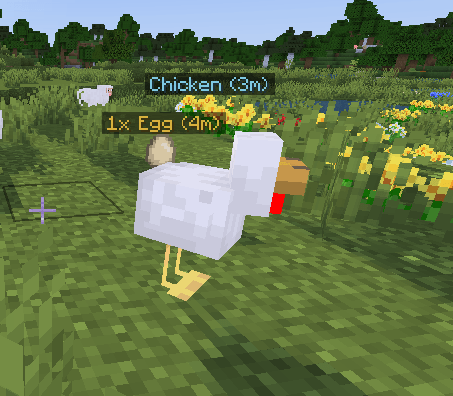
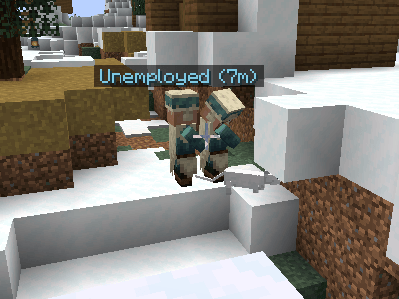
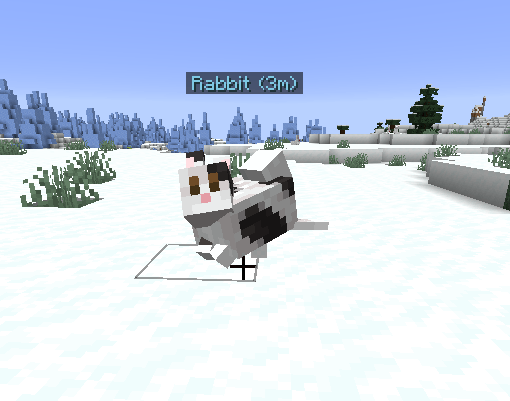
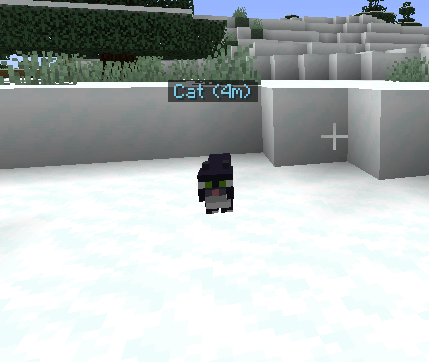
Middle-click whatever you’re looking at to mark it – see exactly what it is, and share the ping with nearby players. Works well beyond normal interaction range, so you can call out things across a cave, a base, or a battlefield.
Features
- Works on almost anything – blocks, ore veins, dropped items, and entities, each handled differently:
- Ore veins get flood-fill counted (corner-to-corner, not just face-touching) so you see the real size of the strike, e.g. “Diamond Ore x14”.
- Notable blocks (chests, barrels, shulker boxes, spawners, beacons, portals, respawn anchors, lodestones) get named. Plain terrain doesn’t – just a clean distance ping, no clutter.
- Dropped items show the actual item name and stack count.
- Entities show their name, and the mark follows them for a few seconds.
- Color-coded by type – diamond cyan, gold yellow, redstone red, and so on for ores; distinct colors for items, entities, and notable blocks, so you can tell what’s what at a glance.
- A different sound for each mark type – a short pling for plain blocks, a resonant bell for entities, a pickup chime for items, and the actual level-up jingle for ore veins (louder for bigger ones).
- Shared with nearby players who also have ArMark installed – requires the mod on the server too, since there’s no direct client-to-client connection in Minecraft.
- Marks fade out smoothly instead of vanishing abruptly.
- Fully configurable: mark range, durations, text size, ore search cap, and share range, all from the in-game config screen.
Requirements
Minecraft 26.2, Fabric Loader, Fabric API
Mod Menu + Cloth Config, for the in-game config screen
Server-side install required for sharing marks with other players. Marking things for yourself works fine client-only.
常见问题
ArMarks 支持哪些 Minecraft 版本?
ArMarks 支持 Minecraft Java 版 26.2–26.3,共 2 个版本,可用的加载器:Fabric。下载时注意选择和你游戏版本一致的文件。
ArMarks 怎么安装?
先用 PCL2 或 HMCL 启动器安装对应版本的 Fabric,再把下载的 .jar 文件放进游戏目录的 mods 文件夹,重新启动游戏即可。开启了版本隔离的,mods 文件夹在 versions/版本名 下面。运行环境:客户端 / 服务端。
Brolen2 的其他作品
查看全部 →
ArZoom
Zoom mod that also made it possible to zoom out while in third person

ArCompass
Compass mod that will point you in direction without using f3

ArWeLooting
Press R to stack matching loot together in whichever inventory your cursor is over, double-tap to pack it tight with no gaps, and Shift+R to send matching items to the other side — makes clearing bastion and dungeon chests way faster.
评论
登录后评论和评分