
截图
介绍
中文介绍正在准备中,下面暂时显示原文。
ArcPath
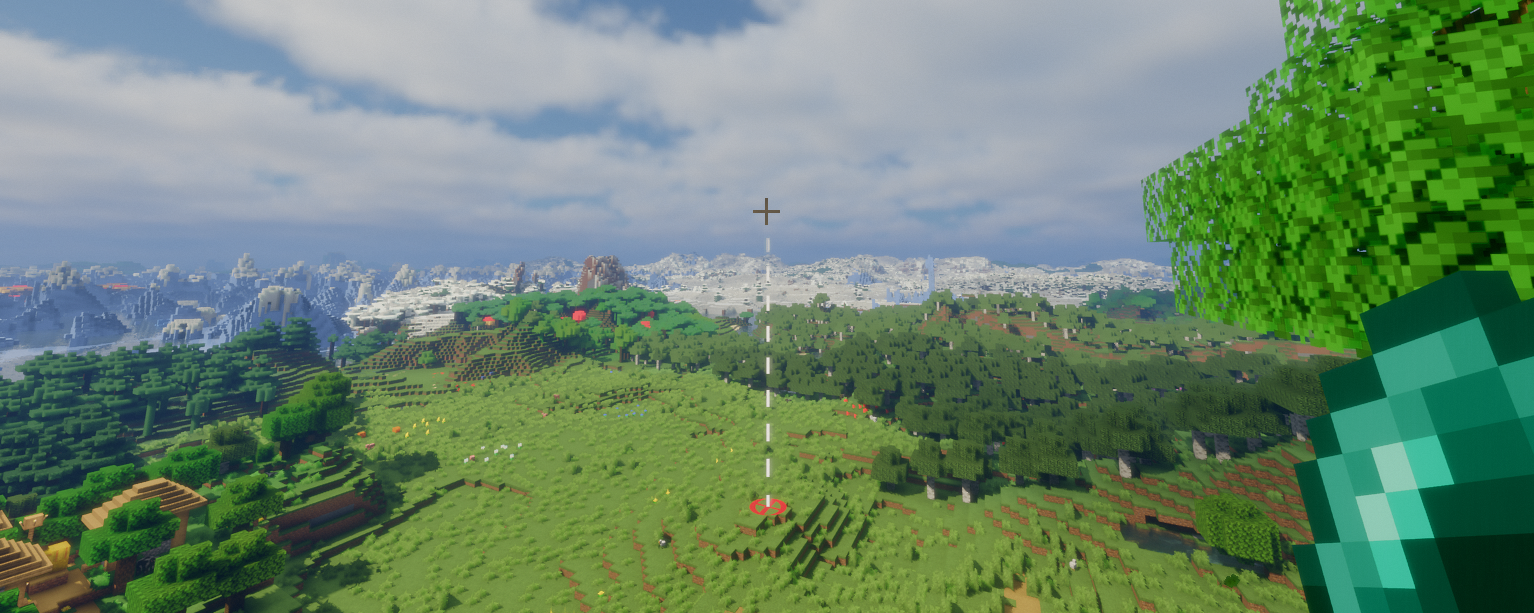
ArcPath is a client-side Fabric mod that displays a trajectory arc when holding a throwable item. The arc shows the predicted flight path of the projectile and marks the landing point with a target.
Features
- Trajectory arc with configurable style per throwable item
- Gradient color support – blend from a start color to a second color along the arc
- Landing target marker with configurable shape per throwable
- Calculated trajectory accounts for player velocity
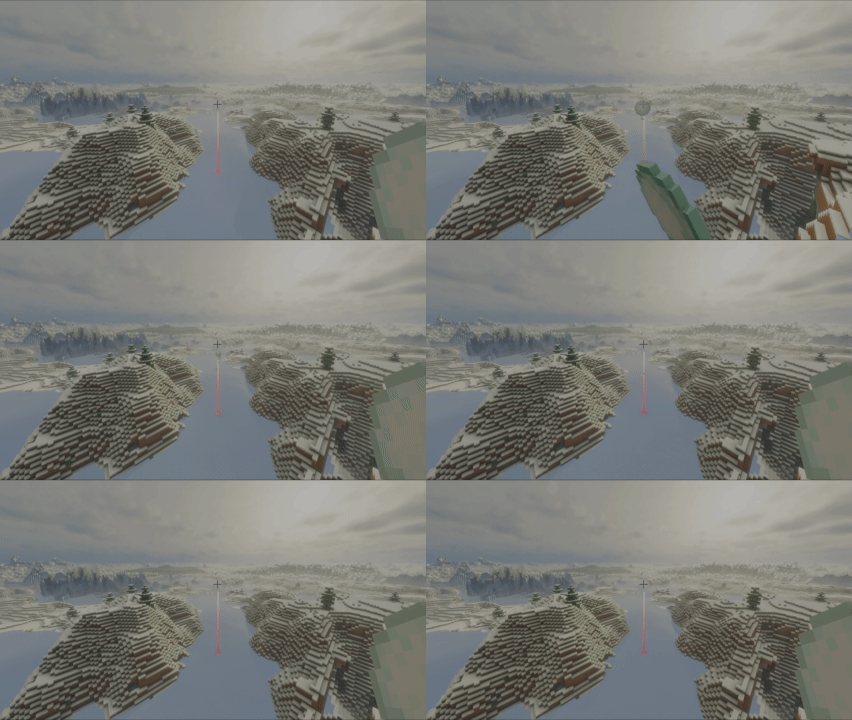
- Entity hit detection – arc stops at living entities and the target marker appears on them
- Arc toggle keybind (default: Y) to show/hide all arcs without opening the config screen
- Debug overlay (default: U) showing previously calculated trajectories
Supported Throwables
- Ender Pearls
- Snowballs
- Eggs
- Tridents
- Arrows (via Bow & Crossbow)
Configuration
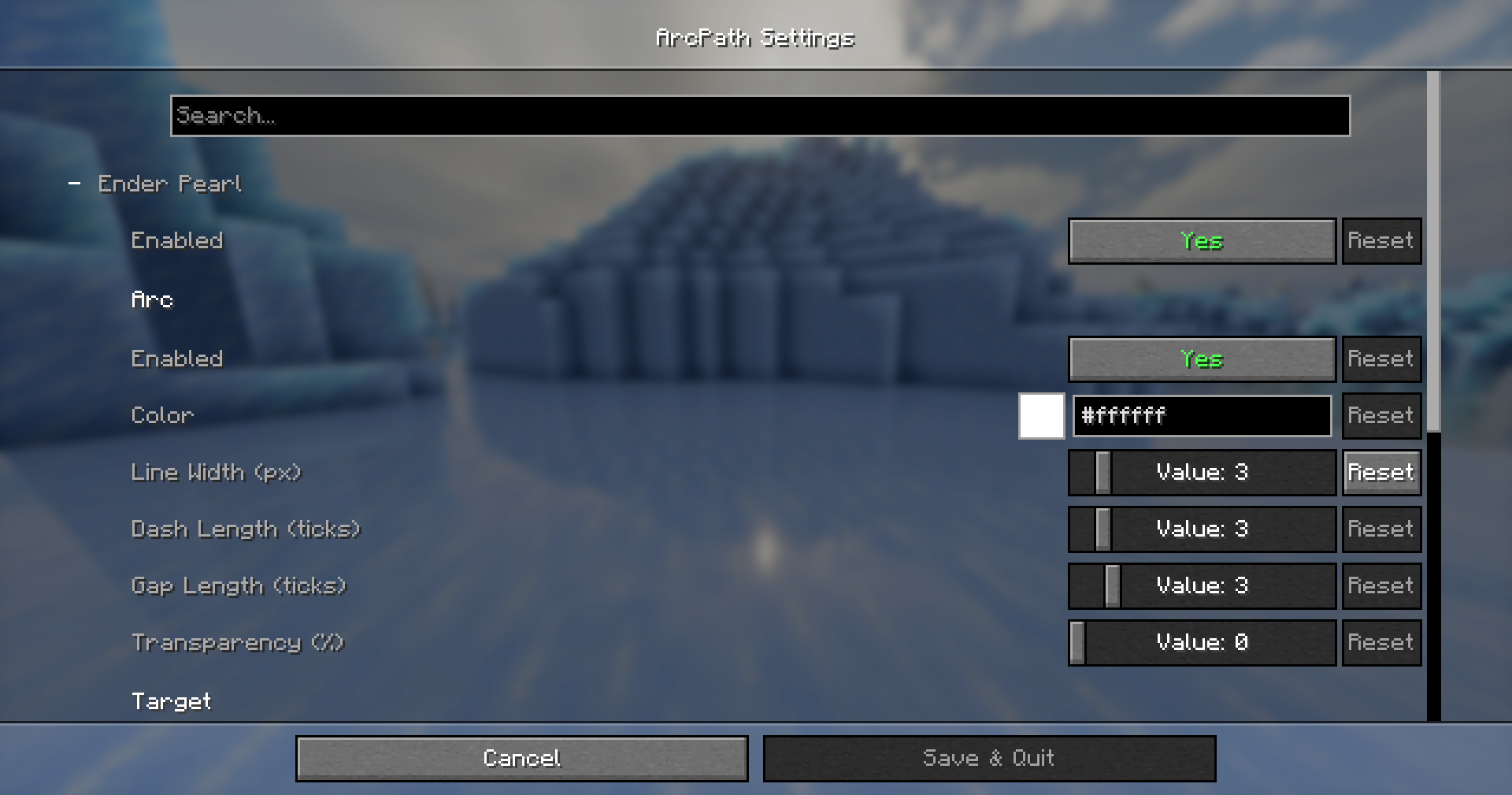
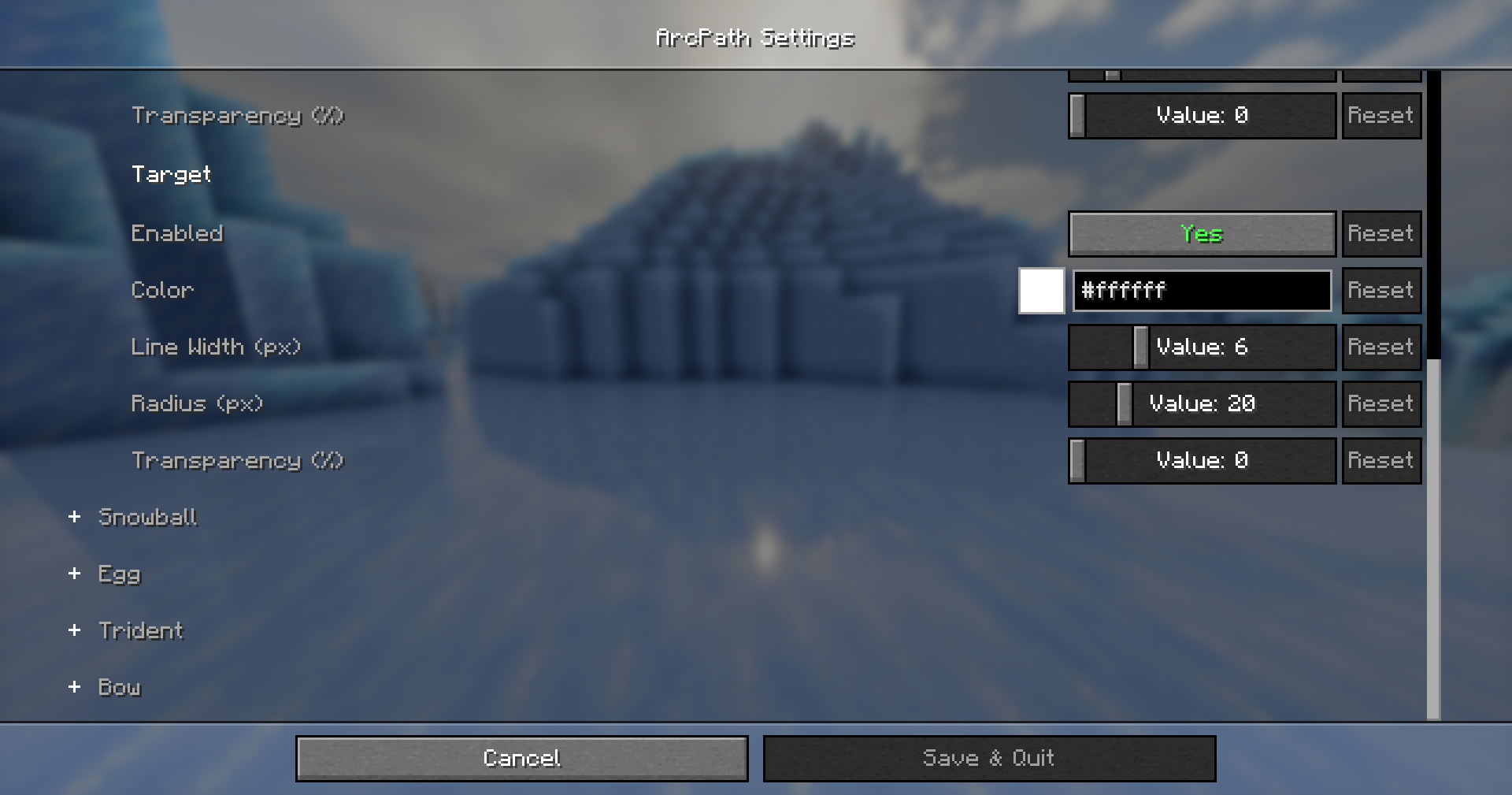
Open Options → Mods → ArcPath → Configure to access the config screen. Each throwable has its own sub-category with independent Arc and Target settings.
Arc Settings (per throwable)
- Enable/disable
- Color
- Line width
- Style (Dashed / Solid)
- Dash length and gap length (Dashed only)
- Transparency
- Gradient color
Target Settings (per throwable)
- Enable/disable
- Color
- Line width
- Shape (Circle / Diamond / Square)
- Radius
- Transparency
Keybinds
| Keybind | Default | Description |
|—|—|—|
| Toggle Arc | Y | Show/hide all arc/marker rendering |
| Toggle Debug | U | Show/hide the debug trajectory overlay |
常见问题
ArcPath 支持哪些 Minecraft 版本?
ArcPath 支持 Minecraft Java 版 26.1–26.1.2,共 3 个版本,可用的加载器:Fabric。下载时注意选择和你游戏版本一致的文件。
ArcPath 怎么安装?
先用 PCL2 或 HMCL 启动器安装对应版本的 Fabric,再把下载的 .jar 文件放进游戏目录的 mods 文件夹,重新启动游戏即可。开启了版本隔离的,mods 文件夹在 versions/版本名 下面。运行环境:仅客户端。
评论
登录后评论和评分