
Architect’s Friend
Pixel Arts, Big Builds, doesn't matter. With Architect's Friend you can build it!
介绍
中文介绍正在准备中,下面暂时显示原文。

What is Architect’s Friend?
“Architect’s Friend” is a Chisel-Like Mod, that adds Building Blocks of all types.
Require BRForgersCore.

Adding compatibility with ForgeMultipart:
- Download ForgeMultipart and install it
- Run Minecraft
- Open the folder “.minecraft/config” and edit “microblocks.cfg”
- Insert it the following lines:
“ArchitectFriend:smoothBlock”:0-15
“ArchitectFriend:smoothBricks”:0-15
“ArchitectFriend:smoothBrickies”:0-15
“ArchitectFriend:trueColorClay”:0-15
“ArchitectFriend:redstonerBlock”:0-15 - Save the config file
- Restart Minecraft
How I Install it?
- If not yet, Install Minecraft Forge;
- If you have, Delete any old versions of the ArchitectFriend.jar file from your “.minecraft/mods” folder.
- If not yet, Download and put the BRForgersCore.jar file into your “.minecraft/mods” folder.
- Download and put the ArchitectFriend.jar file into your “.minecraft/mods” folder.
- Restart/Open Minecraft
常见问题
Architect’s Friend 支持哪些 Minecraft 版本?
Architect’s Friend 支持 Minecraft Java 版 1.7.10,可用的加载器:Forge。下载时注意选择和你游戏版本一致的文件。
Architect’s Friend 怎么安装?
先用 PCL2 或 HMCL 启动器安装对应版本的 Forge,再把下载的 .jar 文件放进游戏目录的 mods 文件夹,重新启动游戏即可。开启了版本隔离的,mods 文件夹在 versions/版本名 下面。
Allan181 的其他作品
查看全部 →
Industrial Expansion [TE Addon]
by Allan181
热力膨胀的工业时代2钻石配方
34.4万
3 个月前
CurseForge

BRCore
by Allan181, NotJustAnna
团队核心。你肯定需要它!
11.9万
3 个月前
CurseForge
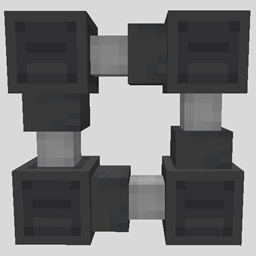
Ducts [Fabric/Forge]
by Allan181
This mod add ducts.
6.4万
3 个月前
CurseForge

DisFabric & DisForge
by Allan181
A simple but complete Fabric/Forge Discord chat bridge.
1.3万
3 个月前
CurseForge
评论
登录后评论和评分