ARCHITECTA
A visual world editor for Minecraft Forge with building brushes, terrain tools, copy-and-paste previews, and schematic support.
介绍
Architecta
Visual building and terrain editing for Minecraft Forge
Architecta brings brushes, terrain editing, and schematic workflows into your Minecraft world. Shape landscapes, create paths, place grown trees, and transform builds through a transparent interface that keeps your surroundings visible.
Features
-
Continuous brushes: Hold right-click to build, erase, paint, or smooth, with adjustable brush size and smoothing strength.
-
Terrain tools: Sculpt landscapes, paint biomes, and naturalize selected areas with configurable depth.
-
Path Creator: Draw paths across curves and slopes using a randomized mixture of up to eight selected materials.
-
Tree Creator: Quickly place grown trees with selectable species, wood types, sizes, and seeds.
-
Copy and paste: Select with Pos1 and Pos2, preview placement, rotate, mirror, and replace materials before pasting.
-
Schematic workflows: Import and export supported NBT and Sponge schematics. Compatible import can replace missing blocks with stone and report adaptations.
-
Create integration: Export NBT schematics for Schematicannon and copy supported machines with their configuration and inventory data.
-
Editing controls: Undo, redo, selection masks, saved presets, and a clipboard library.
-
Flexible interface: Transparent purple panels, configurable shortcuts, and English/Spanish language switching.
Getting started
-
Right Shift: Open the main editor.
-
Right Control: Activate direct copy/paste with an empty main hand.
-
Ctrl + P: Open materials, replacements, library, and schematic files.
-
Ctrl + Z / Ctrl + Y: Undo and redo.
-
Ctrl + D: Clear the selection and its filters.
Move while the editor is open, drag with the left mouse button to look around, and hold right-click to use continuous brushes.
Requirements
Minecraft 1.20.1 · Forge 47.4.10 · Java 17
Install the same Architecta version on the client and server. World editing requires Creative mode and operator-level permissions. Survival players can use visual blueprints for manual construction.
Create is optional; integration has been tested with Create 6.0.8. Machine support covers selected types, and contraptions are copied as static structures.
Current release: Release Candidate. Back up your world before large edits. Other Minecraft versions and universal modpack compatibility are not supported by this release.
常见问题
ARCHITECTA 支持哪些 Minecraft 版本?
ARCHITECTA 支持 Minecraft Java 版 1.20.1,可用的加载器:Forge。下载时注意选择和你游戏版本一致的文件。
ARCHITECTA 怎么安装?
先用 PCL2 或 HMCL 启动器安装对应版本的 Forge,再把下载的 .jar 文件放进游戏目录的 mods 文件夹,重新启动游戏即可。开启了版本隔离的,mods 文件夹在 versions/版本名 下面。
ignvcioo699 的其他作品
查看全部 →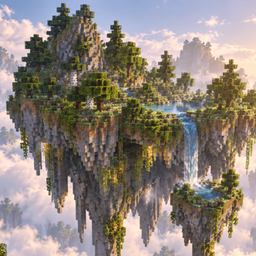
SKYROOT ISLANDS
Adds rare, naturally generated floating islands with varied shapes, biomes, caves, vegetation, lakes, waterfalls, ores, and smaller satellite islands to the Overworld.
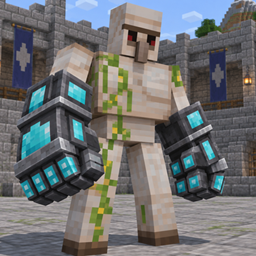
TAMABLE IRON GOLEM
Bond player-built Iron Golems, command them to follow, stay, or patrol, and equip them with visible armor and devastating gladiator gauntlets.
Villager workforce plus
Turn vanilla villagers into a persistent workforce that mines, logs and produces resources through configurable workstations.

Mano de Dios
An in-game editor for mob attributes, supported abilities and mod configurations, with validation, backups and restore controls.
评论
登录后评论和评分