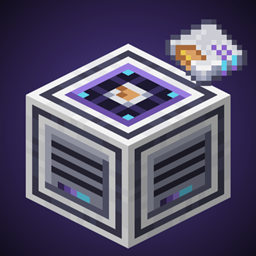
Applied: Crafting Bundles
Craft whole sets of items at once in AE2: one Bundle Pattern starts crafting jobs for every item in the bundle, such as a planter, its soil, and a storage drawer.
介绍
# Applied: Crafting Bundles
**Craft whole sets of items at once in Applied Energistics 2.**
Some items are always crafted together, like a planter, its soil, and a storage drawer. Instead of requesting each one separately, put them in a single **Bundle Pattern** and let your ME network craft the whole set in one request.
## Features
### Bundle Patterns
– Name each bundle so it’s easy to find (e.g. “Garden Setup”).
– Add as many items and amounts as you need.
– One click starts AE2 crafting jobs for every item in the bundle.
### Bundle Encoder
– A simple screen for building and editing Bundle Patterns.
– Hover over an encoded pattern to see its name and contents.
### Bundle Provider
– Connect it to your ME network and place your Bundle Patterns inside.
– Pick a bundle and request it straight from the provider’s screen.
– Needs an AE2 channel, like other ME devices.
### Missing-pieces menu
If your network can’t make everything in a bundle, a menu shows which pieces are short. You choose what happens next:
– Tick the pieces you want to craft (or use **Select all craftable**) and craft just those, or
– Cancel the request.
### Crafting CPU queue
– When a bundle starts, the provider checks for free crafting CPUs.
– Pieces that can’t start yet wait in a queue and start automatically as CPUs free up.
– See the queue from the **Queue** tab on the Bundle Provider, similar to AE2’s crafting status screen.
## Requirements
– Minecraft 26.1.x
– NeoForge 26.1.2.126 or newer
– **Applied Energistics 2** 26.1.x (required)
## Notes
– This is an early test build (v0.1.0). Expect changes, and please report bugs.
– Textures are standard 16×16 to fit with vanilla and AE2.
常见问题
Applied: Crafting Bundles 支持哪些 Minecraft 版本?
Applied: Crafting Bundles 支持 Minecraft Java 版 26.1.2,可用的加载器:NeoForge。下载时注意选择和你游戏版本一致的文件。
Applied: Crafting Bundles 怎么安装?
先用 PCL2 或 HMCL 启动器安装对应版本的 NeoForge,再把下载的 .jar 文件放进游戏目录的 mods 文件夹,重新启动游戏即可。开启了版本隔离的,mods 文件夹在 versions/版本名 下面。
评论
登录后评论和评分