Applied ComputerCraft
Lets CC:Tweaked computers read, craft from and move items in your AE2 network. Server-side only.
介绍
Applied ComputerCraft
Lets CC:Tweaked computers talk to your Applied Energistics 2 network on Minecraft 26.1.2.
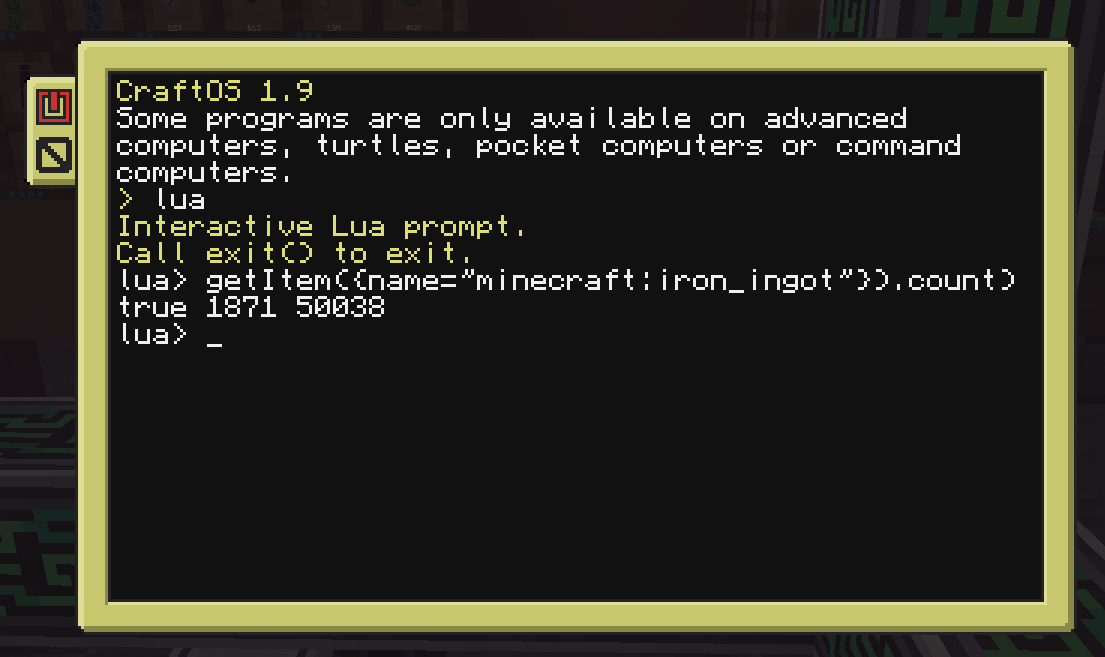
There are no new blocks to craft. Put a computer, or a wired modem, against any AE2 block (controller, ME interface, drive, energy acceptor, cable) and it shows up as an me_bridge peripheral:
local me = peripheral.find("me_bridge")
print(me.getItem({name = "minecraft:diamond"}).count)
What it can do
- List and look up items and fluids in the network, including what can be crafted
- Request crafts, with a
me_craftingevent when the job starts or fails - See crafting CPUs and running jobs, and cancel them
- Read stored energy, capacity, usage and input
- Export items and fluids to an inventory or tank, and import them back
Coming from Advanced Peripherals?
Method names and argument order follow Advanced Peripherals’ ME Bridge where they overlap, so porting a script is usually a small edit. It isn’t a drop-in replacement: the crafting event, tag filters and some storage methods differ. The full method list is on GitHub.
This mod shares no code with Advanced Peripherals and isn’t affiliated with it.
Server-side only
Install it on the server. Players don’t need it on their client, so you can add it to an existing modpack server without changing the pack.
Requirements
- NeoForge 26.1.2
- Applied Energistics 2
- CC: Tweaked
Source, full method list and issue tracker: https://github.com/danielbowne/applied-computercraft
常见问题
Applied ComputerCraft 支持哪些 Minecraft 版本?
Applied ComputerCraft 支持 Minecraft Java 版 26.1.2,可用的加载器:NeoForge。下载时注意选择和你游戏版本一致的文件。
Applied ComputerCraft 怎么安装?
先用 PCL2 或 HMCL 启动器安装对应版本的 NeoForge,再把下载的 .jar 文件放进游戏目录的 mods 文件夹,重新启动游戏即可。开启了版本隔离的,mods 文件夹在 versions/版本名 下面。
评论
登录后评论和评分