
截图

介绍
🍎 Apple Enchant
Reintroduces Enchanted Golden Apples through a balanced, survival-friendly mechanic.

Overview
Apple Enchant allows you to craft Enchanted Golden Apples without breaking vanilla balance. By sacrificing your hard-earned experience levels, you can imbue standard Golden Apples with powerful magic.
🔗 Synergy: Highly recommended to use alongside Food Balance and Mooshroom Energy for expanded food mechanics!
How to Enchant
Transforming your golden apples requires magical mastery and raw experience:
- Requirement: You must have at least 30 experience levels.
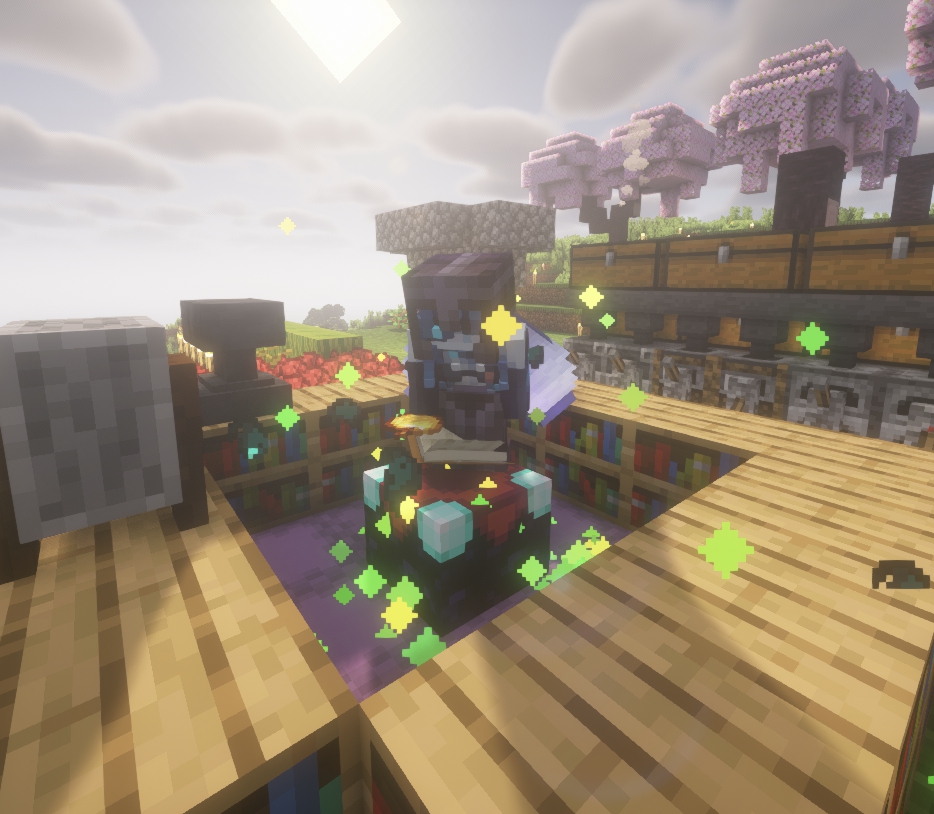
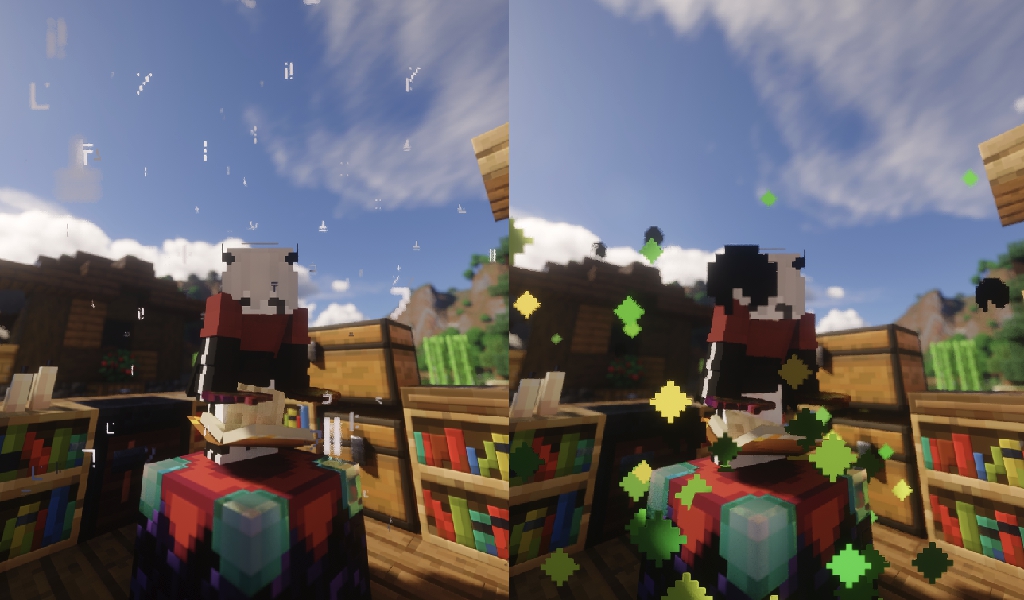
- Action: Stand on an Enchanting Table and crouch (sneak) while holding Golden Apples in your inventory.
- Cost: The ritual consumes exactly 1395 XP (the exact total amount needed to go from level 0 to 30).
- VFX/SFX: Enjoy mysterious custom sound and particle effects during the enchanting process!
Do not begin the enchanting ritual if you aren’t absolutely ready to spend all 30 levels!
Disenchanting & Recovering XP
Need your experience back? You can reverse the magical process:
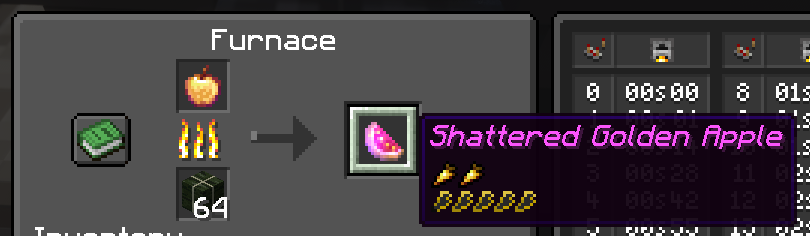
- Cook an Enchanted Golden Apple in a standard Furnace to recover the spent XP.
- Do NOT use a Campfire! Campfires will cook the item without returning any experience.
The Shattered Golden Apple
When you successfully disenchant an apple in a furnace, you are left with a new, depleted item: the Shattered Golden Apple.
- Effect: Grants Decaying Resistance (🛡️ 100% → 0%).
- Drawback: Provides zero healing to the player.
License
All Rights Reserved
✅ You are free to:
- Add this datapack to your modpacks (provided you use the Modrinth download link).
- Share the official Modrinth page with others.
- Modify the code strictly for personal use.
❌ Without explicit permission, you CANNOT:
- Reupload this datapack or its files anywhere else.
- Use the code, assets, or mechanics in other public projects.
常见问题
Apple Enchant 支持哪些 Minecraft 版本?
Apple Enchant 支持 Minecraft Java 版 1.20.5–26.2,共 18 个版本,可用的加载器:Fabric / Forge / NeoForge / Quilt。下载时注意选择和你游戏版本一致的文件。
Apple Enchant 怎么安装?
先用 PCL2 或 HMCL 启动器安装对应版本的 Fabric / Forge / NeoForge / Quilt,再把下载的 .jar 文件放进游戏目录的 mods 文件夹,重新启动游戏即可。开启了版本隔离的,mods 文件夹在 versions/版本名 下面。运行环境:客户端 / 服务端。
评论
登录后评论和评分