
aozaink
Aozai Ink MC is a NeoForge foundation mod that turns handwritten Chinese glyphs into semantic world states for Minecraft addons.
截图
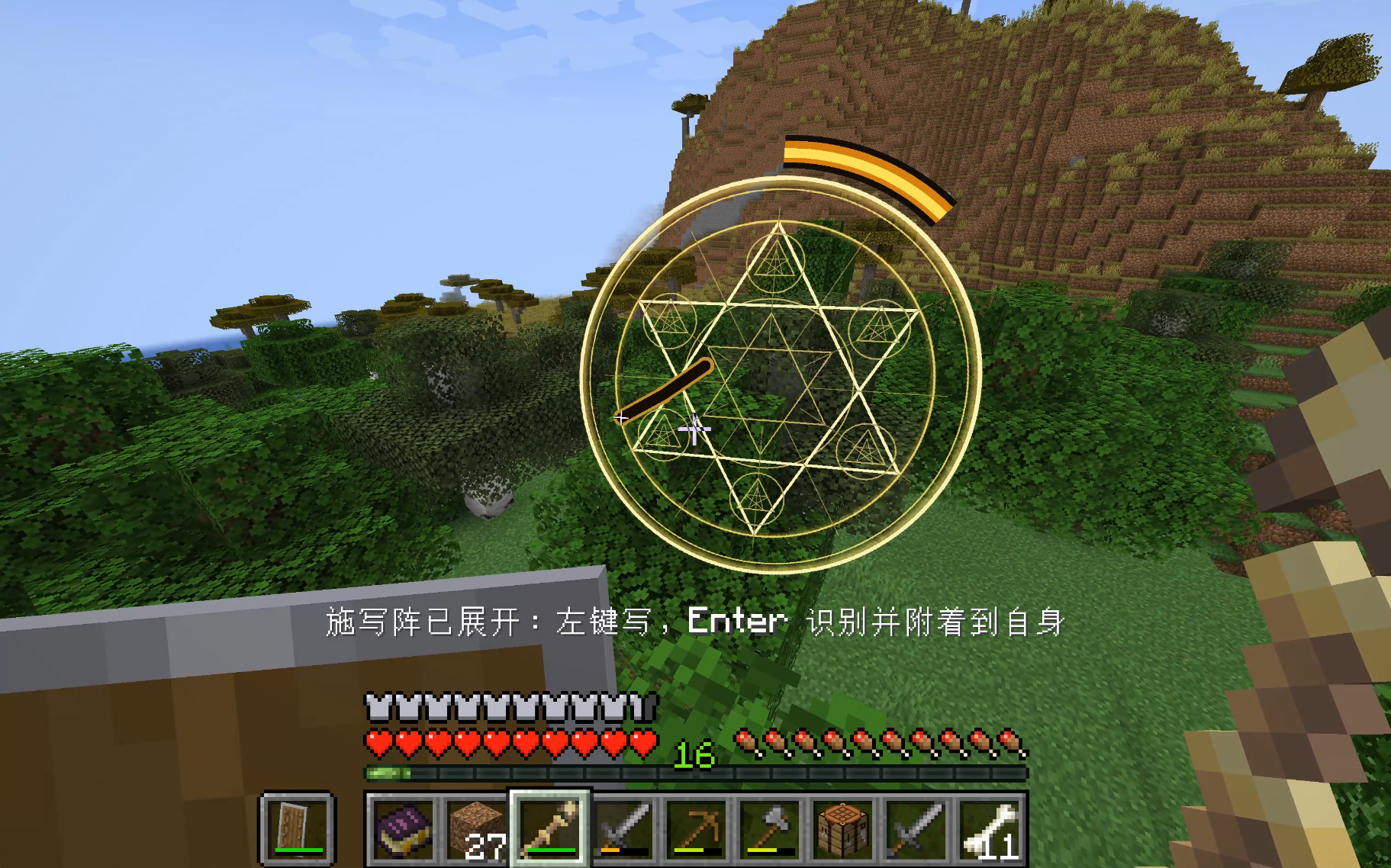
介绍
Aozai Ink MC is a foundation mod for handwritten Chinese glyph systems in Minecraft.
It provides the technical base for addon mods that want to use handwriting recognition as a gameplay input. By itself, Aozai Ink MC does not add spells, combat abilities, dungeons, or progression content. Content mods define what each recognized glyph actually does.
What it provides
- In-world handwriting input circles
- ONNX-based Chinese character recognition
- Self-cast and world-anchored writing modes
- Ink stave items with multiple material tiers
- Stave durability, repair, progression, and upgrade metadata
InkMarkstate records for addon mods- Official Java addon API under
com.aozainkmc.api - Event hooks for recognized glyphs, attached marks, and block target selection
- A two-step block selection flow for mechanics such as seals or remote targeting
Who this is for
This mod is mainly for:
- Players installing addon mods that require Aozai Ink MC
- Modpack makers who want glyph-based addon content
- Developers building mods around handwritten Chinese characters
If you install only Aozai Ink MC, you will get the handwriting system and ink staves, but not a full spell system. For actual gameplay content, install an addon mod that depends on it.
Current limitations
- Current gameplay flow is focused on singleplayer / integrated worlds.
- The addon API is in its first public alpha and may change during early versions.
- Recognition depends on the bundled ONNX model and supported character labels.
Controls
Hold an ink stave, then use:
G– open the self-cast writing circleV– open the world-anchored inscription circle- Left click – draw strokes
Enter– recognize the glyphR– clear strokesX– cancel the active circle
Developer notes
Addon integration documentation is included in the project repository:
docs/addon-integration.md
常见问题
aozaink 支持哪些 Minecraft 版本?
aozaink 支持 Minecraft Java 版 1.21.1,可用的加载器:NeoForge。下载时注意选择和你游戏版本一致的文件。
aozaink 怎么安装?
先用 PCL2 或 HMCL 启动器安装对应版本的 NeoForge,再把下载的 .jar 文件放进游戏目录的 mods 文件夹,重新启动游戏即可。开启了版本隔离的,mods 文件夹在 versions/版本名 下面。运行环境:客户端和服务端都要装。


评论
登录后评论和评分