介绍
Anytag Datapack (Tag Anything, Anywhere)
Have you ever wanted to place name tags on anything? Now you can! Anytag is a Minecraft Datapack which allows players to craft a special Anytag item through a simple recipe. The item is used so any player can right-click on any block with the item in their hand, which will then place flying text where the player is pointing at and simultaneously consume itself.
Crafting
The recipe for crafting the Anytag item is simple. You just need a name tag and a sign of any kind (Dark oak sign, Oak sign, Spruce sign, etc.) and place them in this order:
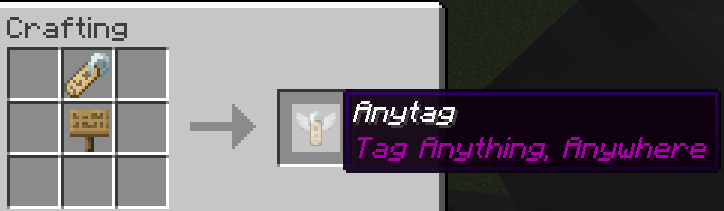
You can rename the Anytag item according to your desires.
Usage
Here is a short depiction of how the Anytag item is crafted and used:
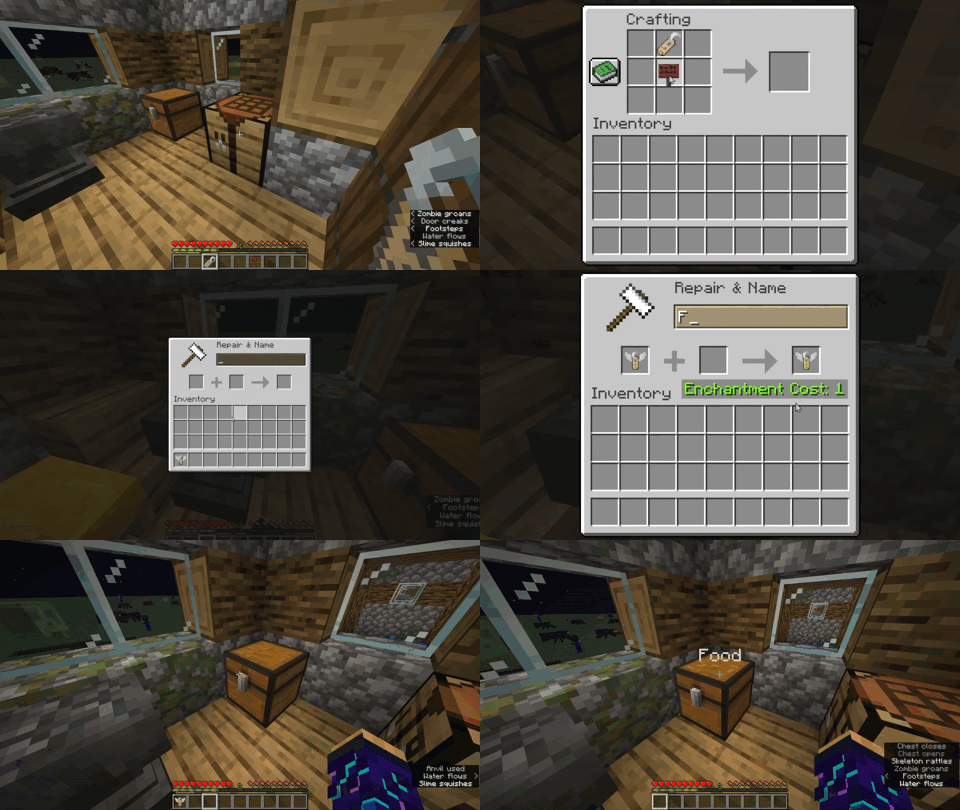
Right-clicking the Anytag item on any block will place flying text with the custom name of Anytag item.
Right-clicking in the middle of flying text will remove the text and drop the previously used Anytag item.
Left-clicking in the middle of flying text will remove the text and drop the name tag item instead of the Anytag item.
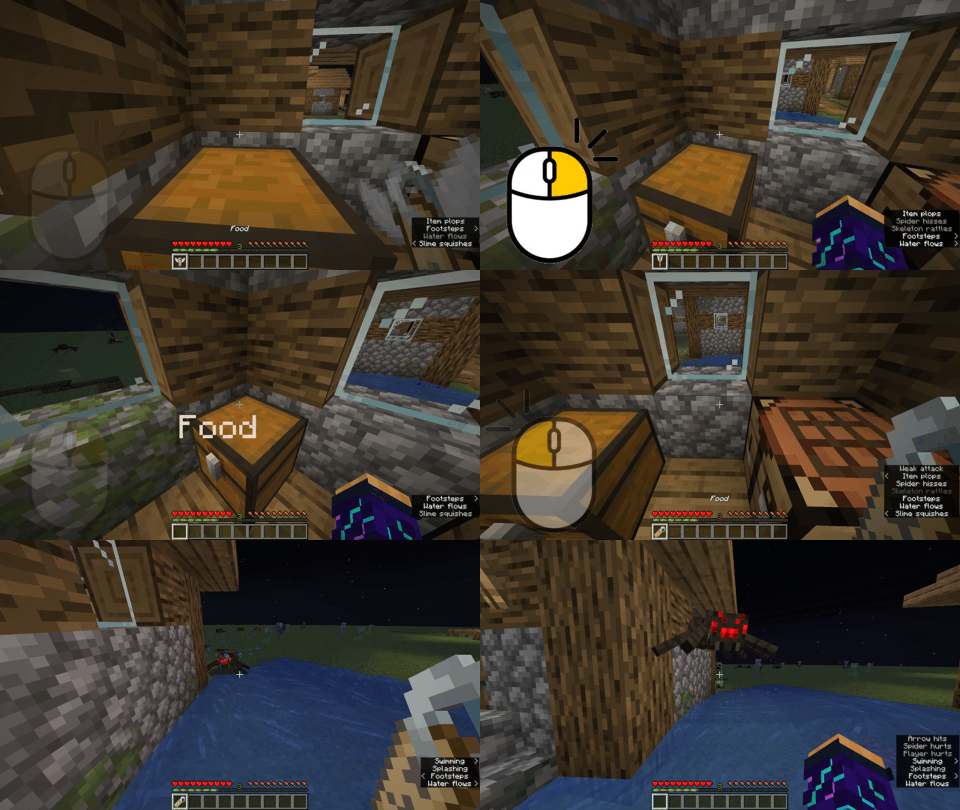
Try pressing
F3 + Bin-game to see the hitbox of the floating text.

常见问题
Anytag 支持哪些 Minecraft 版本?
Anytag 支持 Minecraft Java 版 1.19.4–1.21,共 9 个版本,可用的加载器:Fabric / Forge / Quilt。下载时注意选择和你游戏版本一致的文件。
Anytag 怎么安装?
先用 PCL2 或 HMCL 启动器安装对应版本的 Fabric / Forge / Quilt,再把下载的 .jar 文件放进游戏目录的 mods 文件夹,重新启动游戏即可。开启了版本隔离的,mods 文件夹在 versions/版本名 下面。
评论
登录后评论和评分