
Anvil’s Search
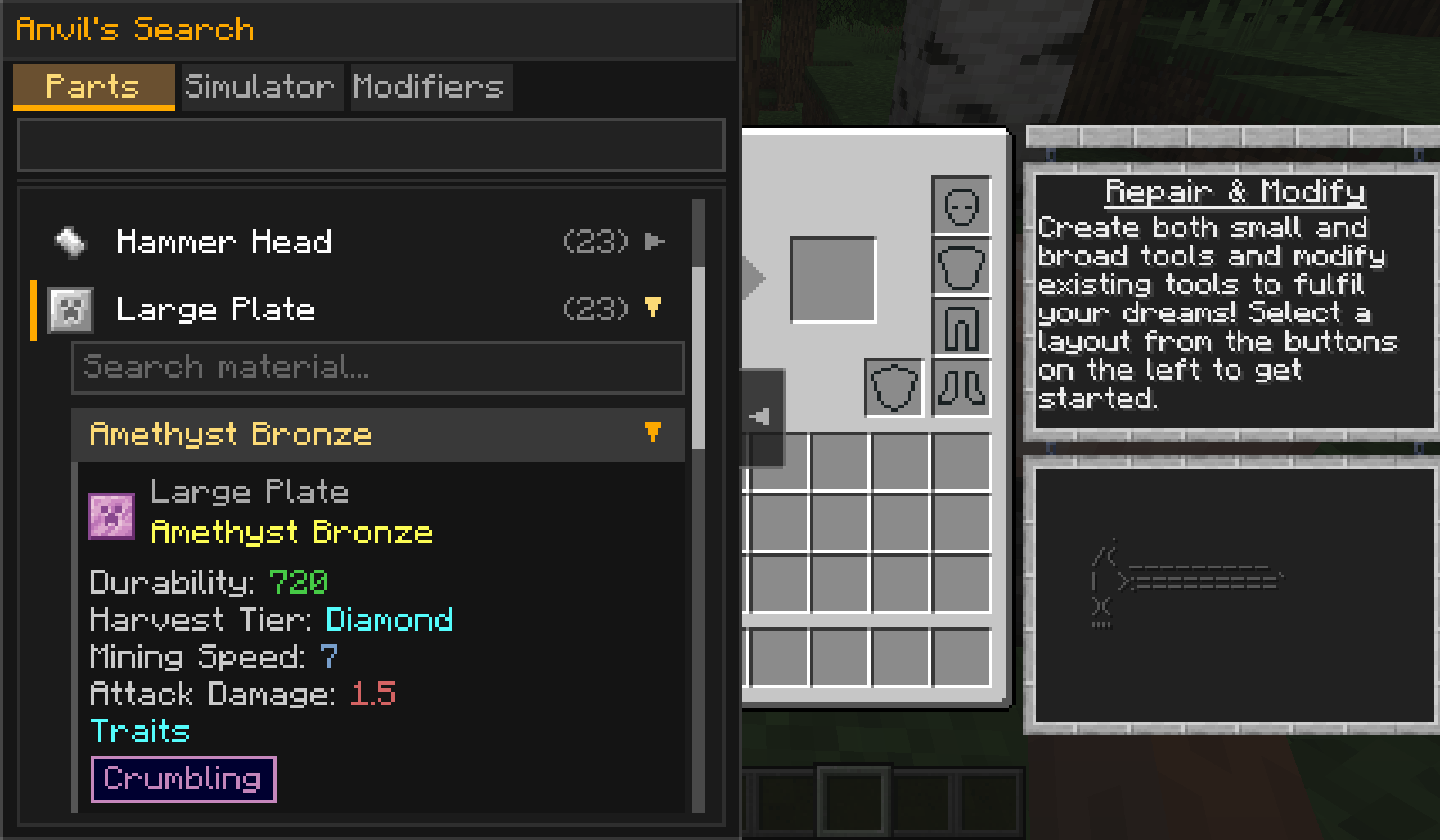
Anvil's Search is a companion mod for Tinkers' Search, adding part browsing, tool simulation, and modifier search to the Tinker's Anvil GUI.
截图
介绍
🔨 Anvil’s Search


📦 About
Anvil’s Search is a companion addon for Tinkers’ Search, extending its search experience to the Tinker’s Anvil GUI.
😊 Supported Versions
Anvil’s Search mirrors Tinkers’ Search and supports all versions of Tinkers’ Construct (currently 1.18.2).
✨ Features
- 🔧 Side Panel – Adds a collapsible sidebar to the Tinker’s Anvil GUI, letting you plan tools without leaving the screen
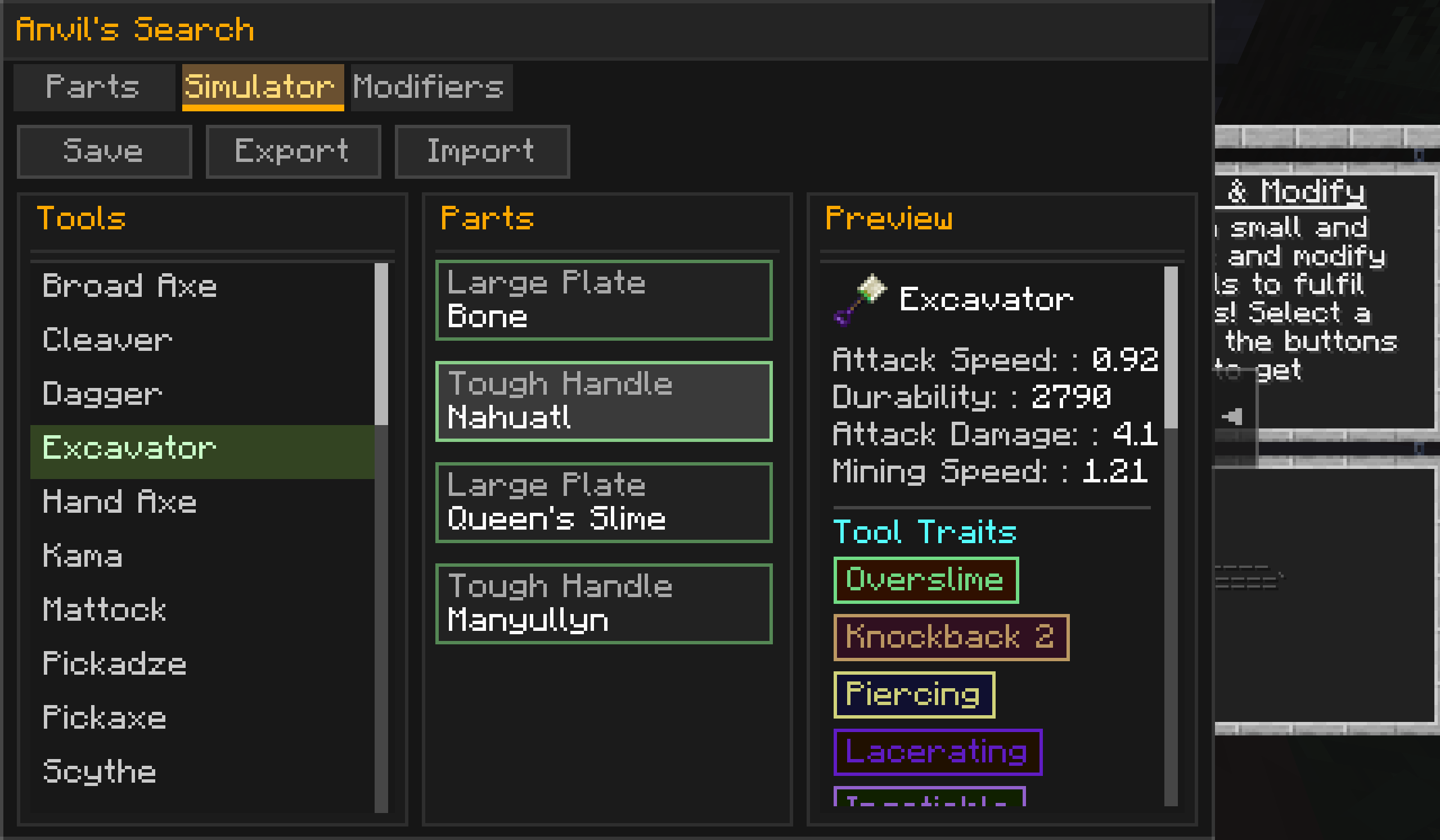
- 📑 Three Tabs – Parts / Simulator / Modifiers, switch with one click
- 🔎 Parts Browser – Lists every craftable part and all materials that can produce it
- 🈶 Pinyin Search – Reuses Tinkers’ Search’s pinyin search (full pinyin / initials)
- 🧪 Tool Simulator – Pick a tool → fill part slots with materials → preview stats, traits, and icon in real time
- 🔒 Read-only – Simulation never consumes materials nor modifies the Anvil
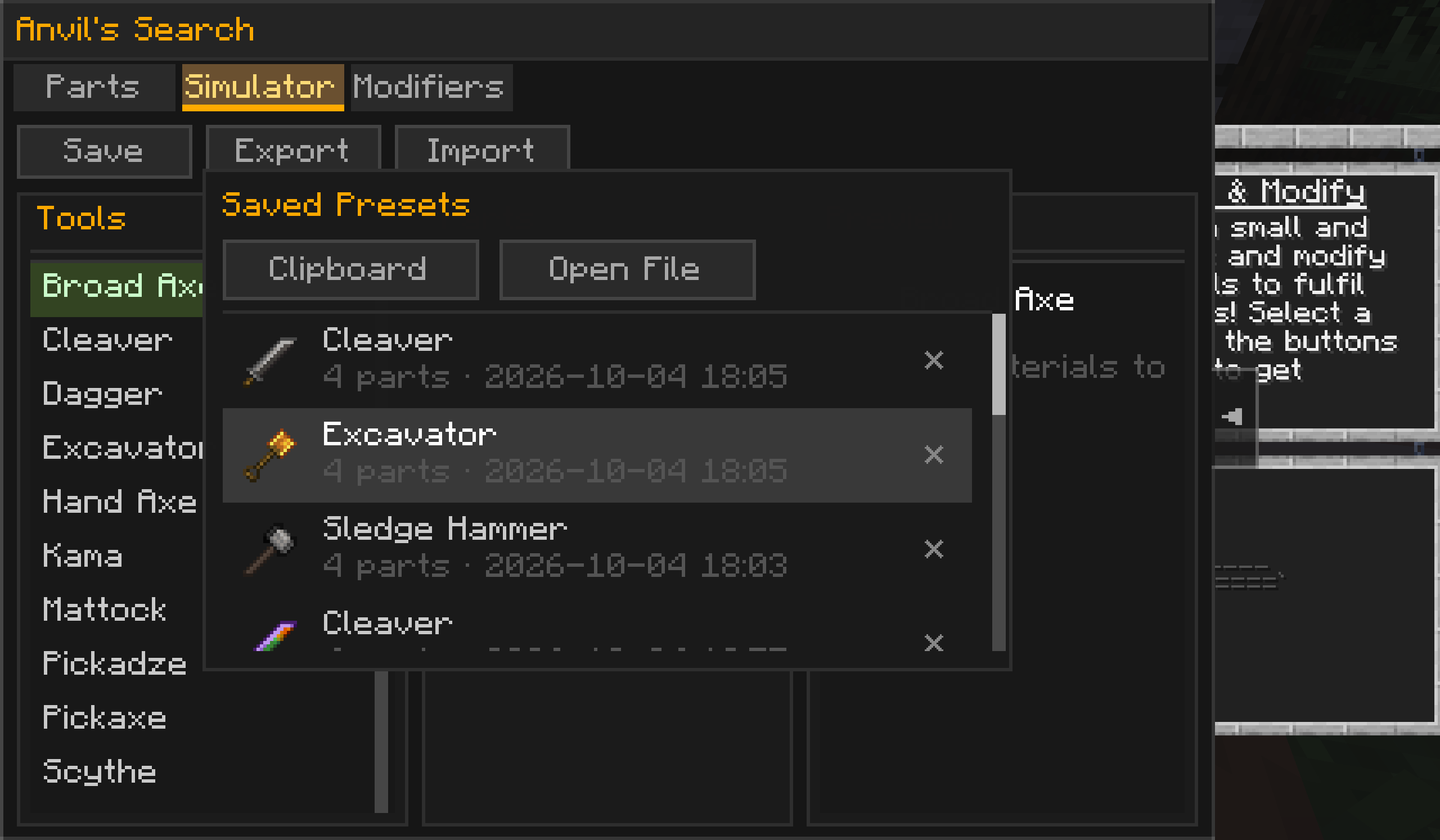
- 💾 Save Presets – Save to
config/anvilssearch-presets/, file name includes a timestamp so old presets are never overwritten - 📤 Export / Import – Export via system-native file dialog; import from clipboard or file
- 🖼️ Preset Browser – Built-in preset browser showing each preset’s actual material-rendered tool icon
- 🗑️ Delete Presets – One-click delete for unwanted presets
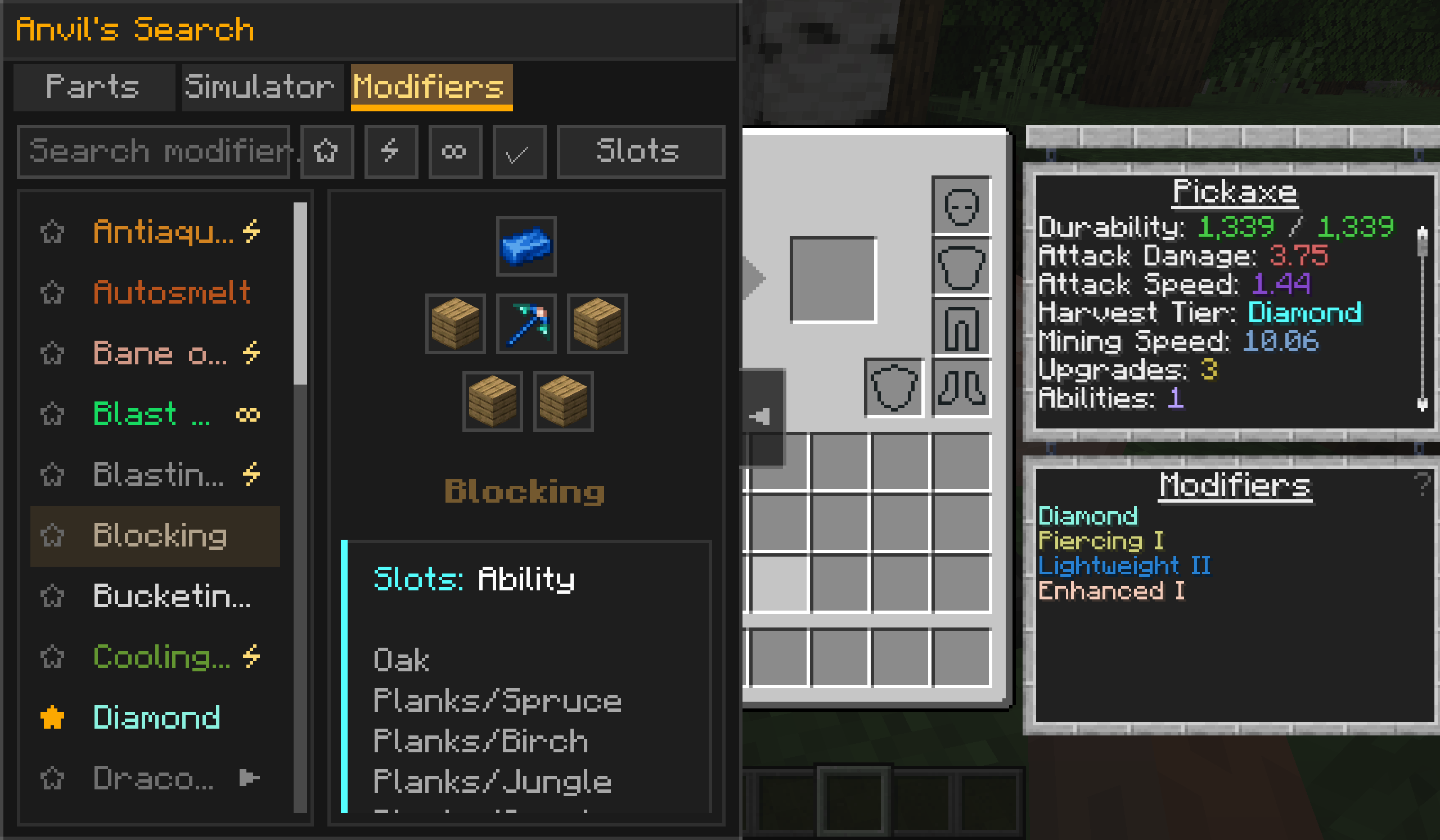
- 🧬 Modifier Query – Search all Tinker’s Construct modifier recipes, filter by slot type (Upgrade / Ability / Defense / Soul)
- ✅ Requirement Check – Real-time validation of whether a modifier applies to the current item
- ⭐ Favorites – Favorite modifiers, displayed in a dedicated section
🎮 Controls
| Action | Function |
|---|---|
Press G (rebindable) |
Toggle the sidebar panel |
| Click top Tab | Switch between Parts / Simulator / Modifiers |
| Search box input | Filter by name or pinyin (full pinyin, initials) |
| Left click a part slot | Open the material picker |
| Right click a part slot | Expand / collapse the material detail card |
| Click “Save” | Save to config/anvilssearch-presets/ |
| Click “Export” | Choose an export location via system-native dialog |
| Click “Import” | Open the preset browser |
| Click a preset row | Apply that preset to the simulator |
| Click the ✕ on a preset row | Delete that preset |
💡 Save and Export require all part slots to be filled. Incomplete tools are rejected with a hint.
⚙️ Requirements
| Mod | Required | Note |
|---|---|---|
| Tinkers’ Search | ✅ Required | Search & UI foundation for this mod |
| Tinkers’ Construct | ✅ Required | Tinker’s Anvil and modifier systems |
| Mantle | ✅ Required | Tinkers’ Construct dependency |
| JEI (Just Enough Items) | ❌ Optional | Provides recipe lookup integration |
💡 This mod hard-depends on Tinkers’ Search. Please install it first. Search, pinyin, and UI components all come from Tinkers’ Search.
📥 Download
- Modrinth
- CurseForge
- GitHub Releases
🛠️ Development Build
git clone https://github.com/leipishu/AnvilsSearch.git
cd AnvilsSearch
./gradlew build
Build artifacts are located in build/libs/.
To run in a development environment:
./gradlew runClient📄 License
This project is licensed under the GNU Lesser General Public License v3.0 only (LGPL-3.0-only).
See LICENSE.txt for details.
🙏 Credits
- Tinkers’ Search – UI foundation, pinyin search, and heavily reused components
- Tinkers’ Construct – Tinker’s Anvil API and modifier systems
- Mantle – Tinkers’ Construct library
- pinyin4j – Chinese pinyin conversion support (bundled by Tinkers’ Search)
- All users who reported issues and suggested features
📞 Contact
- Author: Leipishu
- Issue Tracker: GitHub Issues
⚠️ Note: Anvil’s Search is a companion addon for Tinkers’ Search. You must install Tinkers’ Search for it to work.
Made with ❤️ by Leipishu
常见问题
Anvil’s Search 支持哪些 Minecraft 版本?
Anvil’s Search 支持 Minecraft Java 版 1.18.2–1.20.1,共 3 个版本,可用的加载器:Forge。下载时注意选择和你游戏版本一致的文件。
Anvil’s Search 怎么安装?
先用 PCL2 或 HMCL 启动器安装对应版本的 Forge,再把下载的 .jar 文件放进游戏目录的 mods 文件夹,重新启动游戏即可。开启了版本隔离的,mods 文件夹在 versions/版本名 下面。

评论
登录后评论和评分