
Anti Delay
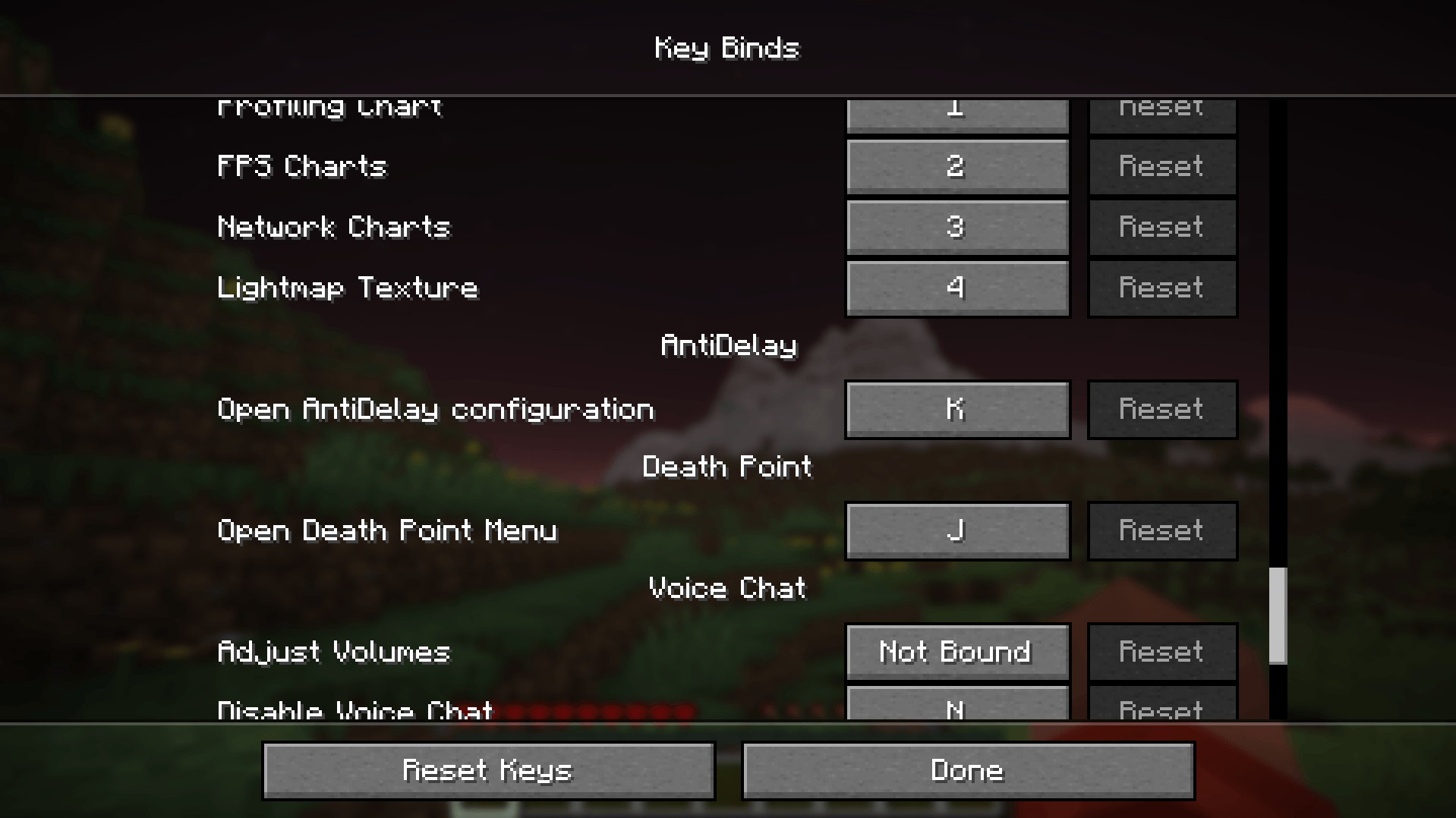
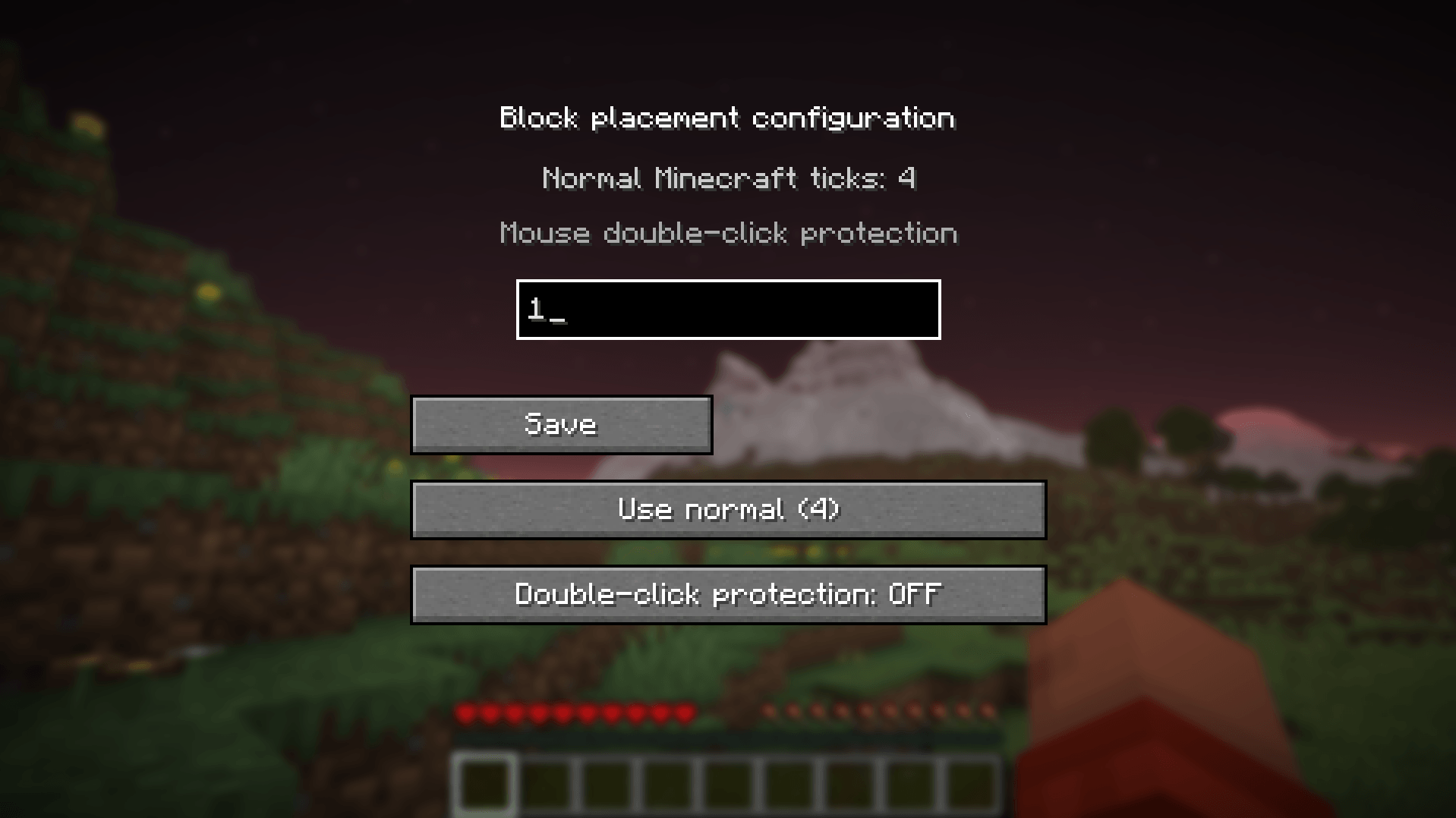
Custom block placement delay! Press K to open the menu, set placement ticks, and toggle double-click mouse support for total control.
截图
介绍
AntiDelay Mod: Customizable Placement Speed!
AntiDelay removes the default block placement delay and gives you full control over how fast blocks are placed in your game.
What’s New & Key Features:
-
In-Game Menu (Press ‘K’): Easily open the configuration menu in-game to set the exact amount of placement ticks you want.
-
Double-Click Mouse Support: Added a dedicated toggle for mice that register double-clicks, preventing accidental double placements and ensuring smooth building.
-
Instant & Responsive: Eliminates the artificial cooldown so blocks place exactly when and how you want.
-
Lightweight: Pure client-side optimization with zero impact on performance.
Server Notice:
Different servers (and Bedrock/Java cross-play setups) handle block placement packets differently. Adjust your tick settings responsibly when playing on public servers!
常见问题
Anti Delay 支持哪些 Minecraft 版本?
Anti Delay 支持 Minecraft Java 版 26.2,可用的加载器:Fabric。下载时注意选择和你游戏版本一致的文件。
Anti Delay 怎么安装?
先用 PCL2 或 HMCL 启动器安装对应版本的 Fabric,再把下载的 .jar 文件放进游戏目录的 mods 文件夹,重新启动游戏即可。开启了版本隔离的,mods 文件夹在 versions/版本名 下面。
YOCHILLbro 的其他作品
查看全部 →
Automatic Totem
Core Function: Monitors player health and incoming danger to instantly equip a Totem of Undying from any inventory slot right before a lethal hit. In-Game Menu: Press B to open a customizable settings.

BOMBANANA
this mod add 3 news cliet-sides commands. /blind,/deaf and /mute and this working in SIMPLE VOICE CHAT do not cheat and use discord.

Death Point
Displays an on-screen arrow pointing to your death location, along with a real-time block distance counter and exact coordinates to help you head in the right direction.

Auto Armorㅤ
Auto Armor is a simple mod that automatically swaps your current armor for better pieces in your inventory.
评论
登录后评论和评分