
截图
介绍
Animorph
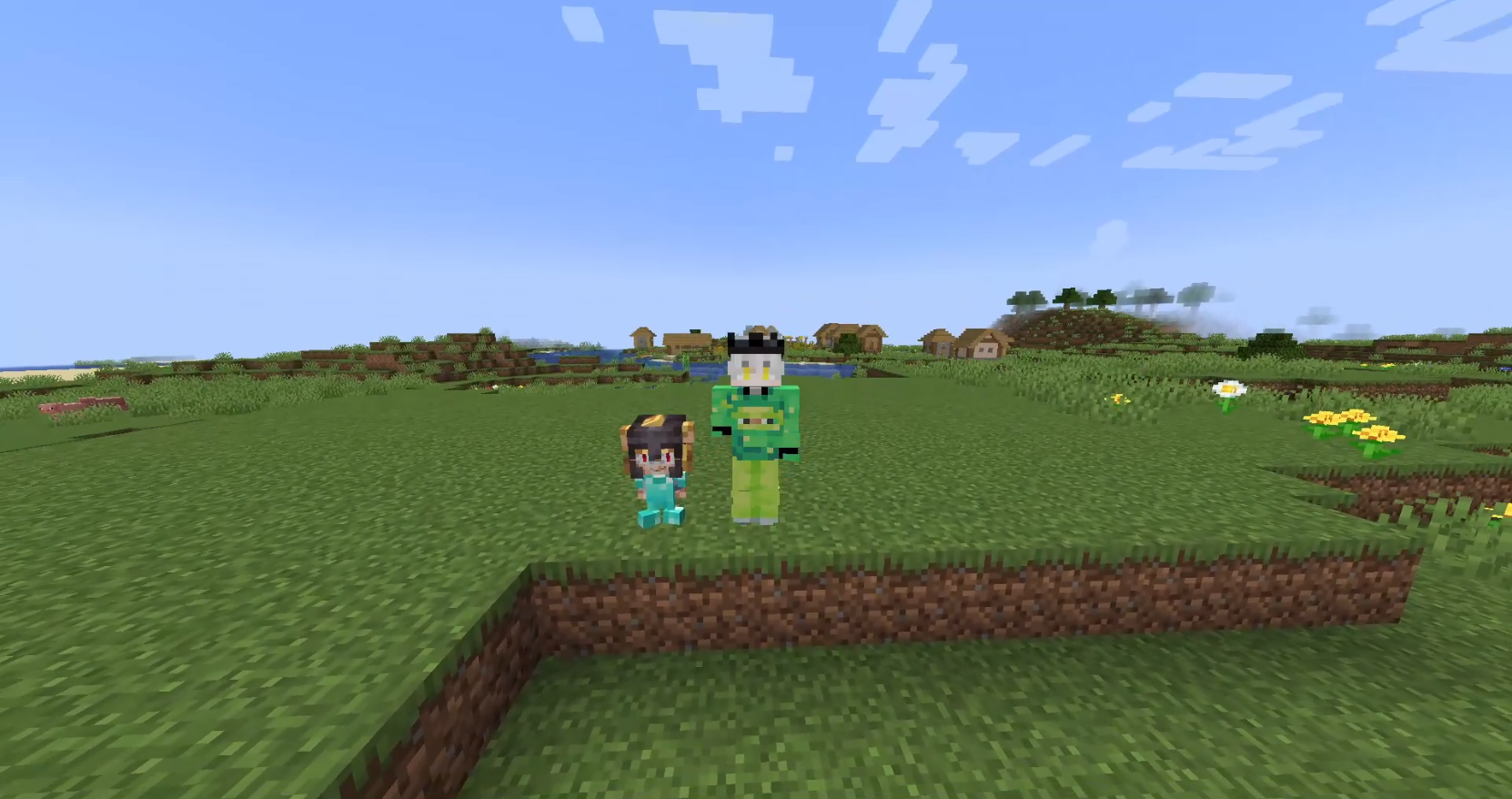
This mod is the client-side companion for the Animorph plugin. It allows you to visualize custom 3D models, advanced animations, and synchronized emotes on players.
What does this mod do?
When you connect to a server running the Animorph plugin, this mod takes care of:
- Receiving and rendering custom 3D models
- Playing animations with the Animation Controllers system
- Synchronizing emotes across all players
- Displaying the custom model in first person (arms)
Rendering
The mod replaces the vanilla player renderer with one based on GeckoLib, allowing:
- Blockbench
.geo.jsonmodels - Textures with layer system
- Support for wide and slim variants
- Model parts that can be hidden based on player settings (cape, hat, etc.)
Animations
Compatible with Bedrock Edition style animation system:
- Animation Controllers with states and transitions
- Molang Queries like
query.is_on_ground,query.is_moving,query.yaw,query.pitch - Multiple controllers running simultaneously
- Smooth transitions with configurable blend
- Head tracking that follows camera direction
Animated camera
It’s possible to animate the player’s camera using a specific bone in the model. This allows creating camera effects during emotes or special animations.
Emotes
Emotes are automatically synchronized with the server. If a player starts an emote, you’ll see it play at the exact moment thanks to the latency compensation system.
Equipment
If the model creator specifies it, armor can adapt to the 3D model. This requires creating the model for each equipment part (helmet, chestplate, leggings, boots, cape, elytra) separately. Hand items are rendered correctly based on model bones.
First Person
The first person arm also uses your custom model, rendered independently so body animations don’t interfere.
Important
This mod does nothing on its own. You need to connect to a server running the Animorph plugin to receive models and animations.
常见问题
Animorph 支持哪些 Minecraft 版本?
Animorph 支持 Minecraft Java 版 1.20.1–1.21.11,共 13 个版本,可用的加载器:Bukkit / Fabric / Folia / Forge / NeoForge / Paper / Purpur / Spigot。下载时注意选择和你游戏版本一致的文件。
Animorph 怎么安装?
先用 PCL2 或 HMCL 启动器安装对应版本的 Bukkit / Fabric / Folia / Forge / NeoForge / Paper / Purpur / Spigot,再把下载的 .jar 文件放进游戏目录的 mods 文件夹,重新启动游戏即可。开启了版本隔离的,mods 文件夹在 versions/版本名 下面。运行环境:客户端和服务端都要装。
feeldev 的其他作品
查看全部 →
Dedsafio Tools 3
DTools3 is a plugin that provides you with the necessary tools to make your Dedsafio 3 style event a success! No mods or datapacks!

Owleaf Playback | Mod
Owleaf PlayBack is a client-side mod that displays videos, GIFs, and images on screen. It requires a server plugin to work; without it, the mod won’t function. It enhances Minecraft by allowing multimedia playback for a better experience.

BlocksCreate
Create fully custom blocks for Minecraft using only JSON files, no coding required.
评论
登录后评论和评分