
AngleSnap
Save and snap to precise angles and camera positions, useful for redstone contraptions using Magic Mirror technology.
截图
介绍
Summary
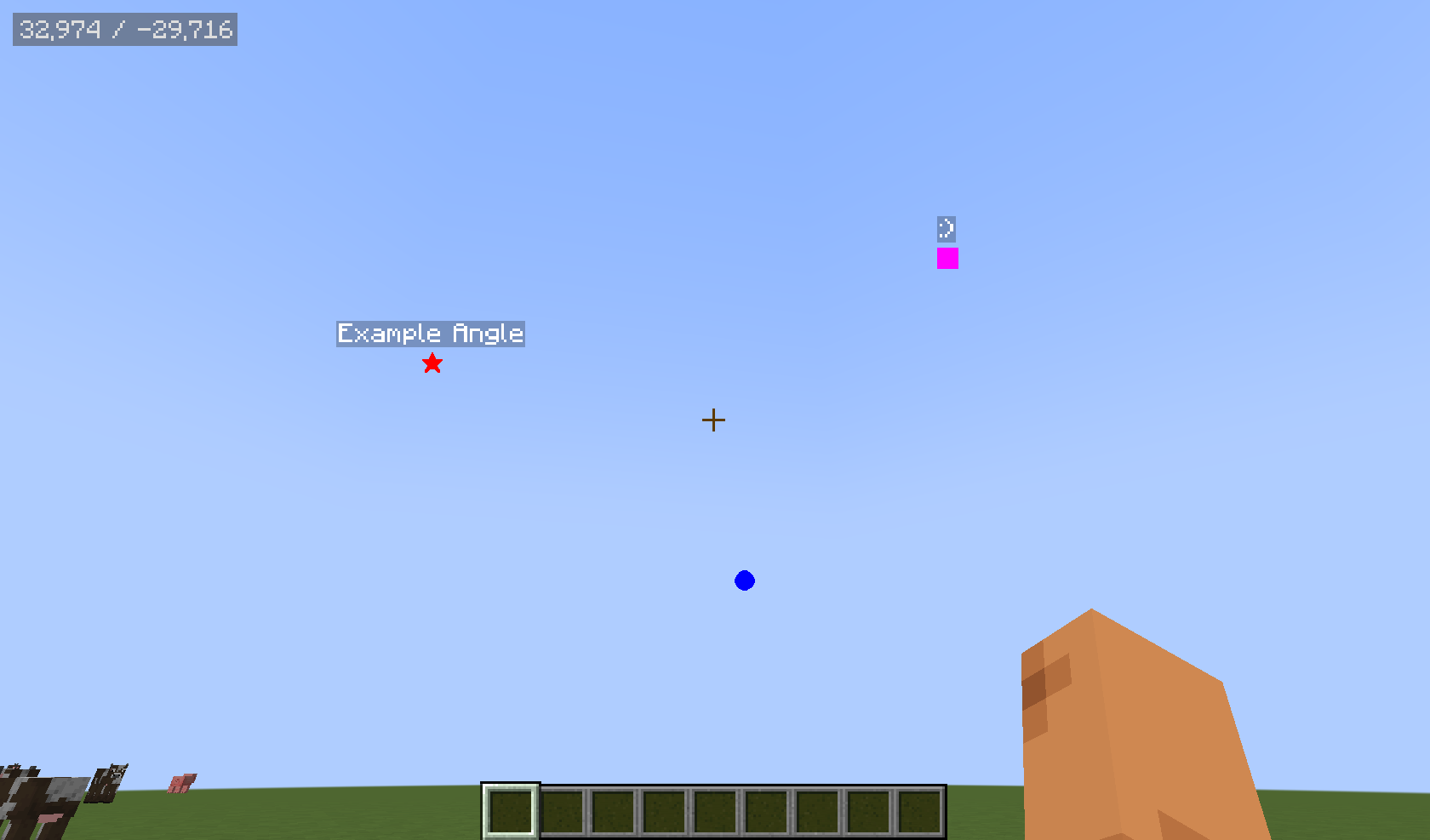
This mod adds a UI to save precise viewing angles and camera positions to help with the use of redstone contraptions like the Mirror Pylon by Squibble and the Orbital Railcannon by cubicmetre.
Usage
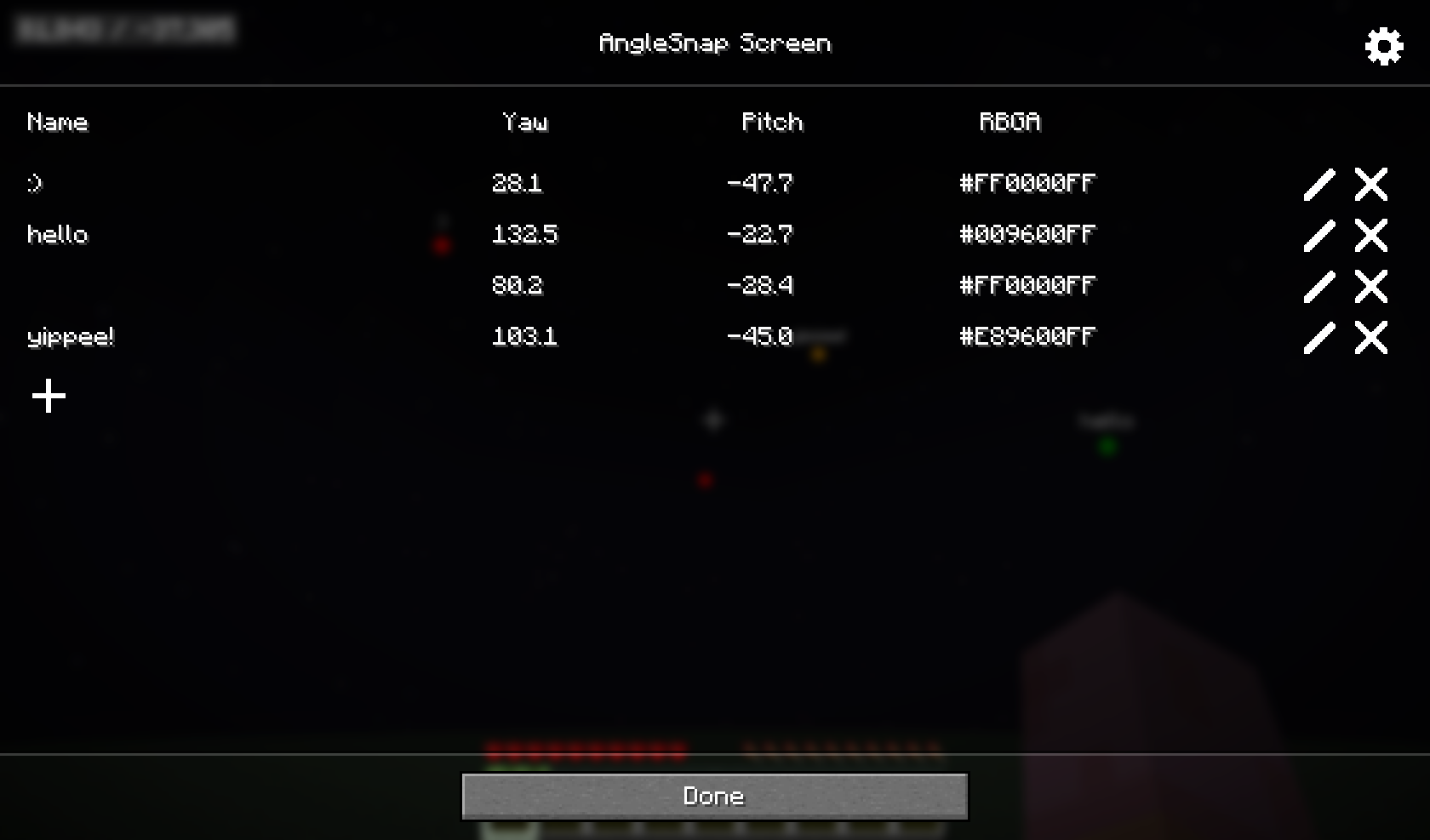
Pressing F6 while in a world will open the AngleSnap menu, where precise angles can be added, edited or removed. Clicking on an angle without pressing the edit button first will close the screen and snap the players crosshair to that angle.
Pressing F7 will toggle the AngleSnap overlay, which will render icons at the saved angles, allowing easy visualization.
Pressing F8 will open the CameraSnap menu, where camera positions can be added, edited or removed. Clicking on a camera position will move the camera to that position, while movement and viewing angle are still synced with the actual player.
Configuration
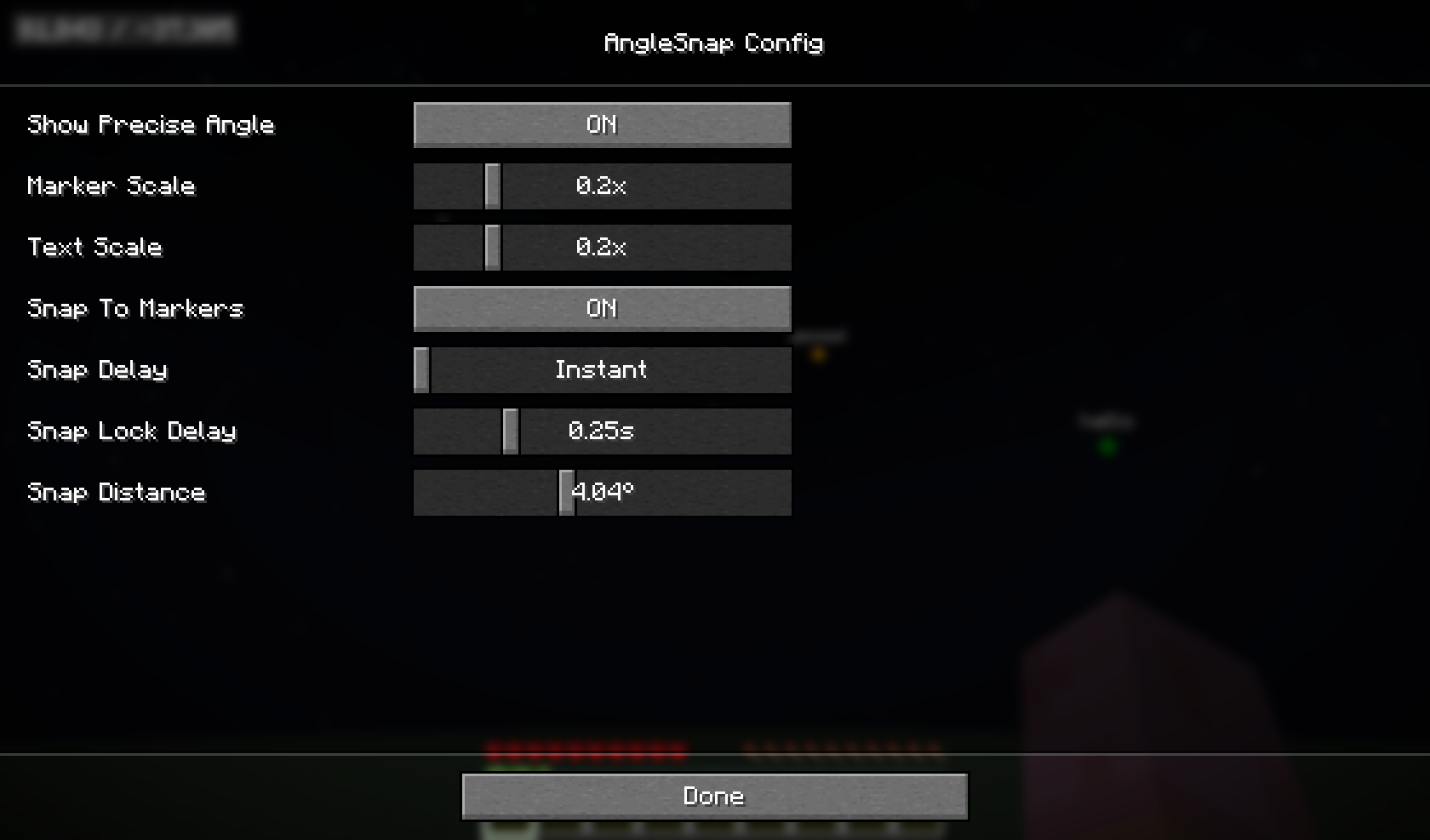
The config can be opened through modmenu or by pressing the gear icon in either the AngleSnap or CameraSnap menus.
It allows configuring the overlay to your liking and can be used to enable “Snap To Markers”, which will snap your crosshair to precise angles when hovering near them with the overlay enabled.
常见问题
AngleSnap 支持哪些 Minecraft 版本?
AngleSnap 支持 Minecraft Java 版 1.21.4–1.21.8,共 5 个版本,可用的加载器:Fabric。下载时注意选择和你游戏版本一致的文件。
AngleSnap 怎么安装?
先用 PCL2 或 HMCL 启动器安装对应版本的 Fabric,再把下载的 .jar 文件放进游戏目录的 mods 文件夹,重新启动游戏即可。开启了版本隔离的,mods 文件夹在 versions/版本名 下面。运行环境:仅客户端。
contaria 的其他作品
查看全部 →
FastQuit
让你可以在世界后台保存时提前返回标题界面!

FastQuit
在地图仍在后台保存时,让你提前返回标题界面!
Mipmaplevel and Language Fix
Makes changing Mipmaplevels and Language faster, by instead of doing a full reload, only reloading the respective part of the game.

planifolia
speedrunning sodium via mixins
评论
登录后评论和评分