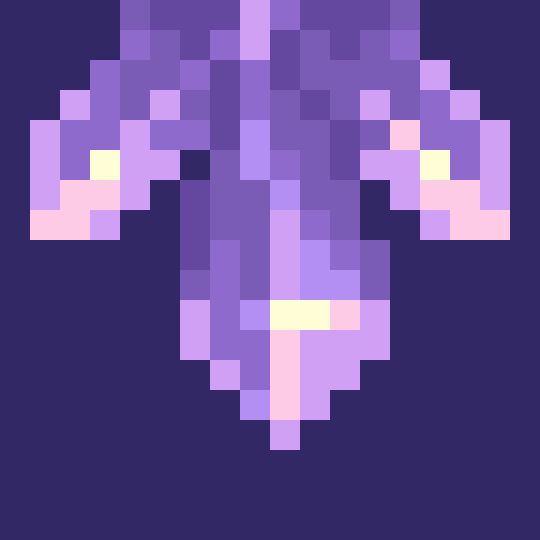
截图

介绍
Amethyst Gravity
Introduces new blocks which allow you to control gravity with the hidden power of amethyst!
⭐⭐⭐1.1 UPDATE⭐⭐⭐
- Adds new Creative Gravity Generators which don’t require a power source.
- Adds gravity anchors which change your gravity direction when held, crafted by combining a compass and gravity generator.
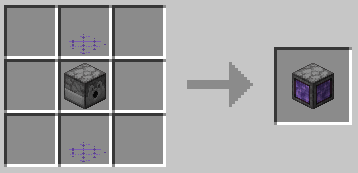
Gravity Plating
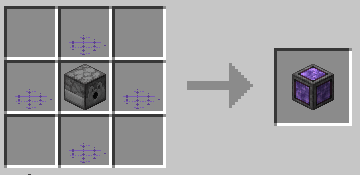
The most basic form of gravity control. There is also “Dense Gravity Plating”, which has a taller area of effect, so that you can jump around and not fall off.
Gravity Glasses
To see the generated gravity fields (as shown below), you need to put on a pair of gravity glasses.
Gravity Generator
For larger areas of gravity control, you can use a gravity generator. There are three types available:
From left to right: Gravity Generator, Cylinder Gravity Generator, Planet Gravity Generator
Power
The larger you make the area of effect, the more amethyst blocks you need to place next to the generator to power it. Just hit “Apply Changes” in the generator’s menu and it will tell you how many blocks you need.
Recipes
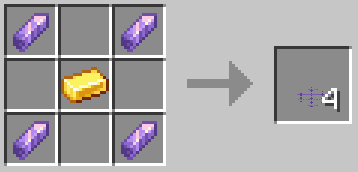
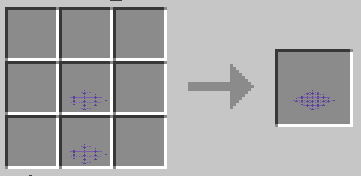
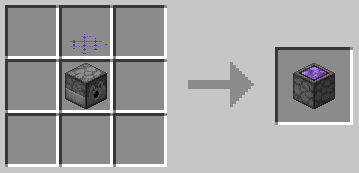
You can view all of the recipes in the gallery.
常见问题
Amethyst Gravity 支持哪些 Minecraft 版本?
Amethyst Gravity 支持 Minecraft Java 版 1.19–1.19.2,共 2 个版本,可用的加载器:Fabric / Quilt。下载时注意选择和你游戏版本一致的文件。
Amethyst Gravity 怎么安装?
先用 PCL2 或 HMCL 启动器安装对应版本的 Fabric / Quilt,再把下载的 .jar 文件放进游戏目录的 mods 文件夹,重新启动游戏即可。开启了版本隔离的,mods 文件夹在 versions/版本名 下面。运行环境:客户端和服务端都要装。
cyborgcabbage 的其他作品
查看全部 →
Emoji Type
使用简单的短代码输入 Minecraft 表情和符号。

Phantom Redux
Tries to make phantoms a bit better

Cabbage’s Retro Generator
Adds a world preset for generating beta 1.7.3 terrain

Universe Box
Adds a pocket dimension block
评论
登录后评论和评分