Ambient Gogga
Ambient Gogga adds butterflies, fireflies, and coastal bioluminescence to Minecraft, bringing gentle movement and light to your surroundings.
截图
介绍
Features
Butterflies
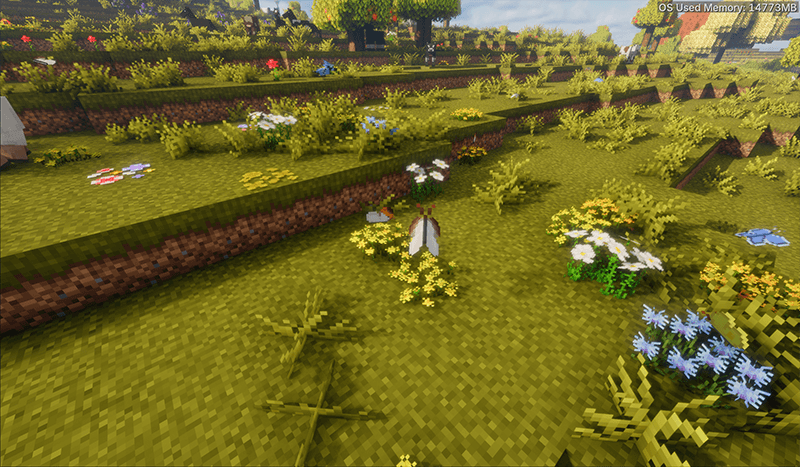
Discover different butterfly varieties in suitable biomes. Watch them fly, rest on flowers, and react to players and weather.
Capture up to three butterflies in a butterfly bottle. Sneak and use the bottle to release them together, preserving their varieties.
Fireflies
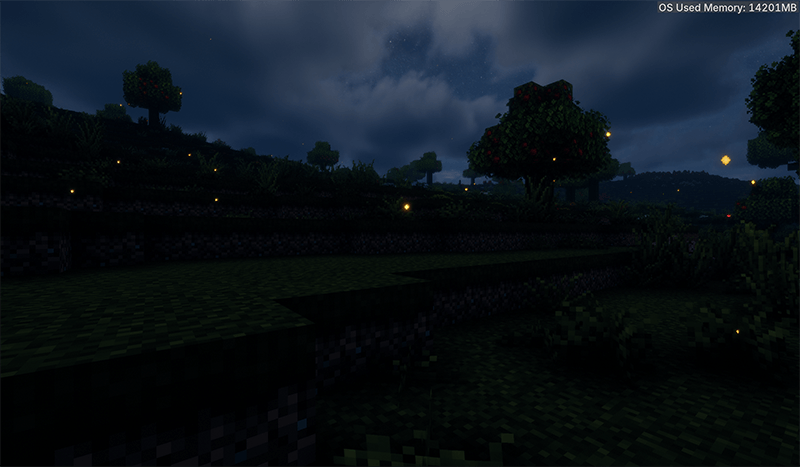
Enjoy softly blinking fireflies on clear nights near non-snowy forests and plains. Suitable habitats within your configured range can produce fireflies even when you are standing in another biome.
Customize their density, brightness, size, movement, and appearance times.
Bioluminescence
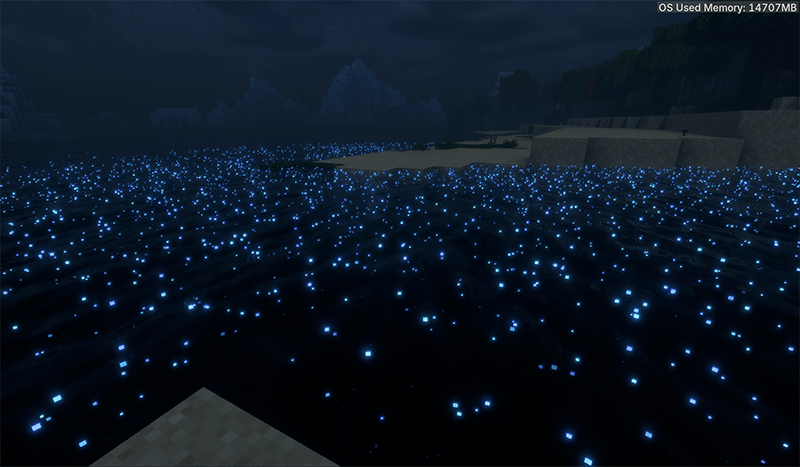
Explore beaches after sunset to find tiny blue lights drifting across still surface water. They shimmer gently, grow more abundant as night falls, and fade toward dawn.
The effect gradually extends into neighboring waters, avoiding abrupt biome boundaries. Its glow is visual and does not illuminate surrounding blocks.
Optional Seasonal Integration
With Ecliptic Seasons installed, you can:
- Allow ordinary butterflies all year or prevent natural spawning in winter.
- Set fireflies to appear all year, only in summer, or during selected solar terms.
- Restrict bioluminescence to autumn.
Ecliptic Seasons is optional and is not bundled with Ambient Gogga.
Configuration and Shaders
Two configuration files keep settings organized:
ambientgogga-client.tomlcontrols local visual effects.ambientgogga-server.tomlcontrols entity spawning.
Optional Iris integration supports shader-native emission where available. Experimental floating motion can approximate surface movement; results vary by shader pack.
Inspirations and Credits
- Illuminations by doctor4t inspired the atmospheric firefly effects.
- Terra Incognita: The Unknown Land by azmalent inspired the butterfly feature. Butterfly textures from its Minecraft 1.18.2 release are used with attribution.
These inspiration mods are not required dependencies.
常见问题
Ambient Gogga 支持哪些 Minecraft 版本?
Ambient Gogga 支持 Minecraft Java 版 1.21.1,可用的加载器:NeoForge。下载时注意选择和你游戏版本一致的文件。
Ambient Gogga 怎么安装?
先用 PCL2 或 HMCL 启动器安装对应版本的 NeoForge,再把下载的 .jar 文件放进游戏目录的 mods 文件夹,重新启动游戏即可。开启了版本隔离的,mods 文件夹在 versions/版本名 下面。
sangeeeee 的其他作品
查看全部 →
Traveling Merchant Wagon
建造可自定义的木制马车,运送货物、搭载同伴,还能带着你的工作室一路同行。
TACZ: Art of Sniping
TACZ: AoS lets you snipe other entities from extreme distances, with realistic ballistics.

TouhouLittleMaid Shogi
Play Japanese shogi against your maids in this Touhou Little Maid add-on, powered by the YaneuraOu engine.

TouhouLittleMaid: Sable Compat
Makes maid NPCs of Touhou Little Maid mod follow, live, and work correctly on moving Sable structures.
评论
登录后评论和评分