Adventure Mode Bypass
Makes Adventure Mode fully completable without removing its core restrictions, including Nether progression, End Portal activation & optional Hardcore mode!
截图
介绍
Adventure Mode was never really designed to let you fully beat Minecraft, was it?!
But this mod makes it possible to complete the game while keeping the normal Adventure Mode restrictions intact.
The mod lets you progress through the Nether and activate the End Portal without switching out of Adventure Mode.
Features;
*New worlds automatically start in Adventure Mode.
*Blazes can drop Blaze Rods whether they are killed by the Player or not.
*Hardcore mode can be enabled or disabled via the Config.
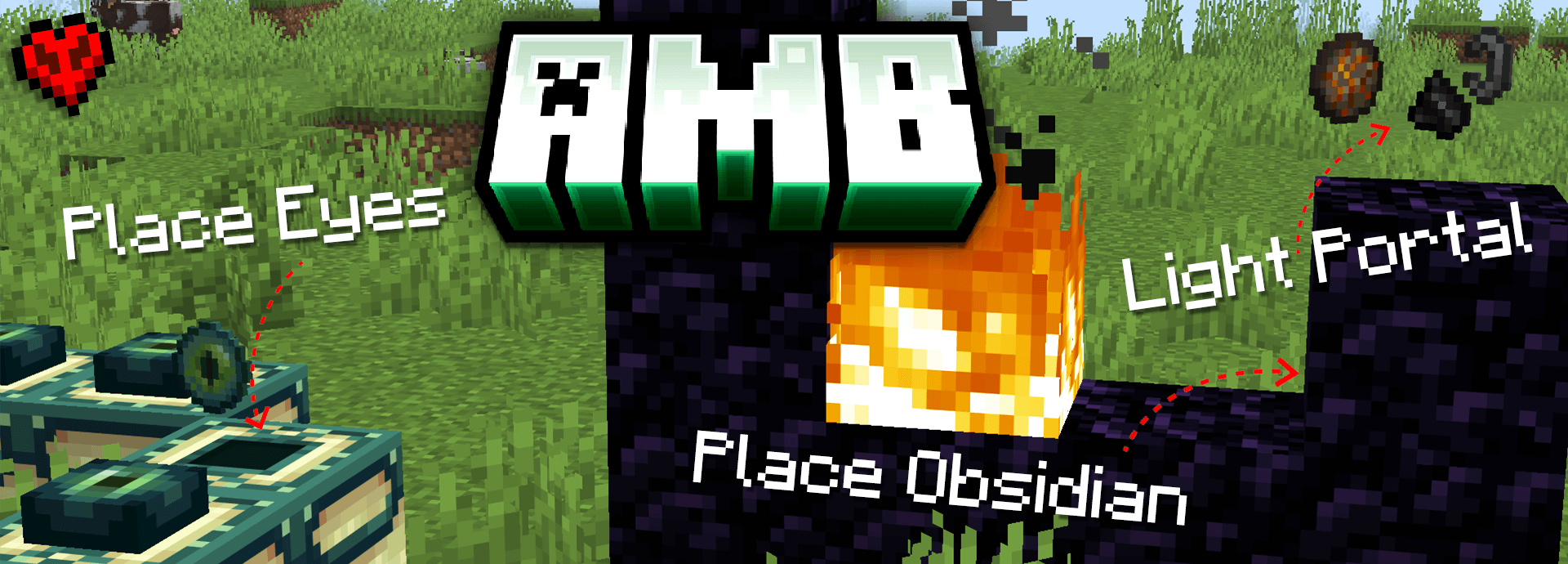
*Place Obsidian against existing Obsidian to create completed Nether Portals.
*Flint and Steel or Fire Charges can be used on Obsidian to ignite a completed Nether Portal.
*Eyes of Ender can be inserted into End Portal Frames.
*No commands or cheats required!
*Keeps the normal Adventure Mode restrictions…Good Luck!🫡
Configuration
The config file is:
config/adventure_mode_bypass.toml
Hardcore Settings
hardcore = true(default)
True: New worlds are created as Hardcore + Adventure Mode.
False: New worlds are created in Adventure Mode without Hardcore.
The Adventure Mode changes remain active either way.
What this mod does NOT do;
This mod does not give you Creative Mode abilities or allow unrestricted block breaking and placing.
The goal is simply to make Adventure Mode actually completable while keeping the restrictions that make Adventure Mode unique, I created this as I didn’t really want to enable cheats for my runs.
This mod was created for a challenge idea I have come up with involving Adventure Mode, 0 kills, hardcore difficulty, and a completely random seed;
*Insert Video Link DAN!!!
常见问题
Adventure Mode Bypass 支持哪些 Minecraft 版本?
Adventure Mode Bypass 支持 Minecraft Java 版 26.3,可用的加载器:Fabric。下载时注意选择和你游戏版本一致的文件。
Adventure Mode Bypass 怎么安装?
先用 PCL2 或 HMCL 启动器安装对应版本的 Fabric,再把下载的 .jar 文件放进游戏目录的 mods 文件夹,重新启动游戏即可。开启了版本隔离的,mods 文件夹在 versions/版本名 下面。
DanRobzProbz 的其他作品
查看全部 →
Netherstar Shard
极稀有凋灵骷髅掉落物,将下界之星分割成4份

Biome Beans
添加了魔法生物群系豆,玩家可随心所欲地创建生物群系,非常适合空岛/超平坦地图。
Create: Superflat Survival
一个从一无所有开始的超平坦生存体验……你只有机械动力模组。
ChickenBlock
一个专注于资源鸡、机械动力和天境的专家级空岛整合包。
评论
登录后评论和评分