
截图
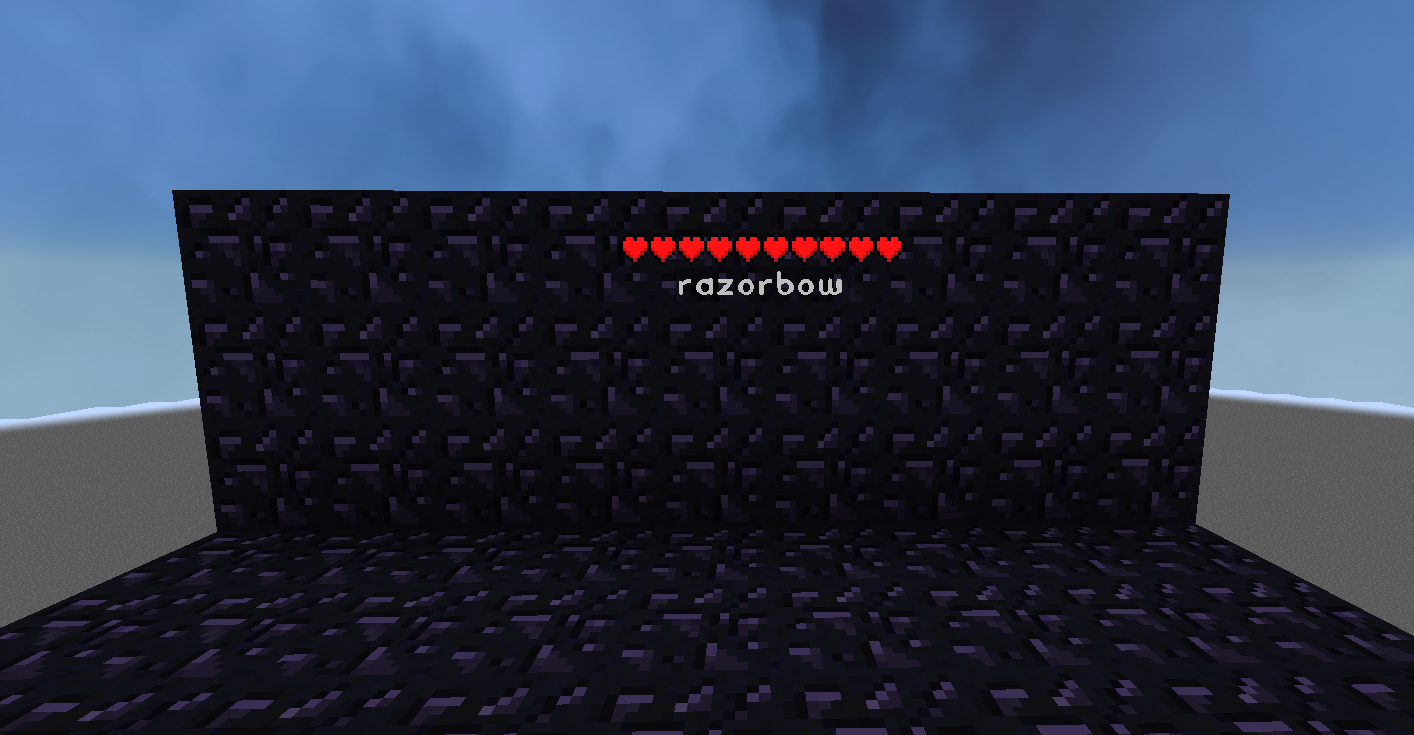
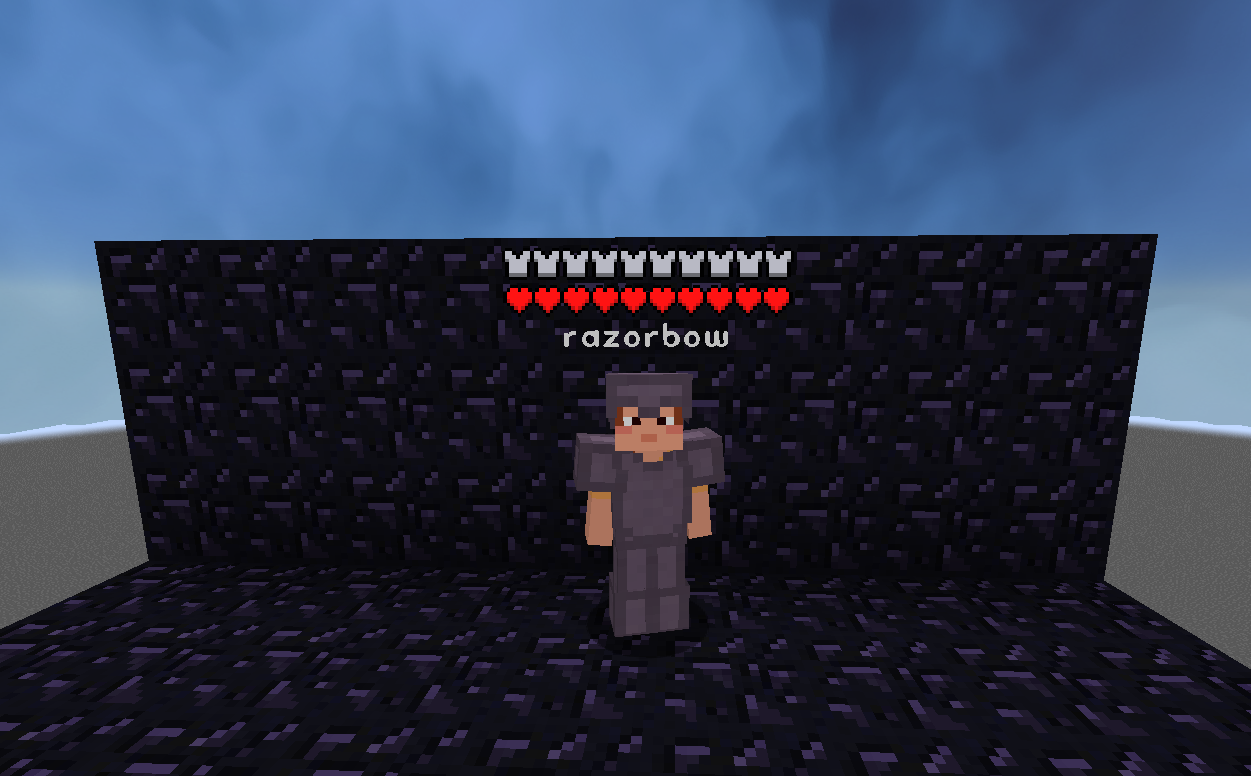
介绍
Its modified version of mod “Health Indicators” By AdyTech99
I changed a little setting that makes player health visible even when player invisible
I’m not goot at coding so mod can have bugs
You can also adjust the:
Size
Offset
Indicator Type (Hearts | Number)
Percentage Based Health (True | False)
Text Color
The indicator changes texture and appearance based on the effects the entity has, just like vanilla. The indicator will:
Turn green if the entitiy is Poisoned,
Black if they are Withering
Display yellow hearts seperately for Absorption.
Vibrate if the entity has Regeneration
Change textures for Hardcore.
Keybinds:
Note: These are all default keybinds. They can be modified like any other keybind: by going into Options > Controls > Keybinds
Enable Health Indicator: Left Arrow
Increase Indicator Offset: Up Arrow
Decrease Indicator Offset: Down Arrow
Override Config Filtering: Right Arrow
Enable Armor Indicator: Right Shift
常见问题
AllPlayerHpIndicator 支持哪些 Minecraft 版本?
AllPlayerHpIndicator 支持 Minecraft Java 版 1.21–26.2,共 16 个版本,可用的加载器:Fabric / NeoForge。下载时注意选择和你游戏版本一致的文件。
AllPlayerHpIndicator 怎么安装?
先用 PCL2 或 HMCL 启动器安装对应版本的 Fabric / NeoForge,再把下载的 .jar 文件放进游戏目录的 mods 文件夹,重新启动游戏即可。开启了版本隔离的,mods 文件夹在 versions/版本名 下面。运行环境:仅服务端。

评论
登录后评论和评分