
截图
介绍
All Items
Collect all items in Minecraft, one at a time.

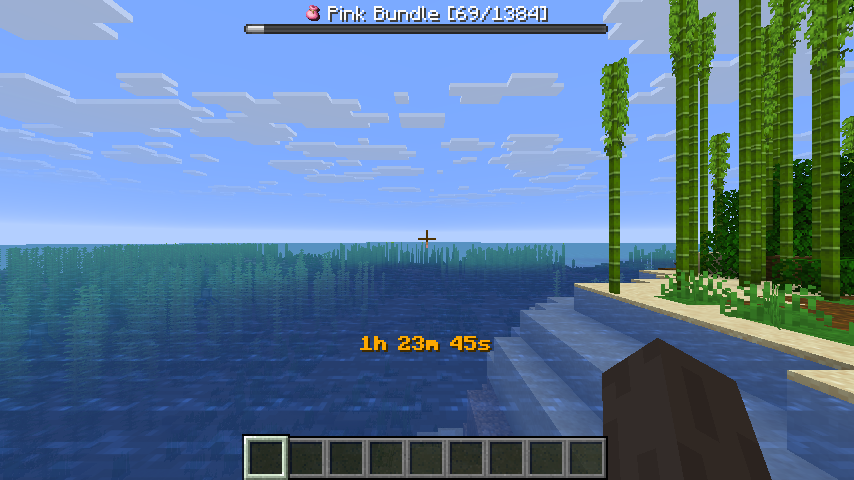
The mod randomly selects an item from all obtainable items and displays it in the bossbar.
Players must find and collect that item before moving on to the next one.
The mod is multiplayer compatible and designed to be played on a multiplayer server, but can also be played without a server.
Getting Started
- Install Fabric
- Download Fabric API and put it in the mods folder
- Download All Items from Modrinth and put it in the mods folder
Commands
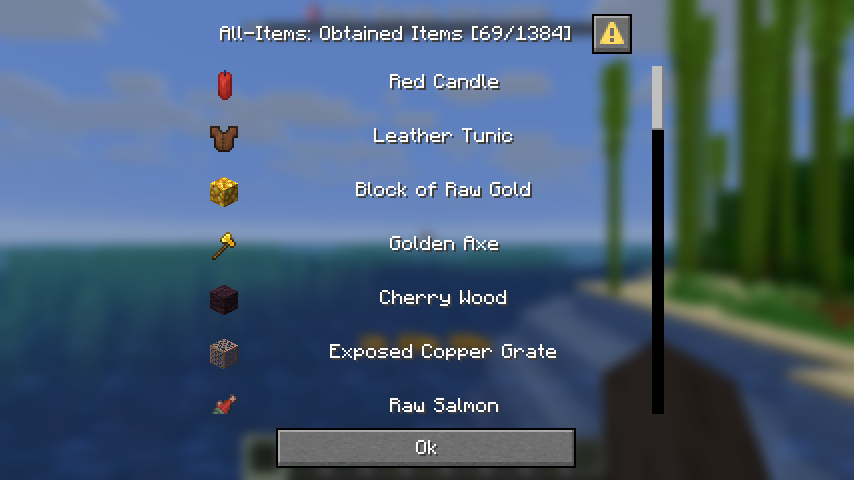
/all-items– Show all obtained items in a custom dialog (see below)/timer– Pause or resume the game timer
All Items Dialog

Config
The mod saves all progress in a config file located at config/all-items.json.
The config file contains the following options:
showIcons(boolean, default: false)
Show item icons in the bossbar and in chat messages. This feature requires the All-Icons resource pack.timerCommandRequiresOperator(boolean, default: true)
Whether the/timercommand requires operator permissions.timerSeconds(integer)
Stores the timer value in seconds.activeItem(string)
Stores the current active item id.obtainedItems(array of strings)
Stores the list of obtained item ids.unobtainableItems(array of strings)
Stores the list of unobtainable item ids.
FAQ
- How can I skip the current Item?
Use the/givecommand to give yourself the item you want to skip. - Do I need to install the mod on the client side?
No, the mod is server-side only and does not require the client to have it installed if it’s already installed on the server.
The mod is designed to be played on a server with vanilla clients and does not require any client-side mods.
常见问题
All Items 支持哪些 Minecraft 版本?
All Items 支持 Minecraft Java 版 1.21.10–26.1.2,共 3 个版本,可用的加载器:Fabric。下载时注意选择和你游戏版本一致的文件。
All Items 怎么安装?
先用 PCL2 或 HMCL 启动器安装对应版本的 Fabric,再把下载的 .jar 文件放进游戏目录的 mods 文件夹,重新启动游戏即可。开启了版本隔离的,mods 文件夹在 versions/版本名 下面。运行环境:仅服务端。
170yt 的其他作品
查看全部 →
Shared Backpack
Provides a Shared Backpack for all players
All Items
Collect all items in Minecraft, one at a time - Multiplayer compatible

Minecraft Bingo
Be the first team to collect all required items, mobs and advancements to win the game!
评论
登录后评论和评分